Are you working successfully with Cinema 4D, have you mastered the basics and functions, but haven't picked up every release from Maxon? Then this training is for you! In this comprehensive work, C4D professional Andreas Asanger brings every update forward for you so that you can use the full potential of the features for your projects!
New functions of the R12 up to the current versions R19, R20 and R21 explained in detail
Learn to use first-class features and outstanding functions skillfully
Over 2,200 PDF pages and work materials
This training is your know-how update for a seamlessly clean and effective workflow!
content
Details of the content
C4D Release R21
C4D Release 21 - improved deck surfaces and bevels
The top surfaces and bevels in Cinema 4D Release 21 open up new possibilities for modeling spline-based objects such as text, sweep, loft, lathe and extrude objects.
With the vector solids of Cinema 4D Release 21, we can model directional fields of forces. The tutorial shows us how to create such a force field with geometry and fields and how to add particle effects.
C4D Release 21 - further innovations and improvements
As a conclusion to the new features of Cinema 4D Release 21, an overview of further improvements ...
C4D Release 21 - improved deck surfaces and bevels
C4D Release 21 - Vector volume and force field
C4D Release 21 - further innovations and improvements
C4D Release R20
C4D Release 20 - Volume-based modeling with OpenVDB
Volume-based modeling in Cinema 4D Release 20 could be considered a mixture of Metaballs and Booleans. It enables shapes that previously required a great deal of modeling effort to be created in a short time. It works non-destructively so that subsequent changes are possible. OpenVDB belongs to the Cinema 4D variants Broadcast, Visualize and Studio.
With the introduction of node-based materials in Cinema 4D Release 20, Maxon fulfills a wish of many users. The possibilities for creating materials are practically unlimited. This tutorial provides an insight into working with material nodes, the node editor and the overlay material.
C4D Release 20 - Fields (Basic and Advanced Fields)
The possibilities offered by the new fields in Cinema 4D Release 20 are overwhelming. What at first glance appears to be an extension of the acceptance functions in Cinema 4D is actually a huge playground for dealing with clones and particles.
C4D Release 20 - further practical improvements and new functions
As a conclusion to Cinema 4D Release 20, I will show you some improvements and features that are particularly helpful in our work.
C4D Release 20 - Volume-based modeling with OpenVDB
C4D Release 20 - Node-based materials
C4D Release 20 - Fields (Basic and Advanced Fields)
C4D Release 20 - further practical improvements and new functions
C4D Release R19
C4D Release 19 - the improved sound effector
In the tutorial for Cinema 4D Release 19, we will take a look at the improved sound effector. It makes it even easier to animate MoGraph clones using a sound file.
C4D Release 19 - the extended Voronoi break object
The Voronoi break object first introduced in Cinema 4D Release 18 was given an extensive extension in Release 19. In this tutorial, I will show you how to break objects even more accurately and realistically using the new functions. The Voronoi break object belongs to MoGraph (broadcast, studio version).
C4D Release 19 - the physics-based GPU renderer ProRender
The GPU renderer ProRender from Cinema 4D Release 19 is Maxon's introduction to physically correct rendering. In the tutorial: how the PBR workflow works with materials and light sources and what functions ProRender offers us. The ProRender renderer is available in the Broadcast, Visualize and Studio versions.
C4D Release 19 - Scene reconstruction with the motion tracker
Since Cinema 4D Release 19, the Motion Tracker has a function called Scene Reconstruction, which can be used to reconstruct the filmed scene in addition to the camera information. In the tutorial: how we let Cinema 4D do the reconstruction of a brick border for us.
C4D Release 19 - improved polygon reduction and variable level of detail (LOD)
In Cinema 4D Release 19, polygon de-slagging no longer runs via a deformer, but via its own generator. We compare the results of the old and new polygon reduction and take a look at how reduced models are used via the new LOD object with variable level of detail. The polygon reduction generator is available to all Cinema 4D users, the LOD object is reserved for users of the Visualize and Studio versions.
C4D Release 19 - a selection of practical workflow improvements
In the final tutorial for Cinema 4D Release 19, I look at some obvious and hidden workflow improvements.
C4D Release 19 - the improved sound effector
C4D Release 19 - the extended Voronoi break object
C4D Release 19 - the physics-based GPU renderer ProRender
C4D Release 19 - Scene reconstruction with the motion tracker
C4D Release 19 - improved polygon reduction and variable level of detail (LOD)
C4D Release 19 - a selection of practical workflow improvements
C4D Release R18
C4D Release 18 - the knife tools
Before Cinema 4D Release 18, there was a single knife tool that could be used to make cuts on objects, but in R18 there are three extended cutting tools. How the new knife tools work ...
C4D Release 18 - Soap bubbles with the thin film shader
Cinema 4D Release 18's new thin film shader simulates iridescent effects created on oily surfaces. Soap bubbles are a prime example, which we take a look at here. The thin-film shader can also give glass, plastic or metal surfaces a realistic appearance.
C4D Release 18 - Traces of use with inverse ambient occlusion
Ambient occlusion is used in Cinema 4D to determine and enhance shadow areas. With the inverse Ambient Occlusion from Release 18, however, the exposed areas of objects can be controlled. In the tutorial, we use this new function to create traces of use on Lego bricks.
One of the highlights of Cinema 4D Release 18 is certainly the new "Voronoi Break" object in MoGraph (Broadcast and Studio versions). It can be used to break, cut and divide objects in a wide variety of ways.
Cinema 4D Release 18 offers a large number of new features and improvements in the MoGraph area (Broadcast and Studio versions). In the tutorial, highlights such as the displace effector, the honeycomb arrangement, the clone object shape, MoGraph weightings and the MoGraph cache are used.
Cinema 4D's "Motion Tracker" has been expanded to include an object tracker with Release 18. It can be used to integrate 3D objects into existing video material through the targeted reconstruction of movements via tracking.
C4D Release 18 - even more new functions and enhancements
I conclude the tutorial series on Cinema 4D Release 18 with selected new functions and improvements.
C4D Release 18 - the knife tools
C4D Release 18 - Soap bubbles with the thin film shader
C4D Release 18 - Traces of use with inverse ambient occlusion
C4D Release 18 - the Voronoi break object
C4D Release 18 - some MoGraph highlights
C4D Release 18 - the object tracker
C4D Release 18 - even more new functions and enhancements
C4D Release R17
C4D Release 17 - Texture variations with the variation shader
Whether pebbles or cobblestones, (deciduous) leaves, stalks or building blocks - when texturing scenes with a large number of objects, you need variations for a realistic effect. The variation shader in Release 17 helps owners of the Visualize and Studio versions of Cinema 4D with extensive setting and combination options.
C4D Release 17 - Scene variants with the recording manager
The new Recording Manager in Release 17 is a powerful system for creating and managing multiple, different versions of a scene within a Cinema 4D project and preparing it for output.
C4D Release 17 - Rendering recordings with variable path and file names
With recordings, we can conveniently create and manage a wide variety of scene variants within a Cinema 4D project. Variable path and file names, so-called tokens, make it possible to automatically name and store these variants during rendering.
C4D Release 17 - De- and distortions with the lens distortion tool
Distortions caused by lenses are completely normal with optical cameras. With the lens distortion tool, Cinema 4D Release 17 offers the option of creating lens profiles to rectify the image or film material. Lens profiles can also be used to distort 3D elements in order to adapt them to the shot.
C4D Release 17 - Further practical functions and tools
To round off the new features in Cinema 4D Release 17, I have picked out a few fine highlights.
C4D Release 17 - Texture variations with the variation shader
C4D Release 17 - Scene variants with the recording manager
C4D Release 17 - Rendering recordings with variable path and file names
C4D Release 17 - De- and distortions with the lens distortion tool
C4D Release 17 - Further practical functions and tools
C4D Release R16
C4D Release 16 - Modeling with the Bevel Deformer
The new bevel deformer in Cinema 4D Release 16 makes it possible to apply non-destructive bevels to models. In contrast to the bevel tool, the edges remain editable. In this tutorial, we will take a look at the Lego brick from the R15 tutorial to familiarize ourselves with the differences and similarities between the two tools.
C4D Release 16 - Modeling with the new polygon pen
The polygon pen in Cinema 4D Release 16 is a highlight of the new version. It can be used to draw, edit and further model points, edges and polygons.
C4D Release 16 - Lacquer, metal and fabric with the reflectivity channel
The new Reflectivity channel in Cinema 4D Release 16 combines the Reflection and Specularity channels in a new, powerful channel with layer support and many functions for designing painted surfaces, metals and textiles.
With each version, Maxon continues to refine its sculpting environment. In this tutorial, we will look at two very practical new functions: spline snapping for brush tools and material shaders as masks.
With the new interaction tag, extensive interactive controls can be integrated into a Cinema 4D scene. The comment tag is also new and offers the option of adding comments in the editor.
With the new Team Render Server in Cinema 4D Release 16, Maxon has eliminated one of the biggest criticisms of the previous version. In this tutorial, we look at how to create and manage render jobs with the server.
C4D Release 16 - Match-Moving with the Motion Tracker
The clear highlight of Cinema 4D Release 16 is the built-in motion tracker. Owners of the Studio version can use it to reconstruct camera data from film sequences and insert 3D objects with the correct perspective.
C4D Release 16 - Modeling with the new polygon pen
C4D Release 16 - Lacquer, metal and fabric with the reflectivity channel
C4D Release 16 - Improved sculpting tools
C4D Release 16 - Interaction and comment tag
C4D Release 16 - Team Render Server
C4D Release 16 - Match-Moving with the Motion Tracker
C4D Release 16 - Further practical functions and tools
C4D Release R15
C4D Release 15 - Rendering with Team Render
In CINEMA 4D version 15, Team Render replaces the previous network renderer NET Render. In the tutorial, you can see how quickly a computer network can be set up and your own small render farm can be put into operation.
C4D Release 15 - Texture Manager
If textures are missing, rendering in CINEMA 4D is hardly possible. The new Texture Manager in Release 15 makes it easier to search for lost links and offers functions to make paths common again.
C4D Release 15 - Camera movements with the camera crane
The camera crane is a construction specially built for camera movements in all three dimensions, which has also been available as a virtual replica in CINEMA 4D since version 15.
C4D Release 15 - Rendering with light maps, Embree and fast preview
Global Illumination is available to all CINEMA 4D users from Release 15, and Maxon has also added a new GI method with the new light maps. Embree and the fast preview, on the other hand, speed up the physical renderer.
C4D Release 15 - Grass surfaces with architectural grass
The new architectural grass in CINEMA 4D version 15 is actually based on Hair and has been designed to meet the requirements of architectural visualizations. Green areas can be created quickly and we can also customize them using colour and density textures.
C4D Release 15 - Improved and new sculpting tools, technical sculpting
A lot has changed in the area of sculpting with CINEMA 4D version 15. In addition to new and improved brushes, working with masks and symmetry has also been simplified. The blow-up brush now enables the sculpting of technical models.
With Kerning, version 15 offers the option of making typographic kerning, spationing and font modifications in the text object or visually in the editor.
The revised Bevel tool in CINEMA 4D Release 15 opens up new possibilities for polygon modeling, especially in the technical field. In this tutorial, we model a Lego brick from a single piece, without using the Boolean object or Subdivision Surfaces (formerly HyperNURBS).
C4D Release 15 - Camera movements with the camera crane
C4D Release 15 - Rendering with light maps, Embree and fast preview
C4D Release 15 - Grass surfaces with architectural grass
C4D Release 15 - Improved and new sculpting tools, technical sculpting
C4D Release 15 - Kerning for text objects
C4D Release 15 - Modeling with the new bevel tool
C4D Release R14
C4D Release 14 - Snapping and dynamic guides
The new snapping in CINEMA 4D Release 14 is extremely versatile and easy to master. We'll take a look at the general snapping functionality, then we'll use dynamic guides.
The new camera morph function in Release 14 is part of CINEMA 4D's Visualize and Studio packages. It can be used to create camera movements between individual cameras, including animated ones.
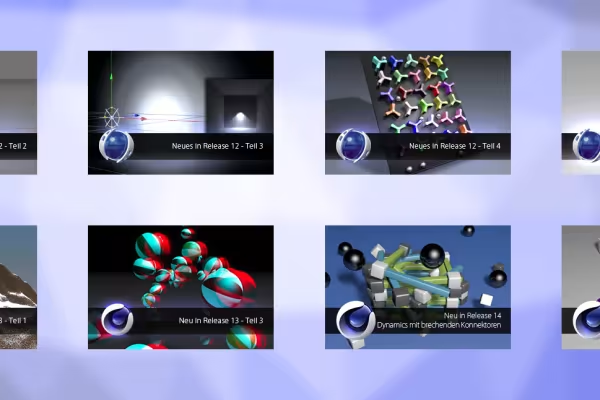
C4D Release 14 - Dynamics with breaking connectors
Connectors in Dynamics have been around since Release 12, but what's new in Version 14 is that these connections can be released when force is applied. In the tutorial, we look at how these connections are set and how we prepare them for the impending application of force.
C4D Release 14 - 3D objects in real images through camera matching
Camera data such as position and focal length must be determined from the photo so that 3D objects can be integrated coherently into real images. This so-called camera matching is possible with the new camera calibration function in CINEMA 4D Release 14.
The advanced dynamics of CINEMA 4D Release 14 offer aerodynamic forces that can be used to influence objects through air density, air resistance and winds. In the tutorial, we drop paper onto a ventilation shaft, but you can also create and swirl autumn leaves.
Details enhance every modeled 3D object. However, it is usually tedious to work intricately with the usual modeling tools. The new sculpting functionality of Release 14 offers an easy and creative approach to spice up models.
The new collision deformer is suitable for creating impressions, tracks or volume expansions based on a collision. In the tutorial, we take a look at how it works and create a short animation.
3D stereoscopy is one of the most interesting new features available in Release 13. Using a particle animation, let's take a look at how a stereoscopic camera is set up. In order to view the stereoscopic images and the final animation correctly, you will need anaglyph red-cyan glasses.
C4D Release 13 - Image mosaic with the multi-shader from MoGraph
In this tutorial, I will show you how to create an image mosaic from any image using the improved Multi-Shader from CINEMA 4D Release 13. The Multi-Shader is part of the MoGraph (Broadcast or Studio) function package.
This tutorial will introduce you to the new physical camera in CINEMA 4D Release 13. You will learn how to control the depth of field via focus distance and aperture, use your own aperture shapes, apply vignetting and calculate with the physical renderer.
C4D Release 13 - Motion blur with the physical renderer
This tutorial gives an introduction to the realization of motion blur with the new physical renderer from CINEMA 4D Release 13. To get the example shown, including the dynamics animation, you need the Studio version; the settings described can be applied to any animation.
C4D Release 13 - Snow in the mountains with the terrain mask shader
C4D Release 13 - Collision Deformer
C4D Release 13 - 3D stereoscopy
C4D Release 13 - Image mosaic with the multi-shader from MoGraph
C4D Release 13 - Physical camera
C4D Release 13 - Motion blur with the physical renderer
C4D Release 13 - Navigation and tool improvements
C4D Release 13 - Rigging an alien with a character template
C4D Release 13 - Animation of an alien with the CMotion-Walkcycle
C4D Release R12
C4D Release 12 - Dynamic inverse kinematics
This tutorial shows the dynamic inverse kinematics (IK) reintroduced in version 12 of CINEMA 4D using the sensors of a simple alien character. The Prime version of CINEMA 4D is sufficient for implementation.
Owners of the Studio version of CINEMA 4D 12 can now enjoy PoseMorph, a greatly improved and expanded morphing tool. This tutorial uses an alien character to show how easy it is to create a convenient morphing set.
This tutorial covers the revised Dynamics functionality in CINEMA 4D Release 12 for soft, elastic bodies (soft bodies) and invites you to experiment with the soft body parameters.
C4D Release 12 - Motors and connectors - Off-road insert with the wooden car
In this tutorial, we use CINEMA 4D's Dynamics motors and connectors to move a car through a hilly terrain with obstacles. We realize the control with a bit of XPresso.
C4D Release 12 - Motors and connectors - PSD on the assembly line
Both MoGraph and the new Dynamics are used in this tutorial. We use motors and connectors to create a conveyor belt with conveyor rollers on which we can then transport all kinds of rigid body objects.
Comment now „New functions in Cinema 4D - R12 to R19, R20 and R21“