
Geometric patterns as vectors for Illustrator and Affinity Designer

Geometric patterns as vectors for Illustrator and Affinity Designer

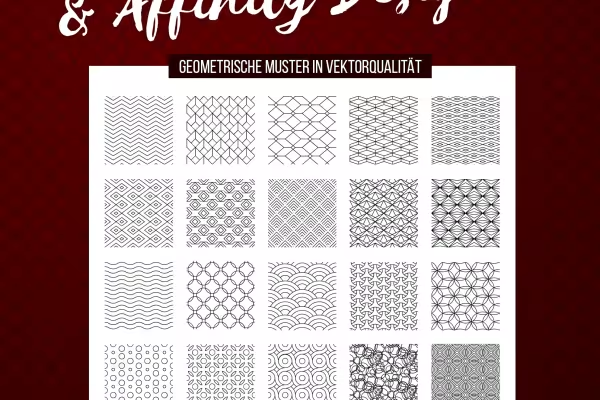
Now you can draw your own circles and show a clear edge on both small and large surfaces! Download 30 vector-based geometric patterns that you can scale losslessly and join seamlessly in Adobe Illustrator and Affinity Designer. For the finest structures in the foreground and background.

  • 30 patterns as vectors for use in Adobe Illustrator and Affinity Designer
  • The shapes fit together seamlessly and can be scaled to any size
  • Fill small and large areas or use the patterns for overlaying
  • Ideally suited for textured backgrounds and lettering

On the surface, get set, go! Download a seamlessly tileable variety of shapes in vector quality to create pattern after pattern.

content

Details of the content

Geometric patterns for Illustrator and Affinity Designer for download

Vector-based geometric patterns for Illustrator and Affinity Designer: zigzag lines and angular shapes

Vector-based geometric patterns for Illustrator and Affinity Designer: zigzag lines and angular shapes

Vector-based geometric patterns for Illustrator and Affinity Designer: waves and circles

Vector-based geometric patterns for Illustrator and Affinity Designer: waves and circles

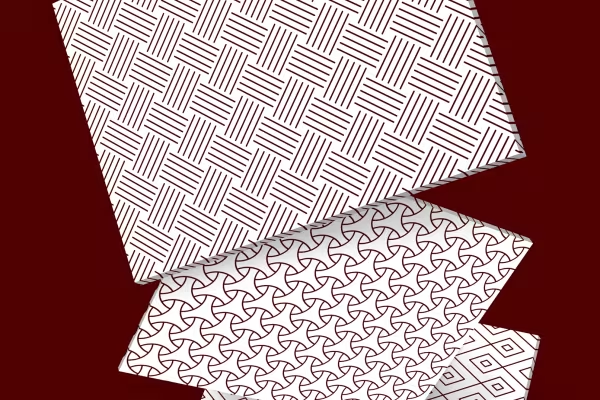
Vector-based geometric patterns for Illustrator and Affinity Designer: lines, rectangles and textiles

Vector-based geometric patterns for Illustrator and Affinity Designer: lines, rectangles and textiles

Examples of use

  • Preview the 30 vector-based patterns for Adobe Illustrator and Affinity Designer
    Open gallery
    Example: These 30 vector-based patterns for Affinity Designer and Adobe Illustrator are included.
  • Backgrounds created with the vector-based patterns
    Open gallery
    Example: Use the patterns to create finely structured backgrounds for small and large areas.
  • Web designs in which the vector-based patterns were used
    Open gallery
    Example: The vector advantage is clearly on your side: Whether scaled large or small - the edge sharpness remains!

help videos for application

Adobe Illustrator instructions for using the geometric patterns

With the help of vector-based geometric patterns, you can easily create richly shaped backgrounds or textured overlays for your lettering. The patterns are available in EPS, SVG and AI format to help you do this in Adobe Illustrator. Watch this video tutorial to see how easy it is to fill even large areas with the patterns in Illustrator.

6 minutes · free of charge

Affinity Designer instructions for using the geometric patterns

With the help of vector-based geometric patterns, you can easily create richly shaped backgrounds or textured overlays for your lettering. The patterns are available in EPS, SVG, AFDESIGNER and, above all, AFPALETTE and AFSTYLES formats to help you do this in Affinity Designer. Watch this video tutorial to see how easy it is to fill even large areas with the patterns in Affinity Designer.

5 minutes · free of charge
Comments (1)

Comment now „Geometric patterns as vectors for Illustrator and Affinity Designer“