50 ornaments: Patterns for textures in Photoshop and Affinity Photo

50 ornaments: Patterns for textures in Photoshop and Affinity Photo

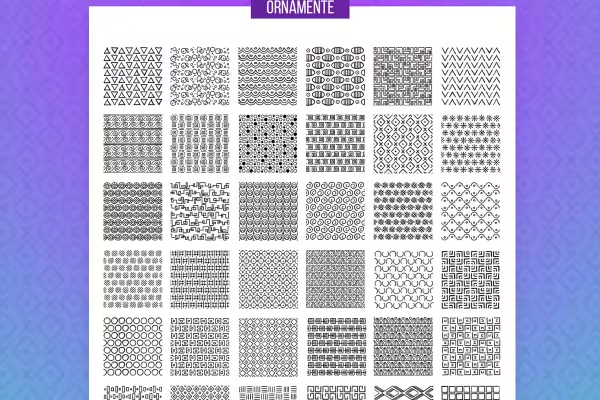
From now on, monotonous backgrounds are a thing of the past! Download 50 ornaments to create a magnificent ornament on small and large surfaces. With the help of seamlessly tileable patterns, you can do this with ease in Photoshop and Affinity Photo.

  • 50 patterns with different ornaments for more structure in your backgrounds
  • Simply place the ornaments next to each other and add decorative textures to your surfaces
  • Optimized for use in Photoshop and Affinity Photo

Welcome to the realm of ornaments! Whether triangle, square or diamond, whether wave, circle or arc shape - get the package and equip your backgrounds with the best shape for each.

content

Details of the content

50 ornaments: patterns for textures in Photoshop and Affinity Photo (download)

Ornaments for Photoshop and Affinity Photo: squares, diamonds

Ornaments for Photoshop and Affinity Photo: squares, diamonds

Ornaments for Photoshop and Affinity Photo: Textile-like textures

Ornaments for Photoshop and Affinity Photo: Textile-like textures

Ornaments for Photoshop and Affinity Photo: Round elements

Ornaments for Photoshop and Affinity Photo: Round elements

Ornaments for Photoshop and Affinity Photo: Triangles

Ornaments for Photoshop and Affinity Photo: Triangles

Ornaments for Photoshop and Affinity Photo: Complex geometries

Ornaments for Photoshop and Affinity Photo: Complex geometries

Examples of use

  • Preview the 50 patterns with ornaments for Photoshop and Affinity Photo
    Open gallery
    Examples: These 50 ornaments are available for you to use in Photoshop and Affinity Photo.
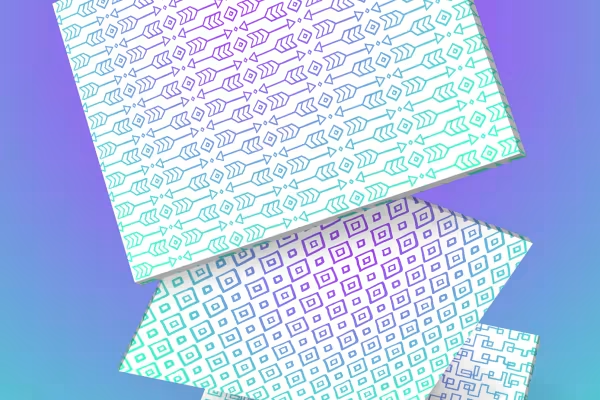
  • Backgrounds created with the ornaments for Photoshop and Affinity Photo
    Open gallery
    Examples: Decide for yourself how large you want to apply the ornaments.
  • Web designs in which the ornaments were used
    Open gallery
    Examples: Use the ornaments as an overlay for your lettering, for example.

help videos for application

Photoshop instructions for using the ornaments as textures

You can use the ornaments to create richly shaped backgrounds or textured overlays for your lettering. The patterns are available in PSD, PNG and, above all, PAT format so that you can do this in Photoshop. Watch this video tutorial by Matthias Petri to see how easy it is to fill even large areas with the patterns in Photoshop.

7 minutes · free of charge

Affinity Photo instructions for using the geometric patterns

You can use the ornaments to create richly shaped backgrounds or textured overlays for your lettering. The patterns are available in AFPHOTO and PNG format and, above all, in AFSTYLES and AFPALETTE format to help you do this in Affinity Photo. Watch this video tutorial by Matthias Petri to see how easy it is to fill even large areas with the patterns in Affinity Photo.

6 minutes · free of charge
Comments (0)

Comment now „50 ornaments: Patterns for textures in Photoshop and Affinity Photo“

