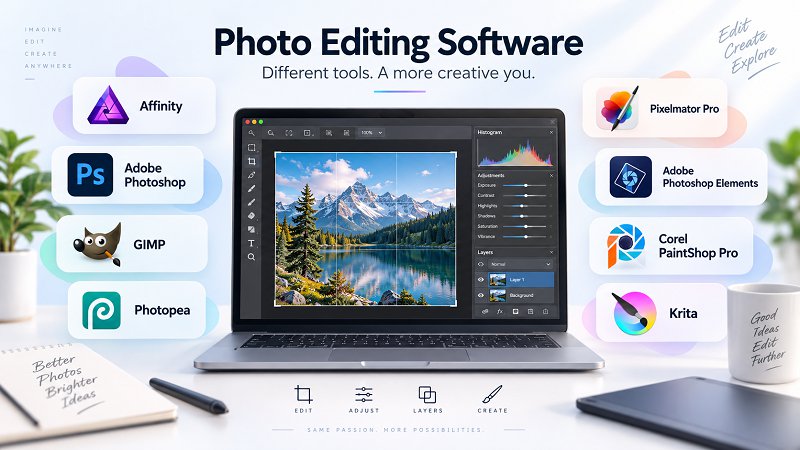
Image editing often makes people think of Photoshop – yet not every retouch, montage or social media graphic needs a subscription. This comparison sets Photoshop against seven alternatives: free open-source programs, one-off purchases and a browser-based option, from first steps to professional work. It is based on manufacturer information with source and retrieval date. Pure raw processing and photo management are covered in a separate comparison.
All pixel, vector and layout tools can be used with a free Canva account, without a subscription.[1]
Adjustment layers, live filters and masks work non-destructively, without the detour via smart objects.[5]
Weaknesses
AI tools such as generative fill, background removal or Super Resolution are only available with a Canva premium plan.[14]
2Ps
Adobe Photoshop
Retouching & cut-outsMontage & compositingGraphics & social media
Image editor for retouching, cut-outs and compositing with layers, masks and its own PSD format – subscription only, generative AI via credits.
Plan considered: Photography plan (1 TB), annual plan paid monthly
Photoshop for desktop, web, iPhone and iPad, plus Lightroom and Lightroom Classic. 1 TB cloud storage. 1,000 generative credits per month; unused credits do not roll over to the next month. The allowance renews monthly on your personal reset date, the day of the month on which you started the plan.
Free of charge for good and open source under the GPL v3: you may use GIMP for any purpose, including commercial work.[2][1]
Since GIMP 3.0, filters stay non-destructive: you can edit them again later, toggle them on or off or delete them individually.[8]
Weaknesses
No true adjustment layers: as a workaround you apply non-destructive filters to an empty layer group in “Pass through” mode.[9][10]
4Pp
Photopea
Montage & compositingGraphics & social mediaRetouching & cut-outs
Free image editor in the browser with layers, masks, smart objects and PSD support; files are processed on your device.
Plan considered: Free with ads
All editor features, with ads. 0.5 GB cloud storage (PeaDrive) with an account. Ad-free only with Premium. The monthly allowance of AI credits belongs to Premium; the developer does not say how often you can use the AI features in the free version.
Opens PSD files and saves them back as PSD; according to the developer, PSD is its main format.[1]
According to the privacy policy, opened files are processed on your device and not uploaded.[2]
Weaknesses
The free version shows ads; you only work ad-free with Premium.[3]
5Px
Pixelmator Pro
Retouching & cut-outsMontage & compositingGraphics & social media
Apple's image editor with layers, retouching, vector and machine-learning tools – a one-off purchase for the Mac, with the iPad version and generative AI in the subscription.
Plan considered: One-off purchase in the Mac App Store
Mac only. Includes the machine-learning tools, such as remove background, Super Resolution, remove noise and automatic image enhancement (ML Enhance). No iPad version, no generative AI and no Warp tool; these are only available in the Apple Creator Studio subscription. Can be used by up to six family members via Family Sharing.
Operating systems
macOS
Open and save PSD with layers
Open and save
Pricing model
Subscription (monthly or yearly) · One-off purchase
Photo editor for beginners with Guided mode, layers and AI mode – a purchase with a time-limited 3-year licence.
Plan considered: Photoshop Elements 2027, purchase with 3-year licence
Time-limited licence: it expires 3 years after activation and cannot be renewed. After that the editor can no longer be used; the Elements Organizer with your media catalogue stays accessible. Install on up to two computers, not used at the same time. Includes 25 generative credits per month for the generative AI features.
Subscription (monthly or yearly) · One-off purchase
One-off purchase
One-off purchase
One-off purchase · Free version available
Licence
freemium
proprietary
open source
freemium
proprietary
proprietary
proprietary
open source
Operating systems
Windows, macOS
Windows, macOS
Windows, macOS, Linux
Web
macOS
Windows, macOS
Windows
Windows, macOS, Linux, Android
German interface
Yes
Yes
Yes
Yes
Yes
Yes
Yes
Yes
Works offline
Yes
Partly
Yes
Partly
Partly
Partly
Partly
Yes
Non-destructive layers and masks Yes: layer masks plus adjustment layers and smart objects, live filters or equivalent features. Partly: only some of these.
Yes
Yes
Partly
Yes
Yes
Partly
Partly
Yes
Open and save PSD with layers Whether PSD files can be opened with layers and saved back as PSD. Limited: layers are kept, but effects, smart objects, text or adjustment layers are partly not editable.
Not confirmednot published by the provider (The release notes for GIMP 3.0 and 3.2 list no built-in AI tools; there is no explicit statement from the project. AI is only available through third-party plug-ins.)
Automatic subject/background selection, AI upscaling
Not confirmednot published by the provider (The feature list and 5.3 release notes name no built-in AI tools. AI is limited to the separate, experimental Fast Sketch Cleanup plug-in.)
AI: cloud or local, credits Where the AI features run and whether they require credits or an additional subscription.
Locally on the device, In the cloud (online), Uses credits, Extra subscription required
Locally on the device, In the cloud (online), Uses credits
–
In the cloud (online), Uses credits
Not confirmednot published by the provider (The machine-learning tools of the one-off purchase (e.g. remove background, Super Resolution) are included; where they run is not documented. Generative AI is only available in the Apple Creator Studio subscription, via third-party servers.)
In the cloud (online), Uses credits
Locally on the device
–
Training on user data
No
No
No
Not confirmednot published by the provider (The privacy policy mentions neither AI features nor AI training; it says opened files never leave the device. Nothing is stated for AI via third parties.)
No
No
Not confirmed – No explicit statement by the manufacturernot published by the provider (No explicit statement by the manufacturer. According to the privacy policy, Corel uses transactional data for internal AI models; image content is not mentioned.)
No
Plug-ins and extensions
Photoshop-compatible pluginsPhotoshop-compatible plugins; you set the search folders in the settings. The vendor does not publish a list of supported plugins.
Plug-ins and extensions from Adobe and third parties via the…Plug-ins and extensions from Adobe and third parties via the Creative Cloud desktop app or in the Plug-ins folder; custom plug-ins and scripts with UXP.
Plug-ins and scripts in C, Python 3 and Script-Fu, on some…Plug-ins and scripts in C, Python 3 and Script-Fu, on some platforms also JavaScript, Lua and Vala. The project does not mention Photoshop 8bf plug-ins.
You can add plugins inside the editorYou can add plugins inside the editor; scripts in JavaScript, according to the developer also scripts written for Photoshop.
No Photoshop plug-ins (8bf) documentedNo Photoshop plug-ins (8bf) documented. Automation via the Shortcuts app, AppleScript and Automator, plus an extension for the Photos app.
Plug-ins (filters) from Adobe and third parties can be used…Plug-ins (filters) from Adobe and third parties can be used, including from an additional plug-ins folder. They must match the Elements version.
64-bit third-party plug-ins and Photoshop-compatible…64-bit third-party plug-ins and Photoshop-compatible plug-ins (usually .8B* extension); plug-in folders can be set in the preferences.
Python plug-ins via Krita's own APIPython plug-ins via Krita's own API; several plug-ins come pre-installed. Brush and texture packs can be imported.
Trial or free plan
The full program is free with a Canva accountThe full program is free with a Canva account. You can try the AI tools with the free Canva Pro trial.
Free 7-day trial, then automatically a paid plan unless you cancel firstFree 7-day trial, then automatically a paid plan unless you cancel first. Photoshop for iPad is available as a free app.
No trial needed: GIMP is complete and free of charge for good.
Free forever with ads and all featuresFree forever with ads and all features; ad-free Premium as a one-time payment for 30, 90 or 365 days.
Apple names no trial for the one-off purchaseApple names no trial for the one-off purchase. New subscribers can use Apple Creator Studio free for one month.
Free 7-day trial, which includes 10 generative creditsFree 7-day trial, which includes 10 generative credits. You can buy directly from within the trial.
Free 30-day trial, no credit card required.
No trial needed: the full program is freeNo trial needed: the full program is free. Store versions cost money but are functionally identical according to the developers.
Installations per licence
Any number of devices that you use or controlAny number of devices that you use or control; sign-in with your Canva account.
Sign in with your account on up to two computersSign in with your account on up to two computers; use on only one computer at a time.
No limit: under the GPL v3 you may use GIMP on any number of…No limit: under the GPL v3 you may use GIMP on any number of computers for any purpose and pass it on.
No installation needed, runs in the browserNo installation needed, runs in the browser. Can optionally be installed as an app on your device; it then still runs in the browser.
Purchased via your Apple Account, usable on Apple devices you ownPurchased via your Apple Account, usable on Apple devices you own; up to six family members with Family Sharing.
Install on up to two computers, but not used at the same timeInstall on up to two computers, but not used at the same time. To move, you sign out (deactivation, internet required).
Not confirmednot published by the provider (According to the EULA, the number of permitted devices is stated in the licence certificate; not published.)
No limit: Krita is licensed under the GNU GPL v3 and may be…No limit: Krita is licensed under the GNU GPL v3 and may be freely used, modified and redistributed.
Updates included
Free updates and new features according to the vendorFree updates and new features according to the vendor; the terms rule out any contractual obligation to provide updates.
New versions and feature updates are included during the termNew versions and feature updates are included during the term; you decide when to install them.
All new versions are free of chargeAll new versions are free of charge. The 3.2 series receives bug fixes and security updates; development is moving towards GIMP 3.4.
Not confirmed – No update policy publishednot published by the provider (No update policy published. As a web app, the browser loads the editor from the website; the developer announces new versions on the blog.)
Updates via the App Store, most recently version 3.8 with new raw camerasUpdates via the App Store, most recently version 3.8 with new raw cameras. New version 4 features such as the Warp tool are subscription-only.
The app can download application updates automaticallyThe app can download application updates automatically. A new yearly version is a new purchase (upgrade) and starts a new 3-year term.
Updates for version 2023 (most recently Update 2 from August 2023)Updates for version 2023 (most recently Update 2 from August 2023); separately priced new products are not included according to the EULA.
All new versions are free to downloadAll new versions are free to download; no automatic updates (only the store versions offer them).
Retouching & cut-outs, Montage & compositing, Graphics & social media
Pricing model
Subscription (yearly) · Free version available
Licence
freemium
Operating systems
Windows, macOS
German interface
Yes
Works offline
Yes
Non-destructive layers and masks Yes: layer masks plus adjustment layers and smart objects, live filters or equivalent features. Partly: only some of these.
Yes
Open and save PSD with layers Whether PSD files can be opened with layers and saved back as PSD. Limited: layers are kept, but effects, smart objects, text or adjustment layers are partly not editable.
With limitations
File formats
PSD, TIFF, PDF, SVG, RAW, JPEG, PNG, AFPHOTO
Bit depth per channel Bit depths in which images can be edited.
8-bit, 16-bit, 32-bit (floating point)
CMYK mode
Yes
AI features for images AI tools built into the program; third-party add-ons do not count.
AI: cloud or local, credits Where the AI features run and whether they require credits or an additional subscription.
Locally on the device, In the cloud (online), Uses credits, Extra subscription required
Training on user data
No
Plug-ins and extensions
Photoshop-compatible pluginsPhotoshop-compatible plugins; you set the search folders in the settings. The vendor does not publish a list of supported plugins.
Trial or free plan
The full program is free with a Canva accountThe full program is free with a Canva account. You can try the AI tools with the free Canva Pro trial.
Installations per licence
Any number of devices that you use or controlAny number of devices that you use or control; sign-in with your Canva account.
Updates included
Free updates and new features according to the vendorFree updates and new features according to the vendor; the terms rule out any contractual obligation to provide updates.
Retouching & cut-outs, Montage & compositing, Graphics & social media
Pricing model
Subscription (monthly)
Licence
proprietary
Operating systems
Windows, macOS
German interface
Yes
Works offline
Partly
Non-destructive layers and masks Yes: layer masks plus adjustment layers and smart objects, live filters or equivalent features. Partly: only some of these.
Yes
Open and save PSD with layers Whether PSD files can be opened with layers and saved back as PSD. Limited: layers are kept, but effects, smart objects, text or adjustment layers are partly not editable.
Open and save
File formats
PSD, TIFF, PNG, JPEG, RAW, HEIC, PDF, WEBP
Bit depth per channel Bit depths in which images can be edited.
8-bit, 16-bit, 32-bit (floating point)
CMYK mode
Yes
AI features for images AI tools built into the program; third-party add-ons do not count.
AI: cloud or local, credits Where the AI features run and whether they require credits or an additional subscription.
Locally on the device, In the cloud (online), Uses credits
Training on user data
No
Plug-ins and extensions
Plug-ins and extensions from Adobe and third parties via the…Plug-ins and extensions from Adobe and third parties via the Creative Cloud desktop app or in the Plug-ins folder; custom plug-ins and scripts with UXP.
Trial or free plan
Free 7-day trial, then automatically a paid plan unless you cancel firstFree 7-day trial, then automatically a paid plan unless you cancel first. Photoshop for iPad is available as a free app.
Installations per licence
Sign in with your account on up to two computersSign in with your account on up to two computers; use on only one computer at a time.
Updates included
New versions and feature updates are included during the termNew versions and feature updates are included during the term; you decide when to install them.
Non-destructive layers and masks Yes: layer masks plus adjustment layers and smart objects, live filters or equivalent features. Partly: only some of these.
Partly
Open and save PSD with layers Whether PSD files can be opened with layers and saved back as PSD. Limited: layers are kept, but effects, smart objects, text or adjustment layers are partly not editable.
Bit depth per channel Bit depths in which images can be edited.
8-bit, 16-bit, 32-bit (floating point)
CMYK mode
Partly
AI features for images AI tools built into the program; third-party add-ons do not count.
Not confirmednot published by the provider (The release notes for GIMP 3.0 and 3.2 list no built-in AI tools; there is no explicit statement from the project. AI is only available through third-party plug-ins.)
AI: cloud or local, credits Where the AI features run and whether they require credits or an additional subscription.
–
Training on user data
No
Plug-ins and extensions
Plug-ins and scripts in C, Python 3 and Script-Fu, on some…Plug-ins and scripts in C, Python 3 and Script-Fu, on some platforms also JavaScript, Lua and Vala. The project does not mention Photoshop 8bf plug-ins.
Trial or free plan
No trial needed: GIMP is complete and free of charge for good.
Installations per licence
No limit: under the GPL v3 you may use GIMP on any number of…No limit: under the GPL v3 you may use GIMP on any number of computers for any purpose and pass it on.
Updates included
All new versions are free of chargeAll new versions are free of charge. The 3.2 series receives bug fixes and security updates; development is moving towards GIMP 3.4.
Montage & compositing, Graphics & social media, Retouching & cut-outs
Pricing model
One-off purchase · Free version available
Licence
freemium
Operating systems
Web
German interface
Yes
Works offline
Partly
Non-destructive layers and masks Yes: layer masks plus adjustment layers and smart objects, live filters or equivalent features. Partly: only some of these.
Yes
Open and save PSD with layers Whether PSD files can be opened with layers and saved back as PSD. Limited: layers are kept, but effects, smart objects, text or adjustment layers are partly not editable.
AI: cloud or local, credits Where the AI features run and whether they require credits or an additional subscription.
In the cloud (online), Uses credits
Training on user data
Not confirmednot published by the provider (The privacy policy mentions neither AI features nor AI training; it says opened files never leave the device. Nothing is stated for AI via third parties.)
Plug-ins and extensions
You can add plugins inside the editorYou can add plugins inside the editor; scripts in JavaScript, according to the developer also scripts written for Photoshop.
Trial or free plan
Free forever with ads and all featuresFree forever with ads and all features; ad-free Premium as a one-time payment for 30, 90 or 365 days.
Installations per licence
No installation needed, runs in the browserNo installation needed, runs in the browser. Can optionally be installed as an app on your device; it then still runs in the browser.
Updates included
Not confirmed – No update policy publishednot published by the provider (No update policy published. As a web app, the browser loads the editor from the website; the developer announces new versions on the blog.)
Retouching & cut-outs, Montage & compositing, Graphics & social media
Pricing model
Subscription (monthly or yearly) · One-off purchase
Licence
proprietary
Operating systems
macOS
German interface
Yes
Works offline
Partly
Non-destructive layers and masks Yes: layer masks plus adjustment layers and smart objects, live filters or equivalent features. Partly: only some of these.
Yes
Open and save PSD with layers Whether PSD files can be opened with layers and saved back as PSD. Limited: layers are kept, but effects, smart objects, text or adjustment layers are partly not editable.
Open and save
File formats
PSD, TIFF, PNG, JPEG, RAW, HEIC, SVG, PDF, WEBP
Bit depth per channel Bit depths in which images can be edited.
8-bit, 16-bit
CMYK mode
Partly
AI features for images AI tools built into the program; third-party add-ons do not count.
Automatic subject/background selection, AI upscaling, Remove objects (AI)
AI: cloud or local, credits Where the AI features run and whether they require credits or an additional subscription.
Not confirmednot published by the provider (The machine-learning tools of the one-off purchase (e.g. remove background, Super Resolution) are included; where they run is not documented. Generative AI is only available in the Apple Creator Studio subscription, via third-party servers.)
Training on user data
No
Plug-ins and extensions
No Photoshop plug-ins (8bf) documentedNo Photoshop plug-ins (8bf) documented. Automation via the Shortcuts app, AppleScript and Automator, plus an extension for the Photos app.
Trial or free plan
Apple names no trial for the one-off purchaseApple names no trial for the one-off purchase. New subscribers can use Apple Creator Studio free for one month.
Installations per licence
Purchased via your Apple Account, usable on Apple devices you ownPurchased via your Apple Account, usable on Apple devices you own; up to six family members with Family Sharing.
Updates included
Updates via the App Store, most recently version 3.8 with new raw camerasUpdates via the App Store, most recently version 3.8 with new raw cameras. New version 4 features such as the Warp tool are subscription-only.
Non-destructive layers and masks Yes: layer masks plus adjustment layers and smart objects, live filters or equivalent features. Partly: only some of these.
Partly
Open and save PSD with layers Whether PSD files can be opened with layers and saved back as PSD. Limited: layers are kept, but effects, smart objects, text or adjustment layers are partly not editable.
With limitations
File formats
PSD, TIFF, PNG, JPEG, RAW, WEBP, PDF
Bit depth per channel Bit depths in which images can be edited.
8-bit, 16-bit
CMYK mode
No
AI features for images AI tools built into the program; third-party add-ons do not count.
AI: cloud or local, credits Where the AI features run and whether they require credits or an additional subscription.
In the cloud (online), Uses credits
Training on user data
No
Plug-ins and extensions
Plug-ins (filters) from Adobe and third parties can be used…Plug-ins (filters) from Adobe and third parties can be used, including from an additional plug-ins folder. They must match the Elements version.
Trial or free plan
Free 7-day trial, which includes 10 generative creditsFree 7-day trial, which includes 10 generative credits. You can buy directly from within the trial.
Installations per licence
Install on up to two computers, but not used at the same timeInstall on up to two computers, but not used at the same time. To move, you sign out (deactivation, internet required).
Updates included
The app can download application updates automaticallyThe app can download application updates automatically. A new yearly version is a new purchase (upgrade) and starts a new 3-year term.
Non-destructive layers and masks Yes: layer masks plus adjustment layers and smart objects, live filters or equivalent features. Partly: only some of these.
Partly
Open and save PSD with layers Whether PSD files can be opened with layers and saved back as PSD. Limited: layers are kept, but effects, smart objects, text or adjustment layers are partly not editable.
With limitations
File formats
PSD, TIFF, PNG, JPEG, RAW, HEIC, SVG, PDF, WEBP
Bit depth per channel Bit depths in which images can be edited.
8-bit, 16-bit
CMYK mode
Partly
AI features for images AI tools built into the program; third-party add-ons do not count.
Automatic subject/background selection, AI upscaling
AI: cloud or local, credits Where the AI features run and whether they require credits or an additional subscription.
Locally on the device
Training on user data
Not confirmed – No explicit statement by the manufacturernot published by the provider (No explicit statement by the manufacturer. According to the privacy policy, Corel uses transactional data for internal AI models; image content is not mentioned.)
Plug-ins and extensions
64-bit third-party plug-ins and Photoshop-compatible…64-bit third-party plug-ins and Photoshop-compatible plug-ins (usually .8B* extension); plug-in folders can be set in the preferences.
Trial or free plan
Free 30-day trial, no credit card required.
Installations per licence
Not confirmednot published by the provider (According to the EULA, the number of permitted devices is stated in the licence certificate; not published.)
Updates included
Updates for version 2023 (most recently Update 2 from August 2023)Updates for version 2023 (most recently Update 2 from August 2023); separately priced new products are not included according to the EULA.
Non-destructive layers and masks Yes: layer masks plus adjustment layers and smart objects, live filters or equivalent features. Partly: only some of these.
Yes
Open and save PSD with layers Whether PSD files can be opened with layers and saved back as PSD. Limited: layers are kept, but effects, smart objects, text or adjustment layers are partly not editable.
With limitations
File formats
PSD, TIFF, PNG, JPEG, RAW, HEIC, SVG, PDF, WEBP
Bit depth per channel Bit depths in which images can be edited.
8-bit, 16-bit, 32-bit (floating point)
CMYK mode
Yes
AI features for images AI tools built into the program; third-party add-ons do not count.
Not confirmednot published by the provider (The feature list and 5.3 release notes name no built-in AI tools. AI is limited to the separate, experimental Fast Sketch Cleanup plug-in.)
AI: cloud or local, credits Where the AI features run and whether they require credits or an additional subscription.
–
Training on user data
No
Plug-ins and extensions
Python plug-ins via Krita's own APIPython plug-ins via Krita's own API; several plug-ins come pre-installed. Brush and texture packs can be imported.
Trial or free plan
No trial needed: the full program is freeNo trial needed: the full program is free. Store versions cost money but are functionally identical according to the developers.
Installations per licence
No limit: Krita is licensed under the GNU GPL v3 and may be…No limit: Krita is licensed under the GNU GPL v3 and may be freely used, modified and redistributed.
Updates included
All new versions are free to downloadAll new versions are free to download; no automatic updates (only the store versions offer them).
All information is based on the manufacturers' own pages: product and pricing pages, help articles and manuals, system requirements, terms of use and privacy notices. Every statement has a source with the date it was retrieved. TutKit did not use the programs for this comparison itself; statements such as “suits …” are clearly worded as an assessment.
Status and prices
Information is as of the retrieval date of each source. Prices and plans change frequently; the current details on the manufacturer's website always apply. For each program, we consider the entry plan that includes the full program. Further plans such as one-off purchase, premium or team are listed under “All plans”.
Pricing rules: Calculations use the regular price of the manufacturer or retailer in euros including VAT. Time-limited discounts are not included. If a provider does not state whether VAT is included, the plan is treated as not comparable. For access passes with a fixed term and no automatic renewal, such as Photopea Premium, the calculation counts the purchases needed for three years: the days in the period divided by the term, rounded up.
Selection and order
The comparison covers programs for pixel editing, retouching, cut-outs and montage – free, by subscription and as a one-off purchase, for Windows, Mac, Linux and the browser. The selection is a starting point, not a complete market overview. The order reflects suitability for the target audience of this comparison: features for retouching and montage, pricing model and platforms. A different program may fit your use case better; use the filters, roles and target groups for that.
TutKit offers its own courses on Photoshop, Photoshop Elements, Affinity and GIMP. This did not influence the selection or the order; the courses only appear as labelled references.
The editorial team sets the order. In descending weight, it is based on: suitability for the audience’s typical use, features as compared here, pricing model (such as a free version, one-off purchase or subscription), and data protection and server location.
Research and drafts are partly AI-assisted; every statement has been checked editorially against its source and is the responsibility of Stefan Petri.
How we are funded
These comparisons are funded by commissions from affiliate links (marked *). TutKit also sells its own courses on some programs; they are marked “TutKit’s own offer” and are not part of the selection. There are no paid placements on these pages.
Buying guide
What do you need the program for?
Start with what you do most. For retouching and cut-outs, good selection tools, masks and healing brushes matter. For montages and composites, you need layers, masks and adjustment layers that stay responsive even with many layers. For graphics and social media visuals, text and shape tools and templates help. If you want to paint digitally, look at the brushes and pen tablet support. And for quick fixes, guided and automatic features often matter more than a large feature set. The coloured roles on the cards show what, in our view, a program suits particularly well.
Subscription, one-off purchase or free
The programs in this comparison cover all three models. A subscription brings new versions continuously and often cloud features, but you keep paying. With a one-off purchase you pay once; a major new version usually costs again. Check whether a purchased licence is perpetual. Free programs are either open source and developed by a community, or they are funded by ads or an add-on offer.
PSD files and collaboration
If you receive files from agencies or clients, Photoshop's PSD format is often a given. Many alternatives open PSD files including layers. Adjustment layers, smart objects, layer effects or text do not always stay editable, though. If you have to hand PSD files back, check beforehand with a typical client file what is preserved.
Working non-destructively
Non-destructive means you change an image without overwriting the original pixels – for example with adjustment layers, layer masks, smart objects or live filters. That way you can adjust or undo every step later. For retouching and montage, this is one of the most important criteria.
AI features: local, in the cloud or with credits
Generative fill, removing objects, cutting out a subject with one click: many programs now include AI tools. Some run directly on your computer, others need an internet connection, use credits from your plan or require an additional subscription. Also check the terms of use to see whether the provider may use your images to train its AI – especially for client work.
Print: CMYK and bit depth
If you prepare images for offset printing, you need editing in CMYK mode or at least a clean CMYK export with a colour profile. For smooth gradients and strong corrections, 16 bits per channel help; 32-bit is mainly for HDR images. For web and social media, 8-bit is usually enough.
Platform, offline use and language
Not every program runs on every system: some are Windows-only or Mac-only, others also run on Linux or in the browser. If you work on the go or without a stable connection, check whether the program works offline and whether the licence is checked online regularly. An interface in your own language makes getting started easier.
Try it first
Many of the programs can be used for free or tried out first. Take a typical project – a portrait retouch, a montage or a social media graphic – and see how quickly you get there. Current prices are always on the provider's website.
Terms
Layer mask
Hides parts of a layer without deleting pixels. With white, black and shades of grey you control what stays visible – and you can change it at any time.
Adjustment layer
A layer that applies corrections such as brightness, contrast or colour to the layers below without changing them. You can adjust or hide it later.
Smart object
A container that keeps the original image unchanged. Scaling, transforming and filters can still be changed later. Other programs offer something similar as embedded documents or live filters.
Non-destructive
A way of working that keeps the original pixels. Corrections, masks and filters sit separately on top and can be changed at any time.
PSD
Photoshop's file format. It stores layers, masks, text and effects. Other programs often read PSD but do not keep every part editable.
Raw
Camera raw data with lots of latitude for exposure and colour. In this comparison, it only matters whether a program can open raw files; raw processing is covered in a separate comparison.
CMYK
Colour model for print made of cyan, magenta, yellow and black. For print files, you convert images using a suitable colour profile.
Bit depth (8, 16, 32-bit)
States how many tonal steps are stored per colour channel. 16-bit prevents banding in gradients after strong corrections; 32-bit (floating point) is mainly used for HDR images.
Plug-ins (8bf)
Extensions that add filters and tools. The 8bf format comes from Photoshop and is also loaded by some other programs.
Generative fill
AI feature that refills a selected area based on a text prompt or to match its surroundings – for example to remove objects or extend an image.
Credits
Allowance for AI features that run on the provider's servers. How much a use consumes depends on the feature and model; some tools do not count at all. The allowance usually renews monthly, and unused credits generally do not roll over. Once it is used up, these features are limited or cost extra.
Conclusion
Which program fits depends mainly on three questions: how often and how professionally do you edit images, which system do you work on, and do you want a subscription?
In our view, Affinity suits professional retouching and montage without ongoing costs: non-destructive layers, live filters, CMYK and raw processing are free with a Canva account; only the AI tools require a Canva premium subscription. Photoshop is the obvious choice if you exchange PSD files with agencies every day and want to use generative AI directly in the program; in return, you commit to a subscription, and the generative features use credits.
GIMP is free, also runs on Linux and covers retouching and montage well, but it lacks adjustment layers and a CMYK working mode. Photopea brings a PSD-capable editor to the browser without installation, with ads in the free version. Pixelmator Pro suits Mac users who want to buy once; generative AI and the iPad app are only available in Apple's subscription. Photoshop Elements is aimed at beginners with guided edits, but the licence expires after three years. PaintShop Pro offers Windows users a one-off purchase with layers and AI tools on your own computer, although the current version dates from 2023. Krita is primarily a painting program and suits illustrations and painted-over montages rather than photo retouching.
Before deciding, try a typical project in the free version or the trial period.
Frequently asked questions
Can I edit PSD files without Photoshop?
Yes. Photopea even uses PSD as its main format and saves files back as PSD. Affinity, GIMP, Krita, PaintShop Pro and Pixelmator Pro also open PSD files with layers. Depending on the program, however, smart objects are rasterised or adjustment layers, layer effects and text are not fully carried over. Photoshop Elements does not support layer groups from Photoshop files.
If you have to hand files back to clients, check beforehand with a typical file what is preserved. The row “Open and save PSD with layers” in the table shows the status for each program.
Which Photoshop alternative is available without a subscription?
Several: Affinity, GIMP and Krita are free, and you can use Photopea for free in the browser; the free version shows ads. Pixelmator Pro for Mac and PaintShop Pro for Windows are available as one-off purchases. You also buy Photoshop Elements without a subscription, but the licence expires three years after activation.
Note that AI features sometimes cost extra: Affinity requires a Canva premium subscription for them, and Pixelmator Pro offers generative AI only in the Apple Creator Studio subscription.
Is GIMP good enough for professional retouching?
For many tasks, yes. GIMP 3 offers layers, masks, clone and heal tools, non-destructive filters and editing at up to 32 bits per channel. In our view, the limits show when working with professionals: real adjustment layers are missing (there is a workaround using layer groups), CMYK is only available as soft proofing and on export, and adjustment layers and layer effects are partly lost when importing PSD files. The project does not mention built-in AI tools.
For retouching within your own workflow, GIMP does the job well. If you exchange PSD files with agencies every day, you are more likely to hit its limits.
Do I need an internet connection or credits for AI features?
It depends on the program. In Photoshop and Photoshop Elements, generative features such as Generative Fill run online and use generative credits from a monthly allowance; according to Adobe, the Remove tool in Photoshop does not deduct credits. Affinity unlocks the Canva AI tools only with a Canva premium subscription; generative tools run online and count towards the monthly AI allowance, while others such as Super Resolution use downloaded models on your device. Photopea offers its AI features to Premium users with a monthly credit allowance. Pixelmator Pro already includes machine-learning tools such as remove background and Super Resolution in the one-off purchase; generative AI is only available in the Apple Creator Studio subscription.
PaintShop Pro lists hardware requirements for its AI tools and can use your graphics card if you choose. GIMP and Krita do not mention built-in AI tools.
Which program is suitable for CMYK print files?
According to the manufacturers, you can edit in CMYK mode in Photoshop, Affinity and Krita. GIMP offers CMYK as soft proofing and on import and export, while Pixelmator Pro only converts images to CMYK on export. PaintShop Pro outputs CMYK colour separations when printing, and Photopea shows a print preview. Photoshop Elements has no CMYK mode.
In our view, Photoshop and Affinity are the most suitable for print files that must meet a print shop's specifications.
What is the difference between Photoshop and Photoshop Elements?
Photoshop Elements is Adobe's program for beginners: Guided mode takes you step by step through typical edits, and layers, masks and adjustment layers are included. However, it lacks a CMYK mode and support for layer groups from Photoshop files.
Photoshop is only available by subscription. You buy Elements once, but the licence expires three years after activation. Both offer generative AI, each with a monthly credit allowance.
Are there Photoshop alternatives for Linux or in the browser?
Yes. GIMP and Krita run on Linux, Windows and macOS. Photopea runs in the browser and therefore on any system; according to the developer, it processes your files on your device, and once loaded, the editor also works offline.
Affinity is available for Windows and macOS, Pixelmator Pro for the Mac (the iPad version only in the Apple Creator Studio subscription), and PaintShop Pro only for Windows.
For providers
The editorial team selects the entries and decides on their order. Providers can report corrections; there is no entitlement to inclusion or to a particular position.
Product names and logos are trademarks of their respective owners and are used for identification only. No partnership, certification or endorsement by the manufacturers; for commissions, see the advertising notice.