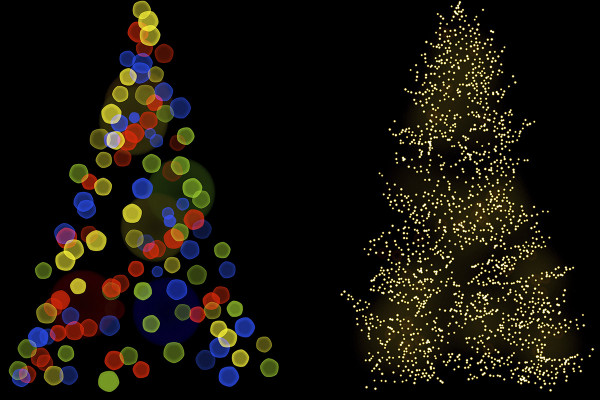
Bokeh effects for atmospheric Christmas tree lighting

Bokeh effects for atmospheric Christmas tree lighting

Do you want the Christmas trees in your photos to light up atmospherically and conjure up a cozy Christmas Eve atmosphere? Simply turn on the lights with these 30 Christmas bokeh overlays. Apply the glowing dots and create shimmering light effects by overlaying them.

  • 30 overlays with bokeh effects that you apply to the Christmas trees in your pictures
  • Create a Christmassy atmosphere with simple overlays using mixing modes
  • Ideally suited for enhancing private photos, for invitation cards and for advertising purposes

A sparkle that only the Christmas season knows. Get yourself a glittering "Christmas candelabra" and place the digital fairy lights on your Christmas tree photos.

content

Details of the content

Bokeh effects for an atmospheric Christmas tree lighting (Download)

Bokeh effects for atmospheric Christmas tree lighting: classic and brightly colored

Bokeh effects for atmospheric Christmas tree lighting: classic and brightly colored

Bokeh effects for atmospheric Christmas tree lighting: colorful and frost blue

Bokeh effects for atmospheric Christmas tree lighting: colorful and frost blue

Bokeh effects for atmospheric Christmas tree lighting: colorful and rich in form

Bokeh effects for atmospheric Christmas tree lighting: colorful and rich in form

Examples of use

  • Bokeh overlays to light up the Christmas tree
    Open gallery
    These 30 bokeh overlays for a glowing Christmas tree are included.
  • Open gallery
    Example: Create a Christmassy glow in your photos.
  • Open gallery
    Example: Use exactly the overlays that match your Christmas tree.
  • Open gallery
    Example: Play with almost surreal lighting effects.
  • Open gallery
    Example: Add bright accents to enhance your Christmas pictures.
  • Open gallery
    Example: You set the size, position and color of the bokeh effects yourself.
  • Open gallery
    Example: For an additional Christmas sparkle in your pictures.

help video for application

Photoshop tutorial: How to apply bokeh overlays to Christmas tree photos

It's still rather sparse and dull in your picture - but only a short time later the Christmas tree in your photos will light up magnificently. This is made possible by our Christmas bokeh overlays. Select the desired motif, place it on a new layer over your image and set the blend mode to multiply negative. Then adjust the appearance to your photo by positioning and scaling. Stefan Riedl explains exactly how to proceed and how to adjust the color of the effects in this Photoshop tutorial.


7 minutes · free of charge
Comments (3)

Comment now „Bokeh effects for atmospheric Christmas tree lighting“