
Every scientific presentation needs the right tools to convey content clearly and understandably. Although PowerPoint is the standard in academia, there are numerous alternatives that can also be very useful in certain contexts. In this guide, you will learn which tools are available to you and how to best use them to optimize your presentation.
The video is only loaded from YouTube when you play it – data (including your IP address) is then transmitted to YouTube/Google. More in the privacy policy
Key Insights
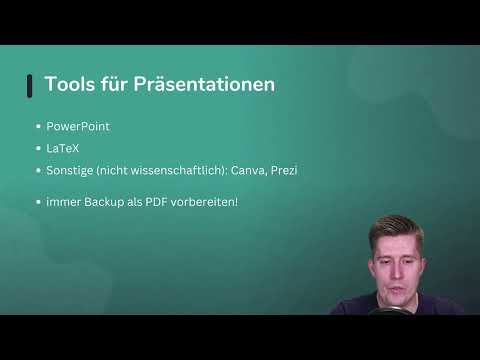
PowerPoint is the standard; many use it for their presentations. Alternatives like LaTeX, Canva, and Prezi can deliver interesting results, but they should be chosen carefully. Always prepare a backup presentation as a PDF to be ready for the unexpected.
Step-by-Step Guide
Step 1: Choose the Right Tool
Before you start your presentation, it is essential to select the appropriate presentation tool. PowerPoint is widely used in the academic community, as most templates and resources are designed for it. However, if you have written your work in LaTeX, it might make sense to also create your presentation in LaTeX. If you wrote your work in Word, stick with PowerPoint, as transitioning to LaTeX only makes sense if you already have supported templates.

Step 2: Consider Alternatives
In addition to PowerPoint, you should also consider other options like Canva or Prezi. These tools offer interesting features to create visually appealing presentations, but it can be challenging to transfer the templates required by your institution to these platforms. This is a point you should definitely consider to avoid potential problems with the acceptance of your presentation.
Step 3: Clarification with the Supervisor
A often overlooked step is consulting with your supervisor. Clarify in advance whether you are allowed to deviate from the usual PowerPoint template. This can save you a lot of problems. It is important to regularly clarify questions to ensure that your choice of presentation tools is accepted.

Step 4: Prepare Backup as PDF
No matter which tool you use, remember to save a backup presentation as a PDF. If you encounter technical problems on the day of the presentation – whether due to missing software or system crashes – having a PDF will always give you the option to present your content. PowerPoint is powerful, but nothing is worse than technical difficulties right before your performance.
Step 5: Personal Laptop as Safety Net
Finally, you should consider taking your presentation on your own laptop. If it turns out that the software on the computer used for the presentation is not installed, you are on the safer side with your own device and the files stored in it. Also, check if you have all the necessary adapters and cables to ensure a smooth connection to the projector or monitor.
Summary – Tools for Scientific Presentations – Preparing Effectively
The choice of presentation tool is crucial for the success of your scientific presentation. PowerPoint remains the main player, but there are also interesting alternatives like LaTeX, Canva, and Prezi. Remember to consult with your supervisor and never forgo a backup – especially a PDF version can be a great help in critical moments. Ideally, plan to use your own laptop to avoid technical problems.
FAQ
Which software is best suited for scientific presentations?PowerPoint is the standard, LaTeX is useful for LaTeX documents, while Canva and Prezi offer creative alternatives.
Why should I create a PDF backup?A PDF backup secures you in case the presentation software does not work or technical problems arise.
Can I also use Prezi or Canva for my presentation?Yes, but check with your supervisor first whether these tools are accepted at your institution.
Is it necessary to have my own device for the presentation?It is advisable to avoid technical problems and to have complete control over your presentation.

