
Imagine you could automate a large part of the tedious literature research for your bachelor's or master's thesis. This is exactly where innovative AI-based tools come in. They not only help you find relevant scientific papers faster but also summarize them effectively. This guide will take you by the hand and show you how to use the tools elicit.com and scispace.com, as well as some other useful applications for your research. Let’s get started!
The video is only loaded from YouTube when you play it – data (including your IP address) is then transmitted to YouTube/Google. More in the privacy policy
Main findings
The tools presented offer various functions for automated literature research and improving the understanding of complex scientific texts. You and your research are the focus, allowing you to find targeted answers to specific research questions.
Step-by-step guide
1. Use Elicit.com
Elicit.com is your first stop when it comes to finding relevant scientific sources. If you have a specific research question, the tool allows you to create a list of scientific articles. For example, if your topic includes the effects of online learning on students' learning behavior, you can simply input your question into a field, and you'll get an overview. This approach saves you time and gives you direct access to the most important works in your field.

In the Elicit interface, you can simply enter your research question in the prompting field at the top. Click "Start" to find out which literature fits your query. The tool searches for relevant articles covering the issue you've inquired about.

At the top, you also see a summary of your question based on information from the four most relevant articles. This facilitates your understanding of the central findings.

Additionally, you can view the methodology of the examined papers in detail. Elicit analyzes and explains which methodology was used in each study, which can be crucially helpful to you.

Once you've captured basic papers and their contents, you can also upload them to your own library. This way, you manage all your relevant information much more easily.

2. Explore SciSpace.com
Another powerful tool you should include in your research is SciSpace. This program helps you understand complex scientific texts by integrating definitions and explanations of technical terms directly into the text.

For example, if you're dealing with an article about artificial intelligence in medical imaging and encounter terms like "neural networks," SciSpace will explain these technical terms simply and understandably.
Here too, you have the option to input a specific term to get its meaning explained.

A particularly useful feature is the ability to highlight mathematical formulas directly in the text and have their meaning explained. Whether it's a formula for data analysis or for representing a scientific model, the AI will help you grasp the content.

Additionally, you'll find built-in assistance for common questions and challenges in your research.

3. Use Open Read for Open Access
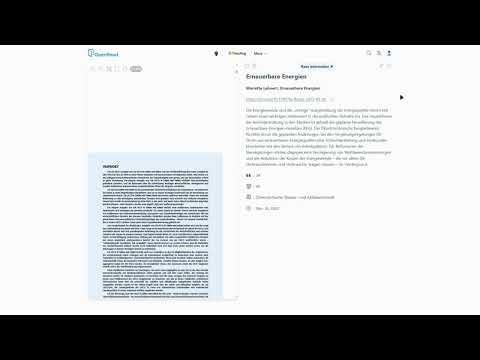
Open Read provides you access to a vast library of open access articles. So, if you're searching for current research findings, for example, in the field of renewable energy, this is a valuable tool.

The principle here is simple: enter your topic into the search bar, and the tool will show you relevant works. You can access the articles directly to study their contents in more depth.
Additionally, you have the option to save the articles and build a personal collection that you can use later for your work.

4. Nextet for Life Sciences
Nextet specializes in life sciences and offers tailored search options for relevant studies in biology and medicine. If you're working in a specialized research area like molecular biology, this tool is invaluable.

By entering your research question, the tool visualizes a network of topics that are directly related to your question.

This visualization helps you highlight connections between different research fields and find relevant studies in one place.
5. Site Assistant for Citation Analysis
With the Site Assistant, you can check how often and in what context an article has been cited. This strengthens your argumentation by positioning the relevance and impact of an article within the scientific community.

Here, you can also trace how the respective citation was used, whether as support, rejection, or critical discussion – valuable information for your own argumentation.

6. Connected Papers and LDMP
Connected Papers visualizes the links between different scientific papers. You input a relevant paper, and the tool creates a graph showing how these works are thematically connected.

Whether you are working on a specific topic or a niche, these visualizations open up new perspectives on the existing literature.

In comparison, LDMP offers a dynamic view of the development of research topics over time. You can recognize progress and trends in the research field.
7. Conclusion
With these AI-based tools, you have everything you need to successfully conduct your literature research. Use them to save time and find valuable resources for your bachelor’s or master’s thesis.
Summary - Automatic Literature Research with AI
In this guide, you have learned how to effectively use various AI-based tools for literature research. Elicit, SciSpace, and other resources are indispensable helpers.
FAQ
What is Elicit.com?Elicit.com is a platform that helps you find relevant scientific articles and create summaries of important studies.
How does SciSpace work?SciSpace explains complex scientific terms and concepts directly in the text and provides you with assistance.
Why are Open Access articles important?Open Access articles are free and provide you unrestricted access to important scientific information.
What is the advantage of Connected Papers?Connected Papers visualizes relationships between scientific works and helps you discover related studies.
How can I improve my literature management?Use tools like Elicit or Open Read to save articles and create personal collections for your research.

