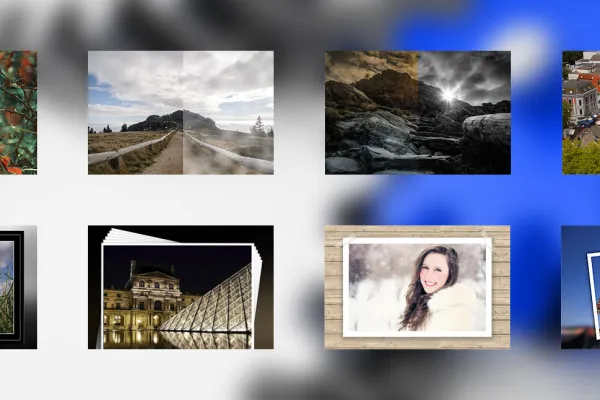
100 handlinger til Photoshop Elements

100 handlinger til Photoshop Elements

Nu sidder dine billedeffekter ikke kun dybere, men de kan også oprettes utrolig hurtigt: Kun et klik er nødvendigt! Vi har samlet 100 handlinger for Photoshop Elements, der vil gøre det lettere for dig at finde den rigtige billedstil i fremtiden. Udvid dit effektrepertoire og oplev, hvordan kreativiteten kan opbygges, og enkle billeder kan omdannes til ægte blikfang.

  • 100 handlinger til lynhurtige resultater i Photoshop Elements
  • Frimærker, puslespil, billedopdelinger, polaroid-collager, billedudseende, ramme- og fotoeffekter og meget mere.
  • Handlinger kan bruges til private og kommercielle projekter.

Med denne aktionspakke får du med et enkelt klik fantastiske effekter på dine billeder og sparer meget tid på at skabe bedre billeder!

Indhold

Oplysninger om indhold

Aktioner for looks og styles

Photoshop-handling: Split-toning Pink und Cyan - Udendørs- og modefotos i et nyt og moderne lys.

Photoshop-handling: Split-tone Orange og Cyan - udendørs- og modefotos i nyt og moderne lys.

Photoshop-handling: Split-toning blå og rød - giver fotos et let surrealistisk touch

Photoshop-handling: Split-toning blå og rød - giver fotos et let surrealistisk touch.

Photoshop-handling: Split-toning gule og blå - Frisk farverne i landskaber og portrætter op.

Photoshop-handling: Split-toning gul og blå - Pift landskaber og portrætter op med friske farver.

Photoshop-handling: Opret rødt lyslæk/lampeplet.

Photoshop handling: Opret rødt lyslæk/lysplet

Photoshop handling: Opret blå lightleak/lysplet

Photoshop-handling: Opret blå lyslek/lysflekk

Photoshophandling: Opret Dodge&Burn-lag

Photoshop-handling: Opret Dodge&Burn-lag

Photoshop-handling: Microdetaljer - trækker enhver så fin detalje ud af fotos.

Photoshop-handling: Microdetaljer - henter hvert enkelt fine detalje fra fotos.

Photoshop-handling: Disseffekt for landskabsbilleder

Photoshop-handling: Tågeeffekt til landskabsbilleder

Photoshop-handling: Afmætter fotos med 50 procent.

Photoshop-handling: Desaturerer fotos med 50 procent.

Photoshop-handling: Kontrastboost - Øg kontrasten i fotos med et tryk på knappen.

Photoshop handling: Kontrastforstærkning - Øg kontrasten på billeder med ét tryk

Photoshop handling: Gennemsnitsfarve - forstærk eksisterende farvetone

Photoshop-handling: Gennemsnitsfarve - forstærk eksisterende farvetone.

Photoshop aktion: Tilføj lensflare effekt - tilføj modlys

Photoshop-handling: Tilføj modlys

Photoshop-handling: Spar tid med vores retouchesæt

Photoshop-handling: Spar tid med vores retouche-sæt.

Photoshop-handling: Sort og hvid let at lave!

Photoshop-handling: Sort og hvid lavet let!

Photoshop handling: Hårde kontraster for fantastiske fotos

Photoshop-handling: Hårde kontraster for fantastiske fotos.

Photoshop-handling: Varme farver til smigrende billeder

Photoshop-handling: Varme farver til flatterende billeder.

Photoshop-handling: Mørke farver til sigende fotos.

Photoshop-handling: Mørke farver til betydningsfulde fotos.

Photoshop-handling: Koldt billedstemning i blødt lys.

Photoshophandling: Koldt billedestemning i blødt lys.

Photoshop-handling: Wow-effekten blandt sort/hvid variationer.

Photoshop-aktion: Wow-effekten bland sort/hvide variationer.

Photoshop-handling: Et gammelt udseende til unge billeder.

Photoshop-handling: Et gammelt udseende til unge billeder.

Photoshop-handling: Sepia-effekt

Photoshop-handling: Sepia-effekt

Photoshop-handling: Strukturerhandlingen

Photoshop-handling: Strukturer-handling

Photoshop handling: Vintage-effekt.

Photoshop-handling: Vintage-effekt

Photoshop-handling: Skarphed og mætning

Photoshop-handling: Skarphed og mætning

Photoshop handling: Fotoeffekter

Photoshop-handling: Fotoeffekter

Photoshop handling: Foto til oliemaleri.

Photoshop handling: Billede til oliemaleri.

Photoshop-handling: Tilt-Shift-effekt-handling

Photoshop-handling: Tilt-Shift-effekt-handling.

Photoshop handling: Frosne pixels

Photoshop-handling: Frosne pixels

Photoshop-handling: vandmærke-handling

Photoshop-handling: Vandmærkehandlingen

Photoshop handling: Sort-hvid foto med ét klik.

Photoshop-handling: Sort-hvid-foto med et enkelt klik.

Billedpræsentation

Photoshop-handling: Opret billeddeling

Photoshop-handling: Opret opdeling af billede i tre dele.

Photoshop-handling: Frimærkehandling med frit valg af lande

Photoshop-handling: Frimærkehandling med frit valg af lande

Photoshop-handling: Tysklandskort

Photoshop-handling: Tysklandskort

Photoshop-handling: Vifter med dit motiv.

Photoshop-handling: Vifter med dit motiv

Photoshop handling: Glas kugle effekter

Photoshop-handling: Glaskugleeffekter

Photoshop-handling: Snebold

Photoshop handling: Snebold.

Photoshop handling: Dias med dit billede.

Photoshop-handling: Dias med dit billede.

Photoshop-handling: Opret et LCD-TV med dit billede

Photoshop-handling: Opret et LCD-TV med dit billede.

Photoshop-handling: Foto med tape

Photoshop handling: Foto med tape

Photoshop handling: Generer billeder med kantrammer

Photoshop handling: Generer billeder med kant på bue papir.

Photoshop-handling: Polaroid.

Photoshop-handling: Polaroid

Photoshop-handling: Billede i billede

Photoshop-handling: Billede i billede.

Photoshop-handling: Fotostak fra dine fotos.

Photoshop handling: Fotobunke lavet af dine fotos.

Photoshop-handling: billedstak

Photoshop handling: Billedstak

Photoshop-handling: Generer baggrunde og rammer fra fotos - Del 2

Photoshop-handling: Generer baggrunde og rammer fra fotos - Del 2

Photoshop handling: Opret metalramme - Version 2

Photoshop-handling: Opret metalramme - Version 2.

Photoshop-handling: Åben bog inklusive foto.

Photoshop handling: Åben bog inkl. foto.

Photoshop-handling: Puslespilsæt-handling

Photoshop-handling: Puslespil-sæt-handling

Photoshop-handlinger - 8 forskellige rammeaktioner

Photoshop-handlinger - 8 forskellige rammehandlinger

Photoshop-handling: Sorte rammer - 3 versioner.

Photoshop-handling: Sorte rammer - 3 versioner

Photoshop-handling: Flydende frit ramme

Photoshop-handling: Flydende fri ramme

Photoshop handling: Blød ramme - Version 1

Photoshop-handling: Blød ramme - Version 1

Photoshop-handling: Sort-hvid baggrund - 6 versioner

Photoshop-handling: Sort-hvid-baggrund - 6 versioner

Layout

Photoshop-handlinger: opdelt i 5.

Photoshop-handlinger: opdelt i 5.

Photoshop-handling: Billedvæg - 10 versioner

Photoshop-handling: Billedvæg - 10 versioner.

Photoshop-handling: Fotodeling

Photoshop-handling: Fotodeling

Photoshop-handling: Billeder på lærred

Photoshop-handling: Fotos på lærred

Photoshop handling: Trilogi

Photoshop-handling: Trilogi

Photoshop-handling: Trilogi SWFZ

Photoshop-handling: Trilogi SWFZ

Photoshop-handling: Flying Polaroid

Photoshop-handling: Flying Polaroid

Photoshop-handling: Polaroid-collage

Photoshop handling: Polaroid-collage

Photoshop-handle: Diasramme

Photoshop-handling: diasstrimmel

Photoshop-handling: Samlede fotodeler

Photoshop-handling: Samlede fotodeler

Photoshop-handling: Seks effekter til flyer og fotos

Photoshop-handling: Seks effekter til flyer og fotos

Photoshop-handling: Stribeeffekt til flyers og tapet

Photoshop-handling: Stribeeffekt til flyveblad og tapet

ramme

Photoshop-handling: Digital billedramme

Photoshop-handling: digital billedramme

Photoshop-handling: Træramme 10

Photoshop-handling: Træramme 10

Photoshop handling: Blød ramme

Photoshop handling: Blød ramme

Photoshop-handling: Vanddråberamme

Photoshop-handling: Vanddråbe ramme.

Photoshop-handling: Metalramme 5

Photoshop-handling: Metalramme 5

Photoshop-handling: Mosaikramme

Photoshop-handling: mosaikeffekt ramme

Photoshop-handling: Ramme sæt 2

Photoshop-handling: Rammesæt 2

Photoshop handling: Foto i marmorramme

Photoshop-action: Foto i marmorbillede.

Photoshop-handling: Ramme i landes farver

Photoshop-handling: Ramme i landsfarver

Photoshop handling: Opret baggrunde og rammer fra fotos

Photoshop-handling: Generer baggrunde og rammer fra fotos.

Andet

Photoshop-handling: Creamy-farveeffekt

Photoshop-handling: Cremet farveeffekt

Photoshop-handling: digital krydsbehandling

Photoshop-handling: Digital krydsbehandling

Photoshop-handling: Billede med skygge og kontur.

Photoshop-handling: Billede med skygge og kontur.

Photoshop-handling: Bøjede 3-deling, spejlet.

Photoshop Handling: Kurveret 3-del spejlet.

Photoshop-handling: Hjertecollage

Photoshop-handling: Hjertecollage

Photoshop-handling: Hjertecollage - Variant 2

Photoshophandling: Hjertecollage - Variant 2

Photoshop-handling: Stråleeffekt 2

Photoshop-handling: Stråleeffekt 2

Photoshop-handling: Retro-stråleeffekt til flyers og tapet.

Photoshop-handling: Retrostråleeffekt til flyers og baggrunde

Photoshop-handling: Dybde-/lys-korrektion

Photoshop-handling: Dybde-/lysjustering

Photoshophandling: Fotokugle

Photoshop-handling: fotokugle

Photoshop handling: Cover Flow 3

Photoshop-handling: Cover Flow 3

Photoshop handling: Den rigtige tilgang til Photoshop og Photoshop Elements.

Photoshop-handling: Den rigtige klip til Photoshop og Photoshop Elements.

Photoshop-handling: Colorkey-handling

Photoshop-handling: Colorkey-handling

Photoshop-handling: Gammelt og nyt

Photoshop-handling: Gammelt og nyt

Photoshop handling: Æreskrans til jubilæum

Photoshop-handling: Æreskrans til jubilæum

Photoshop-handling: Dia-collage

Photoshop-handling: Diakollage

Photoshop-handling: Diagonal billeddeling

Photoshop-handling: Diagonal billedopdeling

Photoshophandling: Skabelon Det Gyldne Snit

Photoshop-handling: Skabelon Den Gyldne Snit

Photoshop-handling: Ekstruderet baggrund

Photoshop-handling: Udtrukket baggrund

Photoshop-handling: Opret en sticker fra dit foto.

Photoshop-handling: Opret en sticker fra dit billede.

Photoshop-handling: plakatophæng

Photoshop-handling: plakatophæng

Photoshop-handling: Sten-glas billedramme 1

Photoshop-handling: Sten-glas billedramme 1

Photoshop-handling: Glasramme med dråber

Photoshop-action: Glasramme med dråber

Photoshop-handling: Foto bag døren

Photoshop-handling: Foto bag døren.

Photoshop-handling: Flettede fotostriber

Photoshop handling: Foldede fotostriber

Anvendelseseksempler

  • Photoshop Elements handlinger. Sådan automatiserer du din PSE for hurtige billedeeffekter!
    Åbn galleri
    Photoshop Elements handlinger. Sådan automatiserer du din PSE til hurtige billed-effekter!
  • Åbn galleri
    Her blev farven kun optimeret med et enkelt klik. Resultatet ser straks meget bedre ud.
  • Åbn galleri
    Mange handlinger optimerer farveværdierne eller skarpheden osv.
Kommentarer (14)

Kommenter nu „100 handlinger til Photoshop Elements“