Job & Career
Create your résumé online – this is how you land your new job


A good résumé is not an appendix, but your ticket to the job. Show on a single page what you are made of – and do it in such a way that your next employer has no choice but to invite you. In this guide, you'll learn how to create your résumé online, what really matters, and how to handle gaps with confidence.
1. Why a strong résumé is your best friend
A résumé is not a tedious obligatory document. It is your strongest argument before you have even spoken a word. Anyone who underestimates it throws away opportunities – no matter how good their qualifications and motivation actually are.
Recruiters spend on average 6 to 8 seconds on their first look at your CV. That means: you have to make it immediately clear what you can do – and why you are the right person for the job.
A strong résumé shows not only what you have done, but also what you stand for. A clear structure, relevant content, a professional look – these are not gimmicks, but your key to the job interview.
Do you want to be seen? Then show yourself – and from your best side. The résumé is not the side dish. It is the main course.
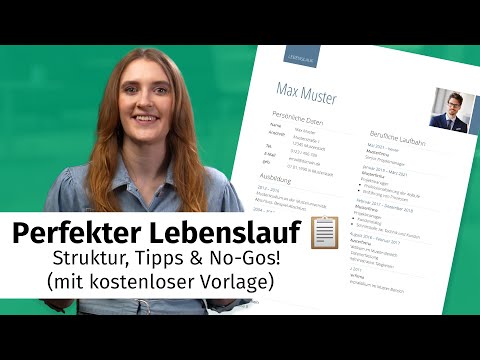
The video is only loaded from YouTube when you play it – data (including your IP address) is then transmitted to YouTube/Google. More in the privacy policy
2. Creating a résumé online: tools, templates & style questions
Forget Word templates from the last decade. If you want to stand out today, you need a résumé that doesn't just inform but convinces – visually, structurally and in terms of content. This is exactly where online tools come into play. They help you not only to write your résumé, but to design it strategically.
Online tools help you present content in a structured way while also scoring points visually. Example: Professional résumé editor – a tool that offers you modern layouts, smart text suggestions and clear design elements. Ideal if you value clarity, style and impact.
What a good tool really delivers
| Feature | Benefit for you |
| Intuitive drag-and-drop interface | You build your résumé quickly and without design skills. |
| Industry-specific templates | You adapt style and content to your professional field. |
| Automatic formatting | No stress with paragraphs, spacing or fonts. |
| Real-time preview | You see right away how your CV comes across to the recruiter. |
| Suggestions for texts & bullet points | You phrase things more concisely and professionally. |
Whether you are a career starter, a career changer or a professional with ten years of experience – a good CV editor gives you the framework that makes you look better. And that is exactly what you need in a job market that relies on first impressions.
Pro tip: Try out several layouts before you decide. The arrangement often changes the focus – and with it the impact.
3. What is a résumé anyway? (And what isn't it?)
A résumé – also called curriculum vitae or CV – is the structured summary of your career to date. Sounds dry? But it is your most important tool when job hunting.
The résumé answers the following questions at a glance:
- Who are you?
- What can you do?
- What have you done so far?
- What do you bring to the table – professionally, personally, methodically?
The goal: to show quickly, precisely and comprehensibly why you fit the advertised position.
A résumé is not a novel and not an advertising flyer either. It is a factual document – but one that is meant to present you strategically well. Your stations, your achievements, your skills – all systematically organized, on a maximum of two pages.
Typical contents:
- Personal details (name, contact details, optionally a professional photo)
- Work experience
- Education / studies
- Skills (e.g. languages, software, certificates)
- Optional: volunteer work, hobbies, further training, references
And what is the résumé not?
- No self-praise (“I am the best...”)
- No creative writing (that's what the cover letter is for)
- No place for irrelevant information (primary school, side jobs as a student, etc.)
A good résumé works not through words, but through structure, clarity and relevance. And that is exactly why it is so powerful.
4. The most important elements of a successful résumé
A convincing résumé works like a good shop window: What counts is in focus. Without unnecessary decoration, but with a clear structure that gives the reader orientation.
Here are the key elements – and how to use them optimally:
1. Header
At the top belong your name, your contact details and (optionally) a professional application photo. No frills, no colorful icons. Important: a professional email address and a current place of residence.
2. Short profile / About me section
2–3 sentences that sum up you and your professional profile. No phrases, but real substance: Who are you, what can you do, what do you want? This is your personal headline.
3. Work experience
The most important section. In reverse chronological order (most recent job first), with the following details:
- Position
- Employer
- Period
- Tasks and achievements in bullet points
Pro tip: Use strong verbs (“led”, “optimized”, “introduced”) and show concrete results where possible (“increased revenue by 12 %”).
4. Education
Whether university studies, vocational training or retraining – state the degree, institution, period and, if applicable, focus areas or relevant achievements.
5. Knowledge and skills
This is about languages, software, tools, methods or driver's licenses – everything that suits your desired position. Ideally with a self-assessment (e.g. “English – fluent in negotiations”, “Excel – very good”).
6. Additional sections (optional)
Volunteer work, further training, interests or references – but please only if they are truly relevant for the job or your profile.
Conclusion:
Your résumé stands or falls with its structure. Those who find their way around easily keep reading. Those who have to fight their way through blocks of text click away. So stick to a clear framework – and make sure you are not just listed, but stick in people's minds.
5. Résumé with gaps? How to handle them with confidence
Nobody has a completely linear résumé. And that's okay. What matters is not whether there are gaps, but how you explain them. Because even a break can look professional – if you phrase it honestly, clearly and actively.

The video is only loaded from YouTube when you play it – data (including your IP address) is then transmitted to YouTube/Google. More in the privacy policy
What counts as a gap?
A gap in your résumé is a period of more than 2–3 months in which you neither worked nor studied. Sounds critical at first – but it only is if you leave it uncommented.
Typical examples of gaps – and how to present them:
| Situation | How to phrase it professionally |
| Between two jobs | “Career reorientation” or “Independent project work” |
| Caring for relatives | “Care of a close family member (privately organized)” |
| Personal break / sabbatical | “Career break for personal development” |
| Illness (overcome) | “Health-related break – fully recovered and fully fit for work” |
| Parental leave | “Parental leave to care for my children – return planned” |
| Unemployment | “Active job search and professional training in the field of XY” |
Important:
- Be honest, but not too detailed.
- Never write “unemployed” in your résumé – phrase it in a solution-oriented way.
- Add what you learned or did during that time: further training, volunteer work, courses, your own projects? Everything counts.
Conclusion:
Gaps in your résumé are not a flaw, but a part of your story. As long as you deal with them actively, create clarity and show that you haven't stood still, you come across as reflective and confident – exactly what employers want to see.
6. Common mistakes that can cost you the job
You have the perfect job in your sights, send off your résumé – and never hear anything again. It happens. And it is often due to avoidable mistakes. Here are the biggest pitfalls – and how to easily avoid them:
1. Cluttered layout
If your résumé looks like a copy-paste monster without structure, you're out. No recruiter wants to have to puzzle things out. Use clear headings, paragraphs and bullet points. A CV must be scannable – at first glance.
2. Too much text, too little substance
A résumé is not a novel. Long continuous text is off-putting. Stick to short bullet points with substance. Each position should make clear: What did you do? What was your contribution?
3. Outdated or irrelevant information
Your side job from 2009 at the beverage store or knowledge of Windows 95 interests nobody today. Focus on what counts for the job today.
4. Unprofessional email address
If you apply with “mausilein87@...” or “bierfan2020@...”, you shouldn't be surprised by radio silence. Create a professional email address with your first and last name.
5. Lies in the résumé
It is often done – but it gets found out. Sooner or later. And then it's over, even if you are top-notch professionally. Stay honest, but strategic.
Conclusion:
A résumé does not have to present you perfectly – but professionally, credibly and clearly. If you avoid the most common mistakes and pay attention to structure, content and style, you are often one decisive page ahead of your competition.
Comments
Register and comment.
Continue reading


