
Microsoft Copilot (video training) - working more effectively with AI

- Using Microsoft Copilot in practice - how to work more effectively with AI
- Understand the basics of and the technology behind Microsoft Copilot
- Use Copilot: for texts, images, music, in Excel, Word, PowerPoint and Co.
- Build chatbots with your own data, know alternatives and more!
- A five-hour video training course on Microsoft Copilot by Arnold Oberleiter
Use Microsoft Copilot now and directly to achieve your goals! This video training shows you the way to greater efficiency and productivity in your daily work.
51 Videos, 307 minutes
Overview, my goal, info on Copilot
Microsoft Copilot: 1.1 | Intro
2 minFind out what you can expect from this Microsoft Copilot course.
Microsoft Copilot: 1.2 | My goal
4 minIn this lesson I share what the aim of the course is, what it is about and what we will achieve together.
Microsoft Copilot: 1.3 | What is the Microsoft Copilot?
10 minThis is about the introduction to Microsoft Copilot and its partnership with OpenAI.
Microsoft Copilot: 1.4 | How do LLMs and diffusion models work?
11 minExplanation of how Large Language Models (LLMs) and diffusion models work in the context of Microsoft Copilot
Microsoft Copilot: 1.5 | How exactly does Copilot work, is my data secure?
7 minExplanation of how Copilot works and questions about data security for emails, Excel and Word documents
Microsoft Copilot in the free version for text
Microsoft Copilot: 2.1 | What is this section about?
1 minPreview of the content of the section "Microsoft Copilot in the free version for text"
Microsoft Copilot: 2.2 | The free Microsoft Copilot web platform
10 minIntroduction to the free Microsoft Copilot web platform
Microsoft Copilot: 2.3 | Prompt Engineering: semantic association, structured prompts & roles
11 minExplanation of prompt engineering for Microsoft Copilot
Microsoft Copilot: 2.4 | More tips on prompt engineering
8 minTake a deep breath for the shot prompt: additional tips on prompt engineering with a preview.
Microsoft Copilot: 2.5 | Examples for different applications
5 minPresentation of examples for the use of Microsoft Copilot
Microsoft Copilot: 2.6 | Conclusion, a small task and what comes next
1 minSummary of the section with a small task and an outlook
Microsoft Copilot – Features like images, music, GPTs, and plugins
Microsoft Copilot: 3.1 | What is this section about?
1 min"Microsoft Copilot - Features such as images, music, GPTs and plugins"
Microsoft Copilot: 3.2 | Internet access in Copilot with Bing
5 minExplanation of Internet use in Microsoft Copilot with the Bing search engine
Microsoft Copilot: 3.3 | Plugins are also available in Microsoft Copilot
7 minPresentation of plugins for the Microsoft Copilot
Microsoft Copilot: 3.4 | ChatGPT Vision is also integrated in Copilot
6 minExplanation of the integration of ChatGPT Vision in Microsoft Copilot
Microsoft Copilot: 3.5 | Application purposes for Vision at a glance
6 minOverview of applications for image recognition in Microsoft Copilot
Microsoft Copilot: 3.6 | Image generation with DALL-E in Microsoft Copilot
5 minExplanation of image generation with DALL-E in Microsoft Copilot
Microsoft Copilot: 3.7 | Prompt Engineering for image generation with DALL-E in Copilot
7 minInstructions for prompt engineering for image generation with DALL-E in Microsoft Copilot
Microsoft Copilot: 3.8 | What Copilot does not yet have
8 minSystem prompts, code interpreters, own GPTs: functions that the co-pilot does not yet have
Microsoft Copilot: 3.9 | Conclusion, small work task and what comes next
2 minSummary of the section with a small task and an outlook
Microsoft Copilot in other environments: Bing, Word, Excel, PowerPoint, GitHub
Microsoft Copilot: 4.1 | What is this section about?
1 minIntroduction to the next section of the course: "Microsoft Copilot in other environments: Bing, Word, Excel, PowerPoint, GitHub"
Microsoft Copilot: 4.2 | Copilot in Microsoft Edge - Your web search assistant
9 minExplanation of the use of Microsoft Copilot in Microsoft Edge as a search assistant
Microsoft Copilot: 4.3 | What is Microsoft 365? Differences between free and paid subscriptions for personal and business use
10 minIntroduction to Microsoft 365 with a distinction between free and paid versions and the differences for private and business use
Microsoft Copilot: 4.4 | The right Copilot subscription and a free alternative
15 minIMPORTANT: The right Copilot subscription and a free alternative: Tips for choosing the right subscription for Microsoft Copilot and a free alternative.
Microsoft Copilot: 4.5 | Copilot subscription if you have a large company
3 minCopilot subscription if you have a business: Information on using the Microsoft Copilot subscription for businesses
Microsoft Copilot: 4.6 | Copilot in Microsoft Word: Write faster than ever before
16 minHow to use Microsoft Copilot in Microsoft Word for faster text creation
Microsoft Copilot: 4.7 | Copilot in Microsoft PowerPoint: The quick presentation
9 minHow to use Microsoft Copilot in Microsoft PowerPoint for quick presentation creation
Microsoft Copilot: 4.8 | Copilot in Microsoft Outlook: Write and reply to your emails faster
8 minHow to use Microsoft Copilot in Microsoft Outlook to write and reply to emails faster
Microsoft Copilot: 4.9 | Copilot in OneNote: Taking notes with AI
1 minTaking notes with AI: How to use Microsoft Copilot in Microsoft OneNote to take notes
Microsoft Copilot: 4.10 | Copilot in Microsoft Teams: Late for a business meeting? No problem!
3 minLate for a business meeting? No problem! How to use Microsoft Copilot in Microsoft Teams for more efficient team communication.
Microsoft Copilot: 4.11 | Copilot in Microsoft Excel: Many possibilities
13 minGreat possibilities, but still a bit early ... How to use the Microsoft Copilot in Microsoft Excel for advanced functions.
Microsoft Copilot: 4.12 | GitHub Copilot: The AI solution for programmers
5 minThe AI solution for programmers: Presentation of the GitHub Copilot as an AI solution for programmers.
Microsoft Copilot: 4.13 | Conclusion and a small work task
3 minConclusion and a small task: Summary of the section with a small task.
Copilot Studios: Building ChatBots with your own data
Microsoft Copilot: 5.1 | What is this section about?
1 minIntroduction to the next section of the course: "Copilot Studios: Building chatbots with your own data"
Microsoft Copilot: 5.2 | Copilot Studios: create your own chatbots with Microsoft
15 minHow to create your own chatbots with Microsoft Copilot Studios
Microsoft Copilot: 5.3 | Chatbots with OpenAI: GPTs in team subscription for data protection
14 minExplanation of the use of chatbots with OpenAI in the team subscription for data protection
Microsoft Copilot: 5.4 | Free open source alternative: Hugging Chat Assistants
10 minIntroducing a free open source alternative to chatbots
Microsoft Copilot: 5.5 | Conclusion and a work task
3 minSummary of the section with a work task
Copilot compared to other products
Microsoft Copilot: 6.1 | What is this section about?
1 minWhat this section is about: "Copilot compared to other products".
Microsoft Copilot: 6.2 | ChatGPT from OpenAI
7 minPresentation of ChatGPT from OpenAI
Microsoft Copilot: 6.3 | Gemini Advanced: Google's answer to ChatGPT and Microsoft Copilot
7 minIntroducing Gemini Advanced as Google's answer to ChatGPT and Microsoft Copilot
Microsoft Copilot: 6.4 | Other ChatGPT and Copilot competitors
4 minPresentation of other competitors of ChatGPT and Copilot
Microsoft Copilot: 6.5 | Conclusion on the competitors
1 minConclusion on Microsoft Copilot competitors and summary of Microsoft Copilot's competitive position
Ethics, issues, data protection, and the future of AI
Microsoft Copilot: 7.1 | What is this section about?
1 minIntroduction to the next section of the course: "Ethics, problems, data protection and the future of AI"
Microsoft Copilot: 7.2 | Copyright: Can I distribute and use AI content?
5 minExplanation of the legal aspects of dealing with AI content and copyrights
Microsoft Copilot: 7.3 | Data protection: When is data secure?
6 minDiscussion about data protection and data security when using AI
Microsoft Copilot: 7.4 | Will AI replace all jobs? Is that ethical?
8 minDiscussion on the impact of AI on jobs and ethical aspects
Microsoft Copilot: 7.5 | What happens when we reach "AGI"?
3 minDiscussion on the possible consequences of achieving artificial general intelligence (AGI)
Microsoft Copilot: 7.6 | Conclusion on data protection, ethics, copyright and the future of AI
3 minSummary of discussions on data protection, ethics, copyright and the future prospects of AI
Conclusion: What comes next and my thanks!
Microsoft Copilot: 8.1 | Recap - what you have learned
2 minWhat you have learned: Summary of the course content.
Microsoft Copilot: 8.2 | What's next & my thanks
3 minClosing words of the course and outlook on further training opportunities
You might also like

From log analysis to incident report: ChatGPT, Claude, Gemini & local models in everyday security
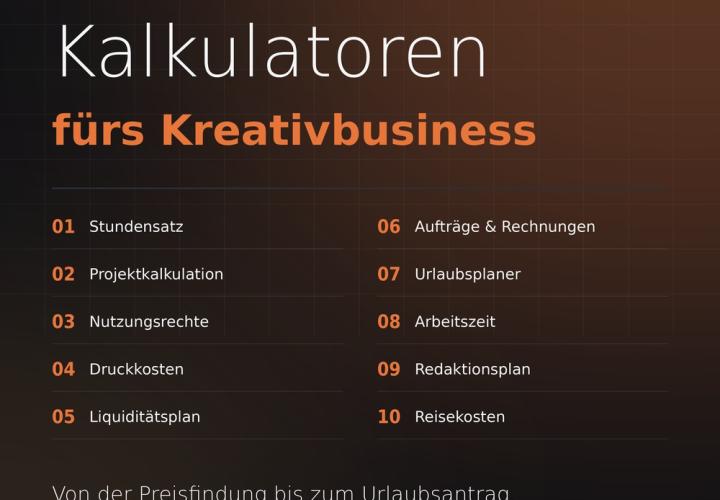
Prices, projects, vacation, working hours, and travel expenses

Have websites, automations, and image editing done by AI – completely without code

From Context Hints to Conversion: Campaigns in ChatGPT
Comment now „Microsoft Copilot (video training) - working more effectively with AI“