Ten calculation templates for everyday office tasks: hourly rate, project calculation, usage rights, printing costs, liquidity, outstanding invoices, vacation, working hours, editorial plan, and travel expenses. Available as .xlsx and .ods, checked in Excel and LibreOffice.
Ten ready-made templates with real formulas, not just pretty tables for self-calculation
Each file is available in two formats: .xlsx for Excel, Numbers, and Google Sheets, and .ods for LibreOffice and OpenOffice
Example values have been entered so you can immediately see how each template behaves
For each template, there is a guide PDF with common pitfalls from practice
Holidays in 2026 are recorded, and vacation and working days are calculated automatically
Fill it out once, then the table calculates. Ten templates that tell you what you need to charge, where your money is, and who is on vacation when.
content
10 items
The six calculators

Hourly Rate Calculator for Creatives: Excel Template for Freelancers and Agencies (2026 Edition)
Most creatives determine their hourly rate like this: They see what others charge, deduct five euros, and hope for the best. This calculator does it the other way around and calculates backwards from your needs.
You enter how much you want to earn in a year and what your expenses are. Eleven cost blocks are predefined, from office rent to software subscriptions, hardware depreciation, and retirement savings. Then comes the part that almost everyone underestimates: your time. From the calendar year, weekends, holidays, vacation, sick days, and training are deducted. In the example calculation, 213 working days remain.
And then comes the lever on which everything depends. You can only bill for a portion of your working hours. Writing proposals, bookkeeping, client acquisition, client meetings that go nowhere—no one pays you for any of that. Realistically, 55 to 75 percent is achievable. A built-in table shows you in black and white how your necessary hourly rate shifts if the utilization rate is worse than planned: in the example, it falls between 80 and 60 percent, resulting in 17 euros per hour.
The file is provided in .xlsx and .ods formats, so it works in Excel as well as in LibreOffice, and it calculates identically in both. You fill in the yellow fields; everything else calculates itself. A bar chart also shows you where your money is actually going.
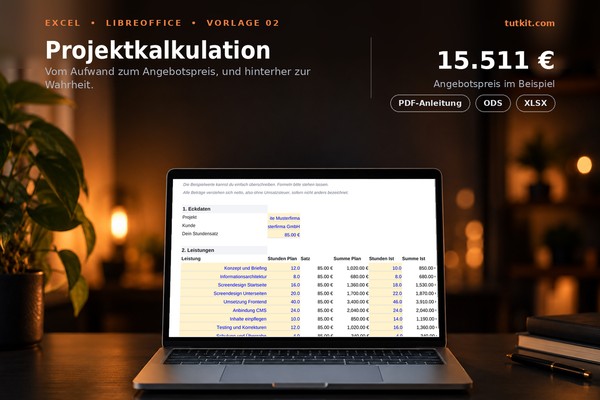
Project calculation: Excel template for offer, post-calculation, and hourly yield (issue 2026)
Offers are written quickly and take their time to take effect. This template makes both visible: what you have calculated and what has actually happened.
At the front, you enter your services, ten positions with planned hours. The hourly rate is stated at the top and is carried through all lines. External costs such as photo shoots, stock materials, or hosting incur a surcharge that covers your risk and purchasing effort. Additionally, there is a risk buffer on the services, a possible discount, and the sales tax rate. The result is the net and gross offer price.
The interesting part comes after that. In the "Actual Hours" column, you enter what the project actually cost. The template calculates the contribution margin and the actual hourly yield for you. In the provided example, the planned yield is 95.14 euros and the actual yield is 85.75 euros because sixteen more hours were incurred than estimated. This very difference is the number that makes your next offer better.
Available as .xlsx and .ods, thus it runs in Excel and LibreOffice. Yellow fields are for input, and the rest calculates itself.
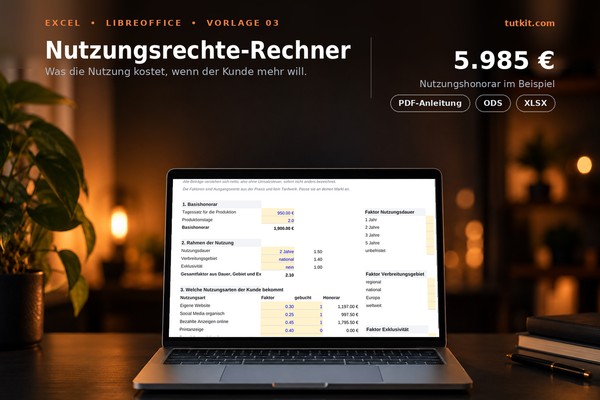
Usage Rights Calculator: Excel Template for Fees Based on Medium, Duration, and Area (Release 2026)
The most common mistake with fees is not having too low a daily rate. It's the usage that simply comes included without anyone discussing it. The client pays for the shoot and then uses the images worldwide for five years on everything that isn't crawling up a tree.
This template clearly separates both aspects. At the top, the base fee is calculated as the daily rate multiplied by the number of production days. Below, you choose the framework via dropdown lists: usage duration from one year to unlimited, distribution area from regional to worldwide, exclusivity yes or no. The three factors multiply to produce a total factor.
Then you check what the client actually receives. Ten types of usage are available, from their own website to paid ads, print, posters and trade shows, to packaging and moving images. Each type has its own factor, and each line calculates base fee multiplied by factor multiplied by total factor.
All factors are intentionally designed as yellow input fields. They are starting values from practice and not a fixed rate structure; you can and should adjust them to your market. Available as .xlsx and .ods, compatible with Excel and LibreOffice.
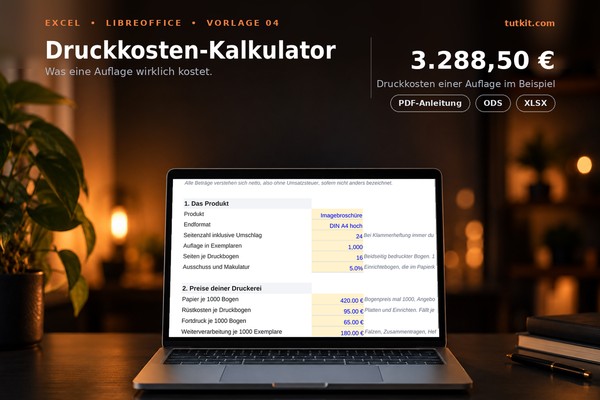
Printing Cost Calculator: Excel Template for Brochures, Flyers, and Print Runs (Edition 2026)
A customer inquires about the price for a brochure. You call the printing company, get a number, add a little extra, and tell them the price. And three weeks later, you realize that the final layout took eighteen hours, which were not included in any invoice.
This calculator breaks everything down. At the top, you describe the product: number of pages, print run, pages per print sheet, and waste. Below, you enter the prices from your printing company as they are listed in the quote: paper per 1,000 sheets, setup costs per print sheet, additional printing, finishing, enhancement, and shipping. Then comes your own service with hours and hourly rate.
The template calculates the print sheets, adds the waste, and lists each item separately on the sheet. At the bottom, you see the costs, costs per copy, selling price, and gross profit. The margin is calculated correctly, meaning it's based on the selling price rather than an markup on costs.
The best argument is provided by the table at the very bottom. It shows the unit price for 250, 500, 1,000, 2,500, and 5,000 copies. In the example, it drops from €9.56 to €1.62 because setup costs, enhancement, shipping, and design are only incurred once. With this table, you naturally sell the customer the larger print run.
Available as .xlsx and .ods, it works in Excel and LibreOffice.
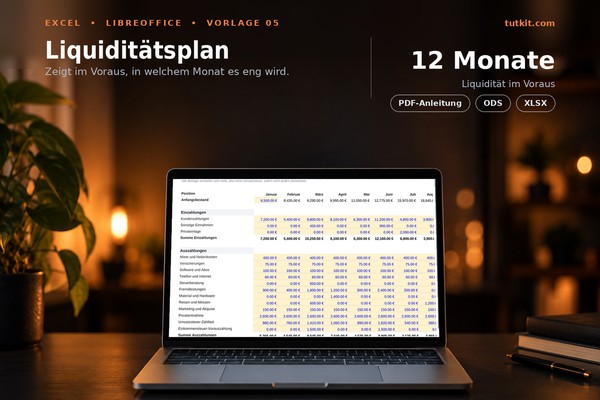
Liquidity plan: Excel template over twelve months for self-employed individuals and small agencies (Edition 2026)
The revenue is correct, the order books are full, and yet the money at the end of March is not enough for the advance payment of sales tax. This does not happen because of low earnings. It happens because no one has recorded when money comes in and when it goes out.
This template does exactly that, with twelve columns for months. At the top is your starting balance in January, and then everything chains together automatically: the ending balance of one month is the starting balance of the next. In between, there are three rows for deposits and twelve for withdrawals, covering everything from rent to outsourced services and materials to personal withdrawals.
Two rows are intentionally separate: the sales tax liability and the income tax advance payment. These are the two items that cause the most financial gaps for the self-employed, as they occur quarterly and in amounts that no one expects.
At the bottom, there are two crucial figures: the lowest ending balance for the year and the number of months with a negative balance. A chart displays the progression over the year, and you can see at a glance which month is critical. Important when filling it out: Enter customer payments in the month when the money arrives, not in the month when you issue the invoice.
Available as .xlsx and .ods, compatible with both Excel and LibreOffice.
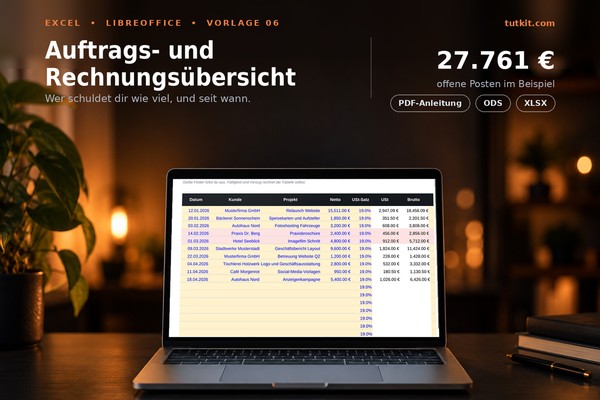
Order and invoice overview: Excel template with reminder status and sales evaluation (Edition 2026)
The question of how much money is currently out there should be answerable in ten seconds. In practice, it usually means checking the billing program, searching the email inbox, and going through the account statement.
This template keeps everything on one sheet. Thirty lines for quotes, orders, and invoices, with date, customer, project, and net amount. Sales tax and gross amounts are calculated automatically. You can set the status to Quote, Commissioned, Invoiced, Paid, or Canceled through a dropdown list.
As soon as you enter the invoice date and payment due date, the spreadsheet calculates the due date and the days overdue. Overdue lines automatically turn red as long as no payment has been recorded. So you don’t have to search for who is delayed.
The second sheet analyzes: how much is in open quotes, how much is commissioned but not yet invoiced, how much has been invoiced and is overdue, and what has already been paid. Additionally, it provides revenue by month based on the invoice date and an analysis by customer, where you simply enter the name.
Available as .xlsx and .ods, compatible with Excel and LibreOffice.
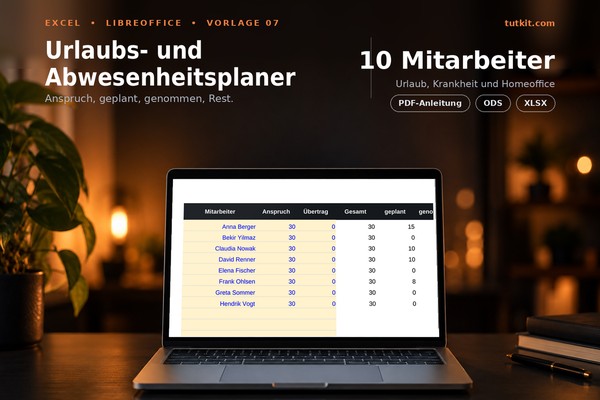
Vacation Planner 2026: Excel Template for Team Vacation, Sick Leave, and Home Office (Edition 2026)
The vacation request comes via email, lands in the inbox, and from there ends up in a folder that no one opens anymore. In November, someone asks how many days they have left, and the answer takes two days.
This template keeps everything organized on three pages. The first page contains the overview: vacation entitlement per employee, carryover from the previous year, planned days, taken days, and the remainder, along with sick days, home office, and training. Fifteen rows are prepared.
On the second page, you enter the absences, one row per event: who, what type, from when to when. The table calculates the workdays itself, deducting weekends and public holidays. Therefore, a vacation from Good Friday to the following Friday costs not ten days, but seven.
The third page contains the nationwide public holidays for 2026, already entered. You only need to add those specific to your state, and all calculations will be correct.
Two colors keep you on track: Red means that more vacation is planned than is available. Yellow means that someone has more than ten days left that need to be used by the end of the year. Both of these issues are usually only noticed when it's too late.
Available as .xlsx and .ods, works in Excel and LibreOffice.
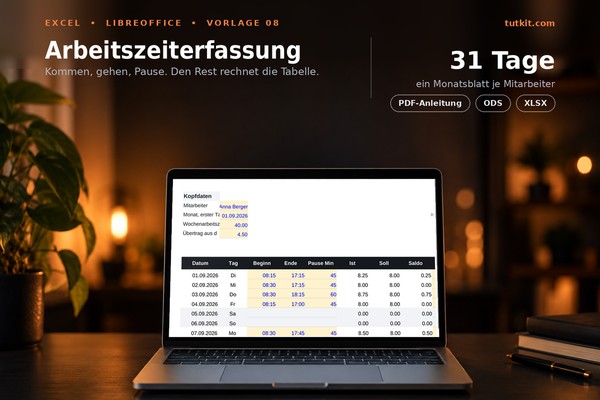
Working time recording: Excel timesheet with target-actual comparison and overtime account (2026 edition)
Since the ruling of the Federal Labor Court in 2022, working hours must be recorded. Most small businesses handle this with a piece of paper on the wall or not at all.
This template is that piece of paper, only it does the calculations. At the top, you enter the name, the first day of the month, and the weekly working hours. Below, 31 lines automatically fill in with the date and day of the week. You enter the start time, end time, and break in minutes; everything else happens automatically: actual hours, required hours, daily balance.
Weekends are shaded gray, holidays yellow, and on both, the required hours are set to zero. The holiday list is on the second sheet and is already filled out for 2026; you just need to add those for your state. Shifts that go past midnight are calculated correctly by the template, instead of producing a negative hour count.
At the bottom, there's the evaluation: actual and required hours for the month, the monthly balance, the carryover from the previous month, and the new carryover. This allows you to maintain an overtime account throughout the year without calculating a single time yourself.
Available as .xlsx and .ods, compatible with Excel and LibreOffice.
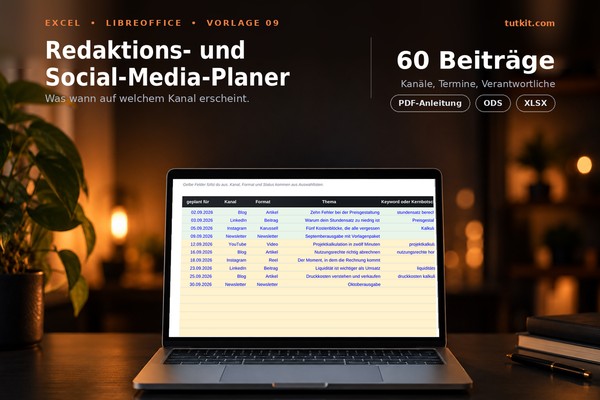
Editorial plan: Excel template for social media, blog, and newsletter with evaluation (2026 edition)
Editorial planning rarely fails due to a lack of ideas. It fails because the ideas are stored in three different tools, and no one knows what actually goes out this week.
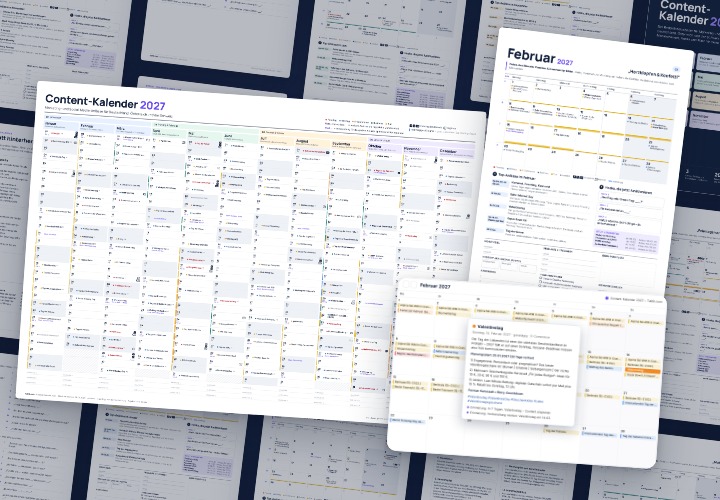
This template keeps the plan on one sheet. Sixty rows, one post per row: planned date, channel, format, topic, keyword or core message, status, responsible person, publication date, and a column for links or notes. Channel, format, and status come from dropdown lists to ensure that the evaluation later counts accurately and does not fail due to different spellings.
Two colors work for you: Green means published, Red means that the planned date has passed, and the post is neither published nor discarded. So you can see at a glance what has been left behind.
The second sheet provides an analysis: posts by channel, by status, by person, and by month. This way, you can identify typical gaps early enough, such as the newsletter having three editions and Instagram not having anything in October.
Available as .xlsx and .ods, compatible with Excel and LibreOffice.
Travel expense report: Excel template with per diem allowances and meal reductions (Edition 2026)
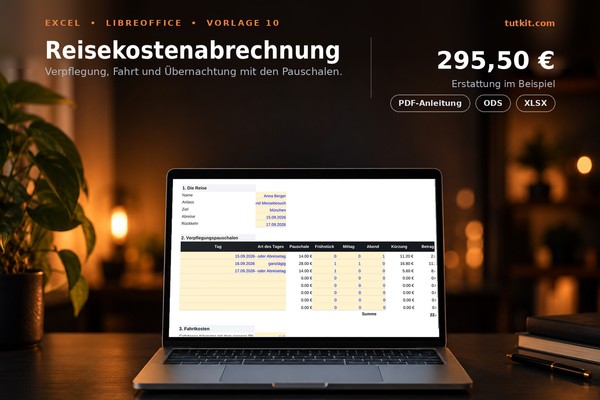
Calculating travel expenses is not rocket science, but there is one area where almost everyone makes mistakes: the deduction for provided meals. Breakfast at a hotel deducts 20 percent from the full daily rate, which is 5.60 euros, even if only 14 euros are set for that day.
This template calculates it correctly. At the top, you describe the trip, and on the right, all rates are in their own table: 28 euros for a full day, 14 euros for arrival and departure days or more than eight hours of absence, the deductions of 20, 40, and 40 percent, and the mileage rate. If something changes, you enter it in one place.
In the daily table, you select the type of day from a dropdown menu for each travel day, enter a 1 for provided meals, and the row calculates the flat rate, deduction, and amount. Below are travel expenses with mileage and receipts, overnight stays, and incidental expenses.
At the very bottom is the total, minus any advance payment, and therefore the amount that will actually be transferred. In the included example of a three-day trip to Munich, the total is 295.50 euros.
The flat rates apply to domestic travel according to Section 9 Paragraph 4a of the Income Tax Act. Different rates apply for international trips depending on the country.
Available as .xlsx and .ods, compatible with Excel and LibreOffice.
Hourly Rate Calculator for Creatives: Excel Template for Freelancers and Agencies (2026 Edition)
Project calculation: Excel template for offer, post-calculation, and hourly yield (issue 2026)
Usage Rights Calculator: Excel Template for Fees Based on Medium, Duration, and Area (Release 2026)
Printing Cost Calculator: Excel Template for Brochures, Flyers, and Print Runs (Edition 2026)
Liquidity plan: Excel template over twelve months for self-employed individuals and small agencies (Edition 2026)
Order and invoice overview: Excel template with reminder status and sales evaluation (Edition 2026)
Vacation Planner 2026: Excel Template for Team Vacation, Sick Leave, and Home Office (Edition 2026)
Working time recording: Excel timesheet with target-actual comparison and overtime account (2026 edition)
Editorial plan: Excel template for social media, blog, and newsletter with evaluation (2026 edition)
Travel expense report: Excel template with per diem allowances and meal reductions (Edition 2026)
Comments (0)
Comment now „Excel calculators for creative businesses: ten templates“