
ChatGPT Ads: Run ads in the OpenAI Ads Manager

- Context hints instead of keywords: Identify and describe conversations in which your offer is the appropriate response
- Setting up a campaign in OpenAI Ads Manager: Ad account, budget, bid, ad texts, and landing page approval
- Measuring and optimizing: UTM tracking, OpenAI pixel, conversions API, and error checklist for non-delivery
Whoever understands ChatGPT Ads reaches customers exactly when they discuss their problem. With this course, you will confidently and measurably start your first campaign.
22 Videos, 146 minutes
Quick Start
ChatGPT Ads: 1.1 Trailer – Running ads in the OpenAI Ads Manager
You will get an overview of the course: Why your ad appears in ChatGPT in a conversation and not in a search list, how the auction works, and what you build step by step, from account setup to context hints to the first campaign with clear measurement.
ChatGPT Ads: 1.2 This is what a ChatGPT ad looks like — and who never gets to see it
You see live how an advertisement appears under a ChatGPT response and learn about the format, placement, and labeling directly on the object. You discover that Plus and Pro users never see ads and why you should immediately create a free second account to monitor your own ads.
ChatGPT Ads: 1.3 Industry Check and Apply for Advertising Account
You review the restricted categories and sensitive conversation contexts, classify your industry, and apply directly at ads.openai.com for your advertising account along with identity verification. You learn why country, currency, and timezone are never changeable again and why you should submit the application now while preparing the next steps.
Context hints instead of keywords
ChatGPT Ads: 2.1 Why ChatGPT Ads Work Differently than Google Ads
You understand the difference between a search query and a conversation: No one is searching for you in ChatGPT; people are discussing a problem. You learn why there are no keyword bookings, no delivery guarantees, and no transferable benchmarks, and what the thinking errors are that first burn through the budget for those switching from Google Ads.
ChatGPT Ads: 2.2 Case Study Eichenwerk: Offer, Price, Purchase Decision
You get to know the case study that accompanies you throughout the course: Eichenwerk, a Vienna-based solid wood manufacturer with an online shop for the DACH region and prices ranging from 400 to 2,500 euros. You analyze why the offering fits ChatGPT Ads and at which point in the conversation the purchase intention arises. The case study briefing is provided as supplementary material.
ChatGPT Ads: 2.3 Finding Context Hints: Building the Conversation Map
You reconstruct conversations with ChatGPT where your product would provide a meaningful response and create your conversation map from that. You learn why support inquiries and return reasons are the best sources, how to translate product questions into their preliminary problem stage, and why the keyword planner is worthless here. All prompts are included as supplementary material.
ChatGPT Ads: 2.4 Writing Context Hints: four patterns to deliver
You write Context Hints according to the four patterns: Problem, Comparison, Situation, and Occasion, each with examples from the Eichenwerk case study. You learn why overly narrow hints are not effective, why broad ones waste the budget, and why the bandwidth belongs in test design, not in the first campaign.
Prepare advertisement and landing page
ChatGPT Ads: 3.1 Ad Structure: Fields, Character Limits, Image Dimensions
You will learn about the structure of a ChatGPT advertisement: which fields to fill in the Ads Manager, what the user actually sees, what character limits apply for titles and text, and what image dimensions you need. This way, you can completely prepare your ads before opening the form.
ChatGPT Ads: 3.2 Writing ad texts that fit into a conversation
You write three versions of an ad for Eichenwerk and evaluate them against each other. You learn the three rules for ad texts in conversation: the company name and logo appear automatically, address the problem instead of the product, and offer a concrete next step instead of a promotional promise.
ChatGPT Ads: 3.3 Choose image and publish landing page for ChatGPT
You evaluate possible ad images based on motif, contrast, and readability in the small card and prepare your landing page. You check your robots.txt in 30 seconds, as OAI-AdsBot and OAI-SearchBot must be allowed on your site; otherwise, you jeopardize ad approval and your organic visibility in ChatGPT.
Set up a campaign in Ads Manager
ChatGPT Ads: 4.1 Complete advertising account: Payment, Logo, User
You complete the setup of your advertising account: entering payment methods and billing profile, adding logo and company name, and inviting team members with appropriate roles. You learn why the logo and company name appear exactly as they are set in the settings in the ad, and that you should check them before launching.
ChatGPT Ads: 4.2 Campaign Structure: Understanding the Three Levels
You understand the three levels in the Ads Manager: campaign with objective, budget, duration, and region; ad group with context hints and bid; and the ad with title, text, image, and landing page. You learn the recommended structure for the first test and why too many ad groups make your data unmanageable.
ChatGPT Ads: Setting Campaign Objective, Budget, and Duration
You define the campaign goal, budget, timeframe, and area in one go and learn when reach, clicks, or conversions make sense. You will find out why conversions as a goal without established measurement are wasted money and that you should first set up the measurement from section 5.
ChatGPT Ads: 4.4 Ad Group: Set Bid, URL & Context
You set up your ad group: bidding strategy and maximum CPC bid, target URL, query parameters, and context hints. You learn that the auction does not pay your maximum bid, but just above the next highest bidder, why you should start in the recommended range of 3 to 5 euros, and how to use the competitiveness indicator as a starting signal.
ChatGPT Ads: 4.5 Submit Ad: Serving or Not Serving?
You create your ads with a title, text, and image, check the campaign overview, and submit everything for approval. You learn what the statuses Serving and Not Serving mean, how to classify the ad suggestions from the Ads Manager, and what you can do if an ad is not being delivered.
ChatGPT Ads: 4.6 Why you can temporarily ignore the audience menu
You look at the audience menu in the Ads Manager and learn how to create audiences from email lists. You find out why custom audiences for campaigns in the EEA and Switzerland are currently unavailable and you can focus entirely on Context Hints at the start.
Measuring conversions
ChatGPT Ads: 5.1 Setting up UTM Tracking: Your First Measurement Step in 5 Minutes
You set up UTM parameters for your ChatGPT campaigns, even before you spend the first Euro. You learn which parameters to enter where, how the template values for campaign, ad group, and ad IDs work, and how your existing analytics immediately shows visitors from ChatGPT as their own source. The guide is included as supplementary material.
ChatGPT Ads: 5.2 Integrate OpenAI Pixel and connect Conversions API
You integrate the OpenAI Pixel on your website and learn when the Conversions API is additionally useful. You create a data source and custom conversions in the Ads Manager, generate the code for your conversion event, and thereby create the prerequisite for the campaign goal of conversions. The step-by-step guide is provided as accompanying material.
ChatGPT Ads: 5.3 Reading metrics correctly: why CTR can be misleading here
You compare two ad groups metric by metric and learn what the Ads Manager automatically provides and what only becomes visible with established measurement. You find out why there are no industry benchmarks, why a CTR comparison with Google values leads in the wrong direction, and why only inquiries per euro spent are truly reliable.
Evaluate and optimize
ChatGPT Ads: 6.1 Ad is not delivering: the error checklist
You proceed systematically when your ad is not performing: first the 60-second pre-check, then the diagnosis tree from identity verification through payment and bidding to context hints that do not fit into the conversation. You learn why you never make all changes at once. The error checklist with all cases is included as supplementary material.
ChatGPT Ads: 6.2 Optimize Campaign: what you change, what you leave alone
You evaluate the ad groups of an ongoing campaign and decide for each group what to change and what to leave alone. You learn why you never change Context Hints and bids at the same time, and how you can still recognize what has had an effect even with small data sets.
ChatGPT Ads: 6.3 ChatGPT Ads in the Budget Mix — and how to stay up to date
You integrate ChatGPT Ads into your marketing mix: which phase of the customer journey the channel covers, where the test budget should ideally come from, depending on whether it's an online shop, local service provider, or B2B offering, and how you stay up to date with a platform that changes monthly. The manual for the course is provided as supplementary material.
You might also like
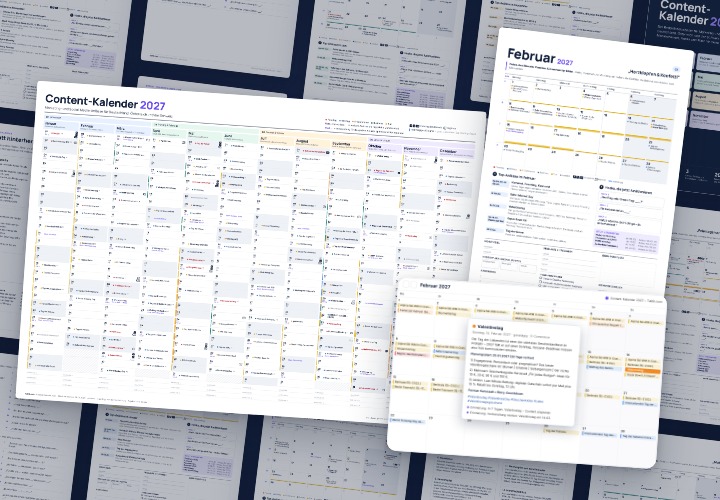
277 occasions with 3 post ideas each, wall planner A2/A1, monthly calendar A4, Excel database, calendar file, and bonus tools

Not just for nerds: Your relaxed introduction to the world of Gemini!
The Sora & ChatGPT Master Course: Your Guide to AI Content Creation
AI builds bots, you are slacking off.
Comment now „ChatGPT Ads: Run ads in the OpenAI Ads Manager“