
Before you upload your first ad, you should know two things: how the auction evaluates your bid and how the Ads Manager is structured. The two are closely connected. If you cleanly separate the three levels of a campaign, you can later also understand which ad, which context, or which bid actually brings clicks. This guide walks you through the logic of the auction, explains each of the three levels, and shows you what a sensible first test looks like.
The video is only loaded from YouTube when you play it – data (including your IP address) is then transmitted to YouTube/Google. More in the privacy policy
Key Takeaways
- With ChatGPT Ads, you don't pay your maximum bid, but usually just above the next-best bidder.
- Besides the bid, what counts is how well your ad fits the conversation context. This is the second factor of the auction.
- A bid that is too low doesn't save you money, but means your ad is barely served. As a result, the lack of demand seems bigger than it is.
- OpenAI recommends a maximum bid of 3 to 5 euros per click to start. Reliable industry benchmarks don't exist yet.
- A campaign consists of three levels: campaign (goal, budget, duration, region), ad group (Context Hints, bid, settings) and ad (image, title, text, landing page).
- For the first test, a few ad groups with two ads each are enough. Too many groups spread your budget so thinly that in the end no reliable data is produced.
Step 1: Understanding the auction as the basic principle
The auction for ChatGPT Ads is based on a bidding system you may know from Google Ads. The decisive difference lies in the price you ultimately pay. You place a maximum bid, but in the best case you only pay just above the bid of the next-best bidder. If the competition is at 1.50 euros, you don't have to pay your stated 4 euros, but may get by with 1.55 euros. For conversation contexts with little competition, your actual cost per click becomes correspondingly cheaper.

Step 2: Taking the second factor of the auction into account
The bid alone doesn't determine delivery. The fit of your ad to the conversation is also a factor. You probably know this principle from Google Ads, where ad rank depends, among other things, on the quality of your website, users' time spent on it, and the optimization of your ad. ChatGPT Ads similarly evaluates how well your ad fits the respective context. An ad that matches the conversation thematically therefore has better chances of being served even with a moderate bid.
Step 3: Avoiding the most common ad mistake
Many advertisers keep their ad bid very low because they want to limit the cost per click. A bid of around one euro per click sounds like control, but is often misleading. If your bid is below what other providers pay, your ad is barely delivered. Then you see almost no impressions in the numbers and wrongly conclude that nobody is searching for your offer. In reality, you simply bid too little.

For the start, OpenAI therefore recommends a maximum bid of 3 to 5 euros per click. This keeps you competitive and lets you collect meaningful data at all. The maximum bid is an upper limit and not a fixed expense.
Step 4: Putting the price range into perspective
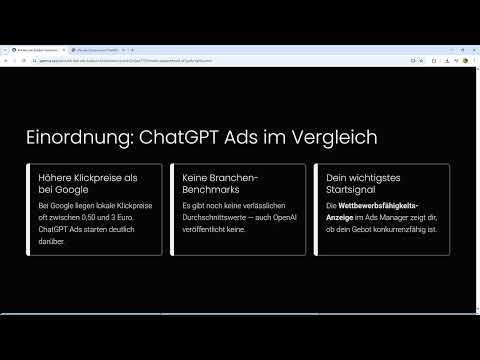
Click prices for ChatGPT Ads are significantly higher than those on Google. On Google, local click prices often range between 0.50 and 3 euros, depending on keyword and region. With ChatGPT Ads, you usually start somewhat higher. This applies especially to general terms that appear in millions of conversations and are correspondingly expensive. Specific offers with a clear context, on the other hand, can be in the range of 0.50 to 3 euros.

Benchmarks, that is, reliable industry averages, do not yet exist for ChatGPT Ads. OpenAI has not published any values, and information from the web is mostly outdated or unreliable. Your most important starting signal is therefore the competitiveness of your ad. It lowers the average costs because the system classifies it as a good offer. The bid is the only direct lever you have.
Step 5: The first level – setting up the campaign
Now that you know about the bid, it's worth taking a look at the structure in the Ads Manager. Everything starts with the campaign. It bundles a topic. This can be a specific product, such as a wooden table that you want to promote from a larger range. But it can also be an overarching topic, for example an Easter campaign that relates to an occasion rather than a single product.

At the campaign level, you set the goal, for example a purchase, impressions, or video views. You also determine the budget, the duration, and the region here. A duration of two weeks is a common guideline for a first test. You can limit the region to countries such as Austria or Germany, or set it more broadly.
Step 6: Set the budget, duration, and region
The budget belongs to the campaign, not to individual ad groups. Make sure it is sufficient for your test period so that all ad groups receive enough impressions. A budget that is too tight means that individual groups won't deliver meaningful data at all.
A duration of two weeks gives you enough time to recognize patterns in the results. The region determines where your ads appear. Choose it to fit your offering. A local retailer doesn't need a nationwide region, whereas an online shop with shipping may cover the entire German-speaking area.
Step 7: The second level – create ad groups with Context Hints and bid
Within the campaign, you create ad groups. Here you define the Context Hints, that is, the conversation contexts in which your ads should appear. An ad group A could, for example, contain narrow Context Hints, such as "finding a dining table for a narrow room" or "comparing solid wood or veneer". These hints are very specific and target users with a clear purchase intent.
In addition, you enter a bid in each group, for example a maximum of 4 euros per click. This bid is an upper limit. It does not mean that you actually pay that much. The price depends on the competition and the quality of your ad.
An ad group B could work with broader Context Hints, such as "furnishing a first apartment together" or "looking for a wedding gift for a couple". This group reaches more conversations but is less precise. This kind of comparison is exactly what makes a group structure worthwhile: you see which type of context works better.
Step 8: The third level – create ads with image, title, text, and landing page
Within each ad group, you create the actual ads. They are the only thing users actually see. Each ad consists of an image, a title, a text, and a landing page. Everything else in the Ads Manager consists of settings that control when and where your ad is displayed.
You can store multiple ads per ad group, such as different images and texts. The landing page is usually set per ad group, so you generally work with one landing page per group. This rule is important for your evaluation, because it allows you to clearly assign clicks and results to a page.
Step 9: Understand the ad group settings
The settings at the ad group level determine in which situations your ad appears. You can think of it as an if-then rule: If a conversation contains a certain context and the cost per click is below your bid, then I display my ad. The group is thus the place where you control which conversations you respond to.
Step 10: Set up the first test correctly
For your first test, a lean structure is recommended. Create one campaign with a clear goal, an appropriate budget, and a two-week duration. Within it go two ad groups that differ in the breadth of their Context Hints. In each group, you place two ads with different images or texts.
This structure is deliberately manageable. If you create ten ad groups with only a few impressions each, you spread your budget so thin that no group delivers reliable values. You then see many numbers but can't interpret any of them meaningfully. With two groups and two ads per group, the test remains evaluable, and you recognize more quickly which context and which ad work.
Summary – ChatGPT Ads: Campaign structure and bid for the first test
You have seen how the auction works at ChatGPT Ads: you usually pay just above the next bidder, and how well your ad fits the conversation influences delivery. Start with a maximum bid of 3 to 5 euros, avoid bids that are too low, and don't count on ready-made benchmarks. The Ads Manager is divided into campaign, ad group, and ad. The campaign defines the goal, budget, duration, and region. The ad group contains Context Hints, bid, and settings. The ad comprises image, title, text, and landing page. For the first test, two ad groups with two ads each are enough so that your data remains evaluable in the end.
FAQ
Do I always have to pay my maximum bid in full?No. You usually pay just above the bid of the next-best bidder. The maximum bid is only an upper limit.
Why is my ad hardly displayed with a low bid?A bid that is too low is often below the level of the competition. As a result, your ad is rarely shown, and you might wrongly assume that there is no demand.
Which bid should I choose to start?OpenAI recommends a maximum bid of 3 to 5 euros per click in order to be competitive.
Are there benchmarks for click prices at ChatGPT Ads?Not currently. OpenAI has not published reliable average values, and figures found online are often outdated.
What is the difference between a campaign and an ad group?The campaign bundles a topic with goal, budget, duration, and region. The ad group contains the Context Hints, the bid, and the settings that control when an ad appears.
How many ads can I create per ad group?You can store multiple ads with different images, titles, and texts. The landing page is usually set per ad group.
Why shouldn't I create too many ad groups?With too many groups, your budget is spread across only a few impressions per group. As a result, the data is no longer evaluable.


