

Generative AI is currently being hotly debated in the security field. Some expect it to replace entire SOC teams, while others consider it a gimmick. Both are wrong. What matters is where you use it and where you don't. That is exactly what this tutorial clarifies before you install a single tool.
The video is only loaded from YouTube when you play it – data (including your IP address) is then transmitted to YouTube/Google. More in the privacy policy
You will learn which tasks in everyday security work benefit from AI, where hard limits apply, and why the benefit is immediately apparent using the example of a Windows event with the ID 4625. It is an event that many analysts see for the first time and then have to spend minutes researching.
Key Takeaways
Generative AI complements your tools; it does not replace them. Its greatest added value lies in contextualization and speed for log interpretation, summaries, and documentation. For real detection in the SIEM, automated incident decisions without a human, and access to internal systems, it is currently the wrong tool. You always stay in control: the AI provides suggestions, and you verify, decide, and act.
Step-by-Step Guide
Step 1: Distinguish Areas of Use and Hard Limits
Before you work with AI, you should clearly define for yourself what it is good for. On one side are tasks where it already makes a real difference today: interpreting logs, summarizing long reports, creating documentation, generating scripts, and prompt-based research. On the other side are the limits. Real detection belongs in your SIEM, with its rules, its correlation, and its traceability. The instructor clearly rejects automatic incident decisions without human oversight. The same goes for direct AI access to your internal systems, which models like ChatGPT currently do not readily offer.
Keep this separation in mind in your day-to-day work. If a task falls into the right-hand column, AI is not the solution.


Step 2: Understand the Sweet Spot
Between the two extremes lies the area where AI brings the most: as a second brain that you can query quickly, but that always works under your control. You give it an excerpt from a log or a question, it provides you with an assessment, and you decide whether to follow that assessment. This division of roles is the core of the entire approach and accompanies you through all the following steps.

Step 3: The Starting Scenario – Manually Researching Event 4625
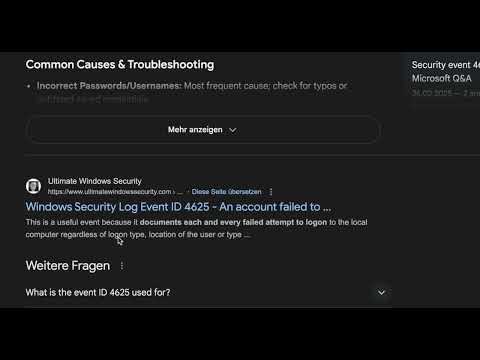
Imagine you are new to the SOC and see the event ID 4625 for the first time. This Windows event describes a failed logon attempt. What do you normally do? You open Google, search for the event ID, and click through results. You read documentation on Microsoft Learn, blog articles, and forums, scroll, compare, and piece together the meaning yourself. Realistically, this takes you two to three minutes, and even then it is not certain that you will find the right information.
In a real emergency, this time is expensive. This is exactly where the comparison with AI comes in.


Step 4: Get to Know the ChatGPT Interface
Before you query the AI, you should familiarize yourself with the interface. After logging in with your email address and password, you will find a sidebar on the left with your previous chat histories. There you can also start a new chat or search for specific ones. In the main window, you enter your prompt at the bottom. This is not a dedicated ChatGPT course, but you should at least be able to find your way around so that getting started goes without hurdles.

Step 5: Formulate a Meaningful Prompt
The difference between a useful and a poor answer often lies in the prompt. In the example, you describe your role as a security analyst and the situation precisely: a Windows event 4625 with Logon Type 10 from an external IP address, which repeats for different users within five minutes. Then you ask the specific question of what this means and which steps are sensible for triage.
The more context you provide, the more targeted the answer will be. Make sure you don't copy sensitive real data such as usernames or internal IP addresses into an external tool without checking. Anonymize them beforehand.

Step 6: Critically Evaluate the Answer
Within a few seconds, you receive an explanation of Event 4625, the classification of Logon Type 10 as a Remote Desktop logon, and an assessment of the pattern. The pattern points to a brute-force attack. The AI also names concrete next steps for your triage.
This is where your actual work begins, though. Check every statement against your sources: Is the classification of Logon Type 10 correct? Do the steps fit your environment? An answer that sounds plausible is not yet verified information. The responsibility for the assessment remains with you.

Step 7: Compare Google and AI
With a Google search, you get raw information. You have to interpret, combine, and prioritize it yourself. The AI, on the other hand, gives you a synthesis that takes your context into account: SOC analyst, repeated logins, external IP. This not only saves time but also reduces the cognitive load in a stressful situation in which you have to make quick decisions under pressure.
This comparison shows you the core advantage of AI: not more information, but more fitting information at the right time.

Step 8: Apply the Three Core Principles in Everyday Work
Three principles can be derived from the example, and you should commit them to memory. First, generative AI does not replace your tools. Your SIEM remains your SIEM, but when it comes to contextualization, AI now helps enormously. Second, the added value lies in speed and contextualization. You get information tailored to your specific question. Third, you stay in control. The AI suggests, you verify, you decide, and in the end you act yourself.
If you keep these three points in mind, you use AI productively without becoming dependent on it.

Summary – GenAI in Cybersecurity: Where AI Really Helps
Generative AI is a valuable helper in everyday security work for log interpretation, summaries, documentation, script generation, and research. Its strength lies in quickly turning raw information into a context-based overview. At the same time, it has clear limits: real detection belongs in the SIEM, incident decisions need human oversight, and access to internal systems is currently not provided for with standard tools. The example of Windows Event 4625 makes clear how several minutes of research become a few seconds, as long as you check the results and retain responsibility.
FAQ
Can generative AI replace my SIEM?No. AI supplements the SIEM with contextualization and interpretation, but it does not perform real detection. Rules, correlation, and traceability remain the job of your SIEM.
May I paste log data with real usernames and IP addresses into ChatGPT?Not without checking. Anonymize sensitive data beforehand before copying it into an external tool, and follow your company's policies.
Why should I still verify the AI's answers?AI answers often sound plausible but can be incorrect or incomplete. Always verify statements against reliable sources such as Microsoft Learn and your own environment.
What does Windows Event 4625 mean?Event ID 4625 describes a failed logon attempt. In combination with characteristics such as Logon Type 10 and repeated attempts from external IP addresses, it can indicate an attack.
Why is the wording of the prompt so important?The more precisely you describe your role, the situation, and your question, the more targeted the answer will be.
