

Your CISO is standing in the doorway and asking whether you need to patch tonight. A CVSS score of 9.8 looks alarming, but it doesn't answer the question. What matters is the context: Is there a working exploit? Is the affected system reachable from the internet? That's exactly what I'll show you in this module: a workflow in which you use ChatGPT as an analysis assistant. In the end, you'll have a traceable patch decision that you create in a few minutes instead of an hour.
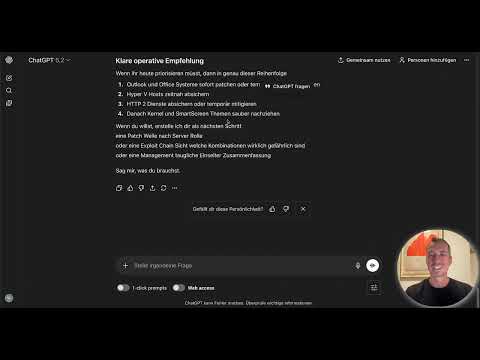
The video is only loaded from YouTube when you play it – data (including your IP address) is then transmitted to YouTube/Google. More in the privacy policy
Key Takeaways
- The CVSS score alone is not enough for prioritization. You additionally need EPSS, the temporal values, the exploit situation, and the reachability of your systems.
- A well-formulated prompt with a fixed structure gives you an executive summary, technical details, risk assessment, patch mitigation, and priority recommendation.
- You always have to provide the context of your environment yourself. Only then can ChatGPT check whether a vulnerability is even exploitable in your setup.
- The AI's answers are drafts. Verify facts, version information, and sources before you derive a decision from them.
Step 1: Clarify the Key Questions About the Vulnerability
Before you ask ChatGPT anything, you should know what information you need. For this I work with five questions: What is the vulnerability, how bad is it really, are there exploits, are we affected, and is there a patch or workaround? You answer the first two questions with the technical description and the affected software including versions. Also note the attack vector, that is, whether the vulnerability can be exploited over the network, locally, or physically. A network vector without authentication is significantly more critical than a local attack that requires administrator privileges.

Step 2: Classify the Severity Correctly
The CVSS base score describes the technical severity of a vulnerability, but not the likelihood of an attack. For that you need the EPSS score (Exploit Prediction Scoring System). It indicates how likely it is that a vulnerability will actually be exploited in the next 30 days. Complete the picture with the temporal values, such as the availability of an exploit or the existence of a workaround, and with the environmental values, which take your own environment into account. Only the combination of these values shows you whether a vulnerability is dangerous only on paper.

Step 3: Check the Exploit Situation
Now you check whether the vulnerability is already being actively exploited. The Exploit Database, GitHub, and Metasploit are the most important places to look for publicly available exploits. An exploit on GitHub or in Metasploit means that even less experienced attackers can use the vulnerability. It's also worth looking at the CISA KEV catalog (Known Exploited Vulnerabilities). There you'll find vulnerabilities that have demonstrably been used in real attacks. Also watch for indications that ransomware groups are using the vulnerability. A vulnerability in the KEV catalog with a ransomware connection generally belongs at the top of your list.

Step 4: Determine Your Own Exposure
A vulnerability is only relevant to you if you have the affected software in use. Therefore, check the installed versions and whether the component is reachable from the internet. A firewall interface that is open to the outside has a completely different risk profile than a service that only runs on the internal network. Note for each system: version, configuration, exposure. You need exactly this information in the next step so that the AI can evaluate your environment at all.

Step 5: Clarify Patch Availability and Workarounds
Ask yourself whether a patch is already available and since when. A workaround can help in the short term, for example by disabling a feature that makes the vulnerability exploitable in the first place. Be honest here: workarounds usually only buy time. The patch remains the actual remedy. If a patch can't be applied immediately, for example because many employees are currently accessing the service, you must document a time-limited risk acceptance. For a critical vulnerability with a public exploit, you should also check whether you can temporarily take the affected system offline.

Step 6: Create a Structured Prompt
Now you open a new ChatGPT chat so that the history doesn't cause confusion. First give the AI a clear role, such as that of a vulnerability management analyst. Then you insert the information you've collected about the CVE and request a fixed structure: executive summary, technical details, CVSS and risk assessment, exploit status, patch mitigation, and priority recommendation. Also explicitly ask for current sources and for a flag when the AI is uncertain. This last point is important, because AI models can provide outdated or incorrect information.

Step 7: Evaluate the response and derive the priority
After a few seconds, ChatGPT delivers the structured analysis. Pay particular attention to the priority recommendation and its justification. Typically, the AI classifies a vulnerability with an exploit and exposure as critical, with a deadline of 24 hours for exposed systems and 72 hours for internal ones. Check these deadlines against your own policies and against the information in the vendor advisory. This way, within minutes you have a reliable basis that you would otherwise have developed in 30 to 60 minutes of manual research.

Step 8: Bring in your own system context
A general analysis helps you only to a limited extent. You only tell the AI whether a vulnerability applies to you once you describe your environment. In the lesson's example, you operate three Palo Alto firewalls: on two of them, GlobalProtect is enabled for remote employees, while the third is used for internal segmentation. With this information, you ask specifically which devices are affected, in which order they should be patched, and whether a workaround is sufficient until then. The answer shows you that the vulnerability is only exploitable in a specific feature configuration and that GlobalProtect is the key factor. The two GlobalProtect firewalls must therefore be patched immediately, the internal firewall significantly later.

Step 9: Prioritize many CVEs at once
A scanner report rarely lists just a handful of vulnerabilities, but often hundreds. For this, you create a priority matrix. Copy the CVE list from the scanner for your Windows servers into the chat and ask ChatGPT for a ranking. The answer quickly shows you which systems must be patched immediately and where you still have a time buffer. In the lesson, there were three systems requiring immediate action. It is important that you treat the list as a suggestion and cross-check the classification with your expertise.

Step 10: Create a management summary
The CISO doesn't need technical details, but an understandable assessment of risk and business impact. Therefore, formulate a prompt that asks for exactly that: no technical details, focus on risk and business impact, a clear recommendation for action. Within seconds, you receive a draft, which you then review. Above all, make sure the facts are correct. For time-critical matters, it is irrelevant whether the text was created with AI. What matters is that the information is correct and the decision remains comprehensible.

Step 11: Define automatic alert rules
The best analysis is of little use if it comes too late. It is therefore worthwhile to define criteria for automatic alerts. Describe your systems to the AI, namely Palo Alto firewalls, Windows Server, VMware, Microsoft 365 and Cisco switches, and ask about combinations of product, CVE type and exploit status that should trigger an alert immediately. Typical triggers are a remote code execution or a privilege escalation on an exposed system for which an exploit is available or which is listed in the CISA KEV catalog. You then have to implement the rules in your vulnerability management tool and verify them with a test run.

Step 12: Document the prioritization transparently
Finally, you record the logic according to which you prioritized. A simple guide is offered by the SSVC logic, which is based on CISA's decision trees. A vulnerability is considered critical if it has a high CVSS score, an exploit exists and the system is exposed. An available exploit on an affected system is considered high risk. A high CVSS rating without an exploit results in medium risk, and a vulnerability without an exploit on a non-exposed system is low. Document every decision with the date, justification and the person responsible. This way, in an audit or when questioned, you can prove at any time why you acted when you did.

Summary ??? CVE analysis with ChatGPT: Making data-based patch decisions
A good CVE analysis doesn't start with the CVSS score, but with the question of whether the vulnerability is actually exploitable in your environment. You gather the key questions about the vulnerability, check severity, exploit situation and exposure, and then decide on patch, workaround or risk acceptance. ChatGPT speeds up this process considerably, but replaces neither your expertise nor the verification of sources. Use the AI for summaries, prioritization lists and management reports, and always keep the final decision to yourself.
FAQ
Is the CVSS score enough to determine a patch priority?No. The CVSS score describes the technical severity, but it does not take into account whether an exploit exists or whether your system is reachable. Always supplement it with EPSS, the exploit situation, and your system context.
What does the EPSS score mean?EPSS stands for Exploit Prediction Scoring System. The value indicates the probability that a vulnerability will be exploited within the next 30 days.
Where can I find information on whether a vulnerability is being actively exploited?Check the Exploit Database, GitHub, Metasploit, and the CISA KEV catalog. The KEV catalog contains vulnerabilities that have been proven to be used in real attacks.
May I enter confidential system data into ChatGPT?You should avoid that. Use anonymized or fictitious details, such as product names without hostnames, IP addresses, or customer data. Also clarify with your organization which details are permitted.
Can I rely on the AI's answers?Only to a limited extent. The answers are a draft. Check version details, deadlines, and sources against the vendor advisories and official databases before you derive measures.
What is a workaround, and does it replace the patch?A workaround is a substitute measure, such as disabling a vulnerable feature. It buys time but generally does not replace the patch.
How often should I review my prioritization?For critical vulnerabilities, ideally daily, since the exploit situation and assessments change quickly. For less urgent matters, a weekly review is usually sufficient.

