

Imagine an assistant that writes texts for you, delivers ideas, drafts concepts and programs code, all within a few seconds. That is exactly what ChatGPT-5, currently OpenAI's most advanced language model, is designed for. This guide takes you through the interface, the most important features and the typical use cases, which are shown in the video using presentation and book projects, image analysis, programming and the API.
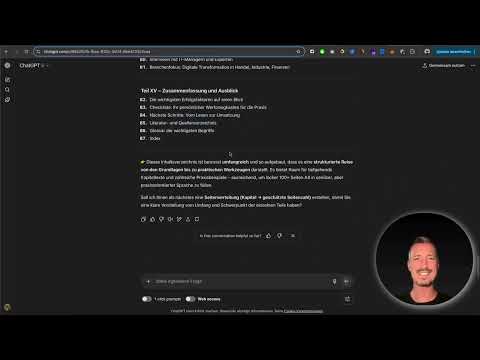
The video is only loaded from YouTube when you play it – data (including your IP address) is then transmitted to YouTube/Google. More in the privacy policy
An honest note upfront: The video title makes a connection to cybersecurity, but the examples mainly revolve around text, images, code and planning. The basics can nevertheless be applied well to security-related tasks, for example when drafting policies or explaining code. However, do not enter any credentials, personal data or internal vulnerability reports before you have checked your company's data protection requirements.
Key Takeaways
- ChatGPT-5 impresses with significantly better context processing, a very natural writing style and broad basic knowledge.
- The model processes text, images and audio and is suitable for concepts, presentations, books and code.
- Precise prompts with role, context, goal and tone deliver noticeably better results.
- Thinking mode is worthwhile for complex questions, while fast mode suits simple tasks.
- The API incurs costs, and the choice of model (Nano, Mini or main model) determines the price.
- For very extensive scientific documents, a different model such as Claude may be the better choice.
Step-by-Step Guide
Step 1: Understanding the Model and Its Strengths
Before you get started, you should know why ChatGPT-5 is recommended so often. The speaker highlights three points: significantly better processing of context, a very natural writing style and enormous basic knowledge that arose from billions of data records. While older versions could often still be recognized by their artificial-sounding style, this is hardly noticeable with GPT-5. In addition, the model can understand, create and translate text, generate and edit images, and process audio.

Step 2: Defining a Role and Context for a Presentation
The first practical example shows how much a little context improves the quality of the result. The topic is a presentation on digitalization in medium-sized businesses. Without any details, you get a general answer. However, if you put the model in the role of a project manager from a medium-sized company who is responsible for IT and digitalization, the outline is much more strongly aligned with that perspective. Therefore, always state the role right at the beginning of your prompt.

Step 3: Selecting the Right Mode
At the top of the interface, various modes are available to you. Fast mode delivers immediate answers, while Thinking mode thinks longer and in return produces more nuanced results. Auto mode decides on its own whether a question can be answered immediately or needs longer consideration. For content that still needs to be researched or questioned, Thinking mode is worthwhile. For routine tasks, the fast variant is usually enough.

Step 4: Reviewing the Outline
The result of the first request is an extensive outline with the chapters Introduction, Status Quo, Opportunities, Challenges and Fields of Action, plus a Q&A round for discussion. In total, nine points are produced. Read through the outline critically and check whether the common thread holds, the order is logical and all topics are covered. Only then should you move on to the detailed elaboration.

Step 5: Creating a Slide Deck with Visualization Ideas
Building on the outline, you can ask the model to draft a slide deck with bullet points, visualization ideas and slide colors. It is especially handy that you can upload a sample slide from your company. The model then recognizes colors, structural elements and the way information is presented, and aligns its suggestions accordingly. The speaker emphasizes that this way you are accompanied from the first thought to the finished implementation. However, remember that you still have to check the content for accuracy.

Step 6: Developing Book Ideas and Defining the Role
In the second use case, a digital product is created, namely an e-book. First, you have five ideas generated for a book on middle management in the IT sector. In the video, the choice falls on the title "Successfully Steering Digital Transformation: The Toolbox for IT Managers". Afterwards, you stay in exactly this role. The model then specifically retrieves the specialized knowledge of this field and does not have to search the entire knowledge base. Keep this role in the chat until you have completed the project.

Step 7: Have a Table of Contents Created
In the next step, you request a table of contents that takes scope and tone into account. State your requirements clearly: the desired page count, a friendly and professional tone, and the decision whether gender-inclusive language should be used or not. In the example, four parts with a total of almost 87 chapters are created. Note that Amazon requires at least 72 pages for a print version. If you are short on pages, you can add a glossary as well as a bibliography and list of sources. This is also useful for making the origin of the information transparent.

Step 8: Develop Chapter by Chapter
Do not have the entire book written at once. The speaker warns against this, as the quality then becomes superficial. Instead, proceed chapter by chapter and specify a minimum word count, in the example 1000 words per chapter. The results can then be transferred into a word processor. You can design a cover yourself or commission one on platforms like Fiverr. In this way, a digital product is created that can be sold or used for free.

Step 9: Use Text Generation in Everyday Life
Besides large projects, ChatGPT-5 is suitable for everyday texts. These include essays, blog articles, posts, emails, screenplays, and social media content for platforms like LinkedIn or Instagram. You can also specify that the texts should be SEO-optimized and give the model suitable keywords. It will then also take synonyms and relevant terms into account. Make sure to always check results for factual accuracy before publishing.

Step 10: Work with the Extended Memory
One advantage over earlier versions is the extended memory. While GPT-4 had a limited context, the speaker reports that ChatGPT-5 in the paid Plus subscription, according to the provider, keeps track of very long chats. In addition, the model can incorporate information from multiple chats. So you can tell it to take over the relevant details from other conversations. Note that the tone once established in a chat is retained and the information taken over adapts to it.

Step 11: Upload and Analyze Images
Multimodality allows you to upload images and ask questions about them. Via the plus sign, you add a file and formulate your question. In the video, a tree is photographed, and the model names the plant family, growth habit, flowering period, and fruit formation. Even an apple tree in winter is recognized. Audio recordings, such as birdsong, can also be analyzed. However, bear in mind that blurry or very generic images, such as a single stone in water, lead to inaccuracies. Therefore, always check the information against reliable sources.

Step 12: Create, Explain, and Debug Code
For developers, ChatGPT-5 offers strong support. You can have code written, have existing code explained, or have errors found. The speaker mentions HTML, Python, JavaScript, and React as examples. In the video, a finished checkers game is created in React. The code is inserted into a file like "Checkers.jsx" and integrated into the App component. The response comes quickly, provided the long Thinking mode is not active.

Step 13: Assess API Access and Costs
If you want to integrate the model into your own applications, the path leads through the API. In the video, the variants GPT-5, Mini, and Nano are presented. The main model costs about 1.25 US dollars per one million input tokens and 10 US dollars per one million output tokens. The Nano variant is significantly cheaper at about 0.05 US dollars for input and 0.40 US dollars for output per one million tokens and is suitable for summaries and classifications. It is best to start with Nano to test whether the project works, and then switch to a more powerful model if needed. Keep in mind that the API always costs money, even if the frontend can be used for free.

Step 14: Formulate precise prompts
Good results come from good prompts. The speaker recommends clearly stating the context, goal, and style. Start with a role, such as "Put yourself in the position of a project manager," add the required information, and at the end state exactly what you expect. The tone should be professional or friendly. Flattery, on the other hand, is unnecessary. It is also worth saving templates, for example for creating a book, and adjusting only individual terms as needed.

Step 15: Ask follow-up questions and test styles
Instead of starting a new chat each time, you build on the existing context with follow-up questions. For example, ask how the result can be improved or how the text would come across from a different perspective. You can also instruct the model to ask clarifying questions before creating the prompt. The speaker also recommends testing different styles, for example factual, creative, promotional, or academic. Which style fits depends on your target audience. Students, for example, expect a different tone than management decision-makers.
Step 16: Assess alternative models
ChatGPT-5 is not the best choice for every task. According to the speaker, Claude is excellent for very long contexts and large amounts of data, but offers only a few plugins. Gemini is strongly multimodal, but its language output is less consistent. Other alternatives include DeepSeek, Microsoft Copilot, Perplexity, Mistral, and Grok. The speaker's conclusion is that ChatGPT-5 is currently the most universal language model, leading in almost all areas. Therefore, always choose the model based on the specific use case.

Step 17: Start your own challenge
To finish, the speaker suggests a small exercise. Start a chat with ChatGPT-5 and have it create a task list for your day, including prioritization. Then observe how your workflow changes. The model is meant to optimize your work, not take it over completely. You therefore remain responsible for the results.

Summary ??? ChatGPT-5 for Security Analyses: Features, Prompts, and Limits of Use
ChatGPT-5 is a versatile assistant for texts, concepts, images, audio, and code. Its strengths lie in context processing, natural writing style, and broad basic knowledge. With a clearly defined role, precise details, and a suitable tone, you achieve the best results. However, check every answer for technical accuracy, especially in security-related contexts, and make sure to protect confidential data. For integration into your own projects, you should plan for API costs and start with the cheaper Nano model. For very extensive scientific analyses, an alternative model may be more suitable.
FAQ
What is ChatGPT-5?ChatGPT-5 is OpenAI's most advanced language model to date, capable of processing text, images, audio, and code.
Who is ChatGPT-5 suitable for?The model is suitable for students, freelancers, creatives, and anyone who wants to save time and work more productively.
How do the Auto, Thinking, and Fast modes differ?Fast mode responds immediately, Thinking mode thinks longer and delivers more nuanced results, and Auto mode decides for itself what fits.
Why should I define a role in the prompt?A role such as "project manager in a mid-sized company" directs the model to the appropriate knowledge area and improves the quality of the answer.
Can ChatGPT-5 analyze images?Yes, you can upload images and ask questions about them, for example about plant species, places, or details, although blurry images can lead to inaccuracies.
What does usage via the API cost?Prices depend on the model. In the video, the main model costs about 1.25 US dollars per million input tokens and 10 US dollars per million output tokens, while the Nano variant costs significantly less.
When is another model the better choice?For very long documents and large amounts of data, Claude may be more suitable, and for strongly multimodal tasks, possibly Gemini.

