

You know the pattern: you search Google for a single piece of information and then click through twenty websites until you finally find a usable answer. Perplexity starts right there. The AI search engine answers your question directly in the chat window and immediately gives you the sources. Especially for CVE research or other hard facts, this is worth its weight in gold, because you can verify every statement right away. In this guide, you will get to know the interface, understand the differences between Free, Pro, and Max, and see from two examples how a research session works step by step.
The video is only loaded from YouTube when you play it – data (including your IP address) is then transmitted to YouTube/Google. More in the privacy policy
Key Takeaways
- Perplexity combines AI-generated answers with a real search and shows the corresponding source for every statement.
- The free version is suitable for getting started, but has limits, such as a maximum of three file attachments and restricted access to more powerful models.
- The Pro version (according to the video, $20 per month) offers more sources per search, model selection, follow-up questions from the assistant, and the research mode.
- You must always check the sources yourself, because even Perplexity can report information incorrectly.
Step-by-Step Guide
Step 1: Understanding Plans and Prices
Before you get started, you should know the three plan tiers. The Free version costs nothing and is enough for occasional research. According to the video, the Pro version is the most popular tier and costs $20 per month. With annual billing, the price drops to about €16.67 per month. In return, you get, among other things, ten times as many citations in answers, access to Perplexity Labs, unlimited file uploads, and extended access to the research feature. The Max version costs $200 per month. It is aimed at heavy users who want to be the first to test new products and need access to models such as GPT-5, Claude Opus 4.1, or o3 Pro. Prices and features change often, so before subscribing it is always worth checking the current overview on the website.

Step 2: The Interface at a Glance
The input field is your most important tool. You can type your question or speak it using voice control. Spoken input is transcribed and displayed directly in the field. Via the attachment icon, you can upload files, a maximum of three in the free version. Here you also specify which sources should be searched and select the model. Don't let this overwhelm you: for your first attempts, the default settings are completely sufficient.

Step 3: Using Search Modes and Model Selection
In the menu, you will find the normal search for quick answers to everyday questions. The Pro search accesses more powerful models and, according to the video, takes three times as many sources into account. As soon as you are working in a scientific context, for example for studies, specialist articles, or well-founded social media posts, this mode is clearly worthwhile. The research mode goes one step further. It comprehensively searches everything available on a topic. If you want to know, for example, whether aspartame is harmless, it collects the information from many sources and compiles it. The Labs function, with which you create larger projects such as reports or small applications, is reserved for subscribers.
Step 4: Using the Home Page, Templates, and Tags
On the home page, you will find quick entry points in the form of tags, for example for troubleshooting or learning. If you click on them, suggestions appear for how you can phrase your question. For the topic of learning, you can ask, for example, what React is. Perplexity explains the topic in an understandable way and then gives you the sources on which the explanation is based. This makes the home page well suited for getting a feel for good questions.
Step 5: Getting to Know the Sidebar, Spaces, and History
On the left side, you will find your previous history as well as sections such as Discover or Topics for You. There, content from various categories is suggested based on your earlier queries. Under Spaces, you can create your own areas in which you sort your research by topic. Via the plus sign, you open a new window, much like in ChatGPT. If you don't want to mix different topics, it is advisable to use a new window for each research session.

Step 6: Adjusting Settings, Personalization, and Memory
You reach the settings via your account. There you can choose the appearance, set the preferred answer language, and define a default model. Under Personalization, you specify whether Perplexity should take your location into account and include saved memories. If you turn memory off, every search is captured completely anew. With memory enabled, on the other hand, earlier information flows into new answers. Both have advantages and disadvantages, depending on whether you work on thematically related topics or want to treat each query independently.

Step 7: Conduct the first search
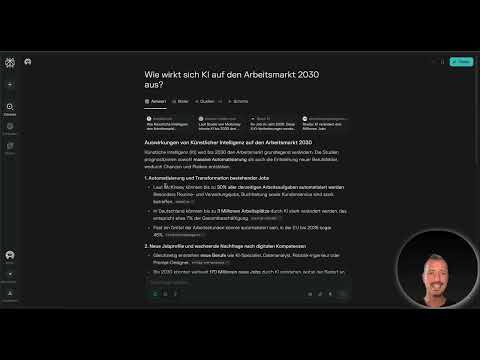
Ask your first question the way you would ask it to a person. An example: How will AI affect the job market in 2030? You can safely keep the default settings. After submitting, a list of the sources searched appears first. Then a detailed text is generated, in which you will find the respective sources beneath the individual paragraphs. Above the answer, you will also see the collected links as well as the individual work steps that Perplexity carried out. This makes the entire research path traceable.

Step 8: Check and evaluate sources
This is where the real added value of Perplexity lies. Click on the sources and read the original information before you adopt it. Pay attention to who published the source. Specialist portals with scientific review are usually more reliable than pure opinion sites. In the example on the sweetener sucralose, you will find in the answer, for instance, reports from news media, health portals, and references to studies. Check whether the sources support the same statement. Pay particular attention to numbers and limit values, because this is exactly where errors are most likely to arise. For questions in German, you should use German sources wherever possible, since the scientific classification can vary depending on the language region.

Step 9: Second search and keeping history separate
For a second question, for example about the health effects of sucralose, a separate window makes sense. This way the answers don't get mixed up and you keep an overview. In the history, you can see all queries along with the associated sources, which helps you a lot for later lookups or references. Saved histories can be accessed again at any time. If you want to document research for a paper, this structure is particularly practical.

Step 10: Use Pro features with follow-up questions
With the Pro version, Perplexity actively asks you follow-up questions before it answers. This happens mainly in Copilot mode. The search becomes more precise as a result, because the AI first asks which information you are actually looking for. This mode is intended primarily for complex or scientific topics. In addition, in the Pro version you can select the model deliberately. For creative texts, other models are suitable than for logical or scientific explanations, for which Claude has proven particularly effective according to the video.

Summary – Perplexity: AI search with source citations for CVE research
Perplexity combines an AI answer with a real search engine and provides traceable sources for every statement. Compared to Google, which mainly displays links, or ChatGPT, which answers without a live search, Perplexity thus offers a transparent combination of both. The free version is sufficient for getting started, while the Pro version, with more sources, model selection, and Copilot mode, is worthwhile above all for students, journalists, and anyone who regularly researches in greater depth. You should never skip the effort of checking sources, because transparency does not replace your own verification. Just try it out: ask a question you would otherwise google, and compare answers and sources. The difference is usually noticeable immediately.
FAQ
Is Perplexity free to use?Yes, the free version is free of charge. However, it has limitations, such as a maximum of three file attachments and limited access to models and Pro search.
How much does the Pro version cost?According to the video, it costs $20 per month, or about €16.67 per month with annual billing. Prices may change, so check the current overview.
Are Perplexity's answers always correct?Not necessarily. Perplexity can also reproduce information incorrectly or hallucinate. Click on the sources and check the statements, especially for professional or academic use.
Which mode is suitable for academic work?Pro search with more sources and Copilot mode are particularly well suited, because they research more deeply and ask follow-up questions in advance.
Can I also use Perplexity on the go?Yes, there is an app for iOS and Android that you can download for free from the respective store.
How does Perplexity differ from Google search?Google predominantly shows links and a short Gemini summary. Perplexity answers in a chat format and names the specific source for every statement.
Are my search queries saved?Yes, histories are retained and can be accessed again. However, you can adjust the memory and personalization via the settings.

