

Imagine it's Tuesday, 9:47 a.m. Your SIEM reports dozens of alerts, all from a single file server. The helpdesk hotline is ringing, and on FS01 there is a ransom note with a Bitcoin demand. This is exactly the situation in which most mistakes happen, because stress, time pressure, and incomplete information come together.
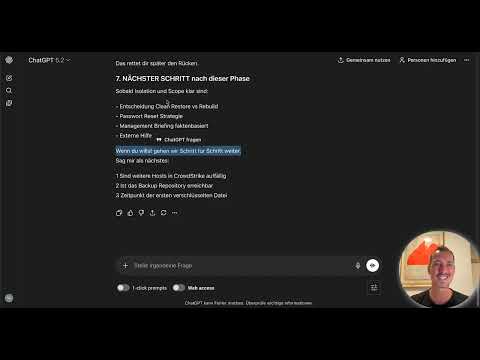
The video is only loaded from YouTube when you play it – data (including your IP address) is then transmitted to YouTube/Google. More in the privacy policy
This guide shows you how to use ChatGPT as a real-time assistant in such a moment. The tool does not replace your expertise. It acts as a structured second brain that asks questions you easily forget under pressure. You will walk through a simulated ransomware incident from the first alert to the containment decisions. The example company has around 500 employees, a Windows domain with Active Directory, and CrowdStrike Falcon as its EDR solution. There is no dedicated incident response team.
Key Takeaways
Key Takeaways
- ChatGPT structures, prioritizes, and documents. The decision remains with you.
- Immediate measures take priority: isolate first, then analyze, and secure evidence before you clean up.
- The more precise the context, the more targeted the answers. Anonymized environment data is the foundation here.
- Every new piece of information feeds into the situational picture, timeline, and management briefing. Keep the chat in the loop for this.
- Irreversible steps such as a restore or a network shutdown come only after scoping is complete.
Step-by-Step Guide
Step 1: Assess the Situation Soberly
Before you type anything, sort out what you actually know. In the example, these are several alerts with ransomware behavior on FS01, a ransom note named README.txt, and an unknown origin. It is also unclear whether the attack is still active. You need these facts in every prompt, so note them down first in bullet points.

Step 2: Give ChatGPT a Clear Role
Open a new chat and define the context. Write something along the lines of: You are my incident response copilot, we have an active security incident. Also describe which tasks you expect: structuring thoughts, asking critical questions, giving prioritized recommendations for action, and supporting documentation in real time. The more clearly this role is formulated, the more focused the model works.

Step 3: Describe the Environment
Provide the relevant key data of your infrastructure: company size, domain structure, critical systems such as DC01, DC02, FS01, and SQL01, backup status, and the security solution in use. Pay attention to data protection. Replace real user and account names with placeholders, such as "Service Account A", and do not let any personal data into the chat. This takes effort, but it protects you from a second problem.

Step 4: Have Immediate Measures Prioritized
Ask specifically about the first steps: What do I need to do immediately, and how do I prioritize by criticality? A useful answer names the isolation of the affected system first, because that is where the fire is. The recommendations should include time windows, for example five minutes for isolation. Check every recommendation critically before you act.

Step 5: Isolate FS01 and Stop Write Access
Physically disconnect FS01 from the network, for example by pulling the network cable or disabling the switch port. Do not perform a shutdown, a restart, a cleanup, or an AV scan, because all of these can destroy evidence. Afterwards, stop write access to the shares. Take the shares offline or temporarily set the ACLs to read-only. Inform users not to open anything on the shares for the time being.

Step 6: Containment in Falcon and IOC Search
Put FS01 into containment mode in CrowdStrike Falcon via the host view. Then check whether other systems show similar indicators. In the example, these are DC01, DC02, and SQL01. Note every hit with a timestamp. A hit on a domain controller fundamentally changes the situation.

Step 7: Build the Situational Picture and Scope
Within the first 30 minutes you need a reliable situational picture. Without scope, there is no meaningful decision. Answer in writing: Is only FS01 affected or also other systems? Which shares are encrypted? When did the encryption begin? Which user sessions were active? Which processes modified the data? Have ChatGPT turn these questions into a checklist and keep adding the answers as you go.

Step 8: Secure the Ransom Note
Do not analyze the ransom note directly on the production system. Copy the file to a secure analysis directory, calculate its hash, and document where it was found with a screenshot. Also check in which folders the files carry different timestamps. From this you can infer whether data was overwritten or newly created. These findings will help later with the encryption analysis.

Step 9: Protect the Backup and Check the Domain Controller
The backup is often the last lifeline, so it takes priority. Make sure no jobs are running anymore, and take the backup repository offline or verify its immutability. Secure access to the admin accounts. Then check the domain controllers for new admin accounts, changes to GPOs, and suspicious Event IDs such as 4720, 4728, or 4672. Ransomware rarely comes alone, and a compromised domain controller makes the incident significantly bigger.

Step 10: Observe the Do-Not List
Before you continue, review what you are deliberately refraining from doing. Do not start a restore, do not reboot any systems, and do not change any passwords without a plan. Do not communicate externally without approval, and do not make contact with the attackers. Understand first, then act. This discipline prevents most consequential damage.

Step 11: Answer Critical Questions and Keep an Incident Log
Have ChatGPT ask you critical questions and answer them in writing. Was FS01 directly reachable from the internet? Were there any recent phishing reports? Which users had write permissions on the large shares? Were ZIP files reported? Were there any unpatched systems? At the same time, create an incident log that contains time, observation, action, and result. Document immediately and not later, because important details get lost afterwards.

Step 12: Incorporate New Information
The situation is constantly changing. In the example, CrowdStrike reports three more hosts with anomalies in the same subnet, and the ransom demand refers to a service account. Add this information to the existing chat, anonymized and with a timestamp. Then ask what this says about the attack vector and whether the entire subnet should be isolated. The answers serve as a basis for decisions, but do not replace your own verification.

Step 13: Contain the Compromised Account
If a service account is affected, work in a fixed order. Disable the account in Active Directory and terminate all active sessions. Then check where the account was used. Also clarify whether it has domain admin rights, has admin rights indirectly through groups, or has access to the backup repository. You must be able to answer these questions within a few minutes.

Step 14: Create a Scoping Checklist and Timeline
Ask ChatGPT for a structured checklist for incident scoping. Useful sections cover affected systems, chronological sequence, attack vectors, lateral movement, identities, data impact, backup status, persistence mechanisms, external communication, and closing decisions. Then you create a continuous timeline in table form with the columns timestamp, finding, source, and action. Update it with every new input, and you will have clean documentation at all times.

Step 15: Have Decisions Weighed Up
Now the big decisions are due. Ask ChatGPT about the pros and cons, for example of a shutdown of the entire network, a backup restore, or bringing in an external incident response firm. In the example, the model recommends not shutting down any network and not starting a restore before the scoping is complete. An external firm would make targeted sense because you are working alone and need to preserve evidence. Check these arguments against your facts and make the decision yourself.

Step 16: Create a Management Briefing
At the latest now, management will get in touch and ask for a status update. Ask ChatGPT for a short briefing of a maximum of ten sentences. It should answer what happened, what the current status is, what is currently being done, what next steps follow, and what time to recovery is realistic. Supplement the text with your own verified facts before sending it. In time-critical situations, after a brief review you may also pass on the draft almost unchanged.

Summary ??? Incident Response with ChatGPT: Ransomware Triage in Real Time
ChatGPT is a valuable assistant in a ransomware incident if you clearly communicate to it your role, the environment, and every new piece of information. It structures your thoughts, asks critical questions, prioritizes measures, and keeps the documentation up to date. However, you make the decisions yourself. Isolate first, secure evidence, clarify the scope, and only then take irreversible action. With this sequence, you stay in control even under pressure.
FAQ
Can I enter real system names, usernames, or customer data into ChatGPT?No, replace all personal data and sensitive designations with placeholders before you copy them into the chat. Also keep a template ready with the approved environment details.
Does ChatGPT replace a forensics firm or an experienced IR team?No, the model supports thought processes, checklists, and documentation. For evidence preservation, forensic analysis, and legally sound statements, you need expertise and, if necessary, external specialists.
How often should I update the chat with new information?Update the chat with every relevant new finding, such as additional affected hosts, new indicators, or changed demands. This keeps the situational picture, timeline, and recommendations consistent.
May I leave decisions to ChatGPT when things need to move fast?No, the responsibility remains with you. Use the model for weighing options and recommendations for action, check the suggestions against the facts, and then decide for yourself.

