
In this guide, you will learn how to use the integration of ChatGPT and Adobe Firefly to enhance your learning experience. By customizing and utilizing a Prompt Generator, you can easily implement creative ideas and realize the results in Adobe Firefly. Below you will find out how you can follow this process step by step.
The video is only loaded from YouTube when you play it – data (including your IP address) is then transmitted to YouTube/Google. More in the privacy policy
Main Insights
- The customized Prompt Generator allows you to easily create specific image ideas.
- ChatGPT helps you automatically correct spelling errors as you input your suggestions.
- You can customize the Prompt Generator to your individual needs and use creative inputs directly in Adobe Firefly.
Step-by-Step Guide
To effectively work with the combination of ChatGPT and Adobe Firefly, here is a structured guide:
You start with a simple task. You can use the Prompt Generator to develop creative ideas. The task is quite simple and allows you to achieve results quickly. Take a moment to understand how the Prompt Generator works. Now simply copy the Prompt Generator or create your own if you prefer. This is how you start finding your individual approach.
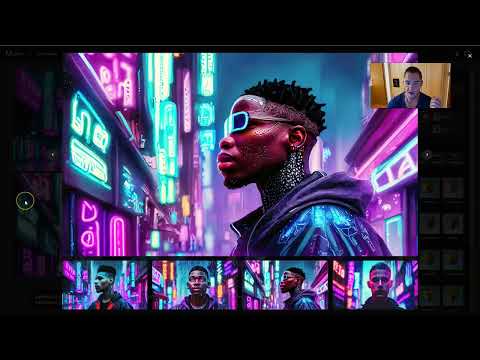
After you have the Prompt Generator, you just have to decide what you want to see. This could be, for example, an image of a cat or a dog, or something specific like "a photo of a Cyberpunk man." The Prompt Generator will be a great help here. It is also important that you can check the entered texts.

One interesting aspect is that you can simply paste the prompt you created according to your preferences into Adobe Firefly. For example, if you used the prompt "Photo of a Cyberpunk man." The result will be impressive, showing how well the generator works. You can even see that spelling errors are automatically corrected by ChatGPT, allowing you to focus on creative content.

The Prompt Generator has proven to be extremely effective. You should be encouraged to use it regularly to advance your creative projects. Should new groundbreaking developments arise, I will integrate them into the course so you always stay up to date.
Furthermore, it makes sense to create your own Prompt Generator. Use the examples I have provided and adapt them to your individual taste. You are the one who has the best suggestions and ideas. So create your own Prompt Generator to make the most of your ideas and implement them in Adobe Firefly.
When working with the examples, simply go to the existing suggestions and remove them. Then add your own creative inputs that appeal to you the most. The structure of the Prompt Generator is simple, and you can easily use it for your creative projects. Now it's your turn to bring in and experiment with your own ideas.

Summary
This guide has shown you the steps to use the Prompt Generator to unleash creative potential with ChatGPT and Adobe Firefly. Make sure to tailor your ideas and make the most of these tools.
Frequently Asked Questions
How do I create my own Prompt Generator?You can copy the existing Prompt Generator and add your own examples.
What happens with a spelling mistake in the prompt?ChatGPT automatically corrects spelling errors, so you don't have to worry about it.
How can I customize the Prompt Generator?Remove the generic suggestions and add your personal preferences and ideas.
What do I do if the prompt doesn't work?Check your input and make sure it is clear and focused.
What can I use the generated images for?The images can be used for creative projects, presentations, or as inspiration for further designs.


