
In today's digital communication, e-mails are often one of the first points of contact for customer inquiries. However, the volume of incoming emails can be overwhelming, and it is difficult to quickly find the right response. This is where a clever email assistant based on ChatGPT technology comes into play. In this guide, you will learn step by step how to create an intelligent agent that classifies incoming emails and responds automatically. This not only saves you time but also ensures prompt and accurate communication.
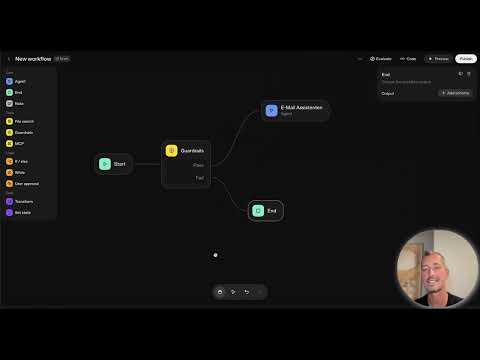
The video is only loaded from YouTube when you play it – data (including your IP address) is then transmitted to YouTube/Google. More in the privacy policy
Main insights
- You can manage and sort incoming inquiries efficiently with an email assistant.
- Integrating external data sources, such as Gmail, is crucial for the assistant's functionality.
- By implementing conditions (if-else), you can define and prioritize the relevance of emails.
Step-by-step guide
The following describes how to build your own email assistant with ChatGPT. The guide is divided into several steps, with each step based on the previously mentioned timestamps. Be sure to follow each step carefully.
Step 1: Create an agent
First, you need to set up a new agent in the system. Start the program and select the options to manage your agents. You will create a new agent for your email assistant.

Select the agent and give it a meaningful name, such as “Email Assistant”. Add a short description to explain its purpose.
You can also define specific commands that the agent should execute when processing emails.

Step 2: Connect to the MCP server
Now it is necessary to integrate the MCP (Multi-Channel Processing) server. This server allows external data retrieval. Go to the menu bar and select the option to connect to the MCP server.

Among the available interfaces, you will find the Gmail integration. Click on "Plus" to add a new interface.

Step 3: Obtain access token
To access the Gmail data, you need an access token. Click on "Get Access" to generate this token. Copy the token as it will be necessary for the next steps.

You can now go to the Google API documentation to ensure that you have the correct permissions for your token.

Step 4: Establish connection
Go back to your agent and insert the access token to establish the connection. Make sure that the necessary permissions are set so that the agent can access new emails.

Step 5: Analyze email content
Now we need to configure the agent to analyze the incoming emails. Define conditions to determine which emails are important and what content the agent can generate good responses for.

Set relevant categories, such as “Important”, “Invoice” or “Reminder”, to further filter the emails.

Step 6: Design automated responses
After the analysis, you should also make the agent create automated responses. Define how the responses should be formulated when the agent identifies an important email.

You can specify templates that vary depending on the topic of the email. For example, an invoice could automatically be responded to with a friendly reminder.

Step 7: Check status and adjust settings
Test the functions of your assistant by conducting simulations and check if the agent handles the emails correctly. Finally, you may want to make some fine-tuning adjustments to increase efficiency.

Step 8: Feedback and improvement
Gather feedback on the performance of your email assistant and make adjustments where necessary. Your goal is to continually optimize the user experience.
Summary
Email Assistant with ChatGPT – A comprehensive tutorial By creating an innovative email assistant based on ChatGPT, you can make the handling of emails more effective. Through the integration of the MCP server and targeted analysis of email content, it becomes possible to generate appropriate responses automatically, thereby optimizing communication.
FAQ
How do I integrate my agent with Gmail?You need to use the MCP server and generate an access token from Google.
What do I do if my agent doesn't process emails?Check whether the access token is correct and whether the permissions for the agent have been set.
Can I customize the agent's responses?Yes, you can create templates that the agent uses for various email topics.
How do I recognize important emails?Define specific conditions to classify emails by importance or topic.

