
Congratulations on your progress in creating your own AI agendas with the Open AI Agent Builder! In this tutorial, I will show you what skills you have acquired in our course and how you can further utilize this effective technology for your projects. Whether it's an email assistant or an idea generator, the possibilities are virtually endless. Let's take a look at the key insights and dive into the details of practical implementation.
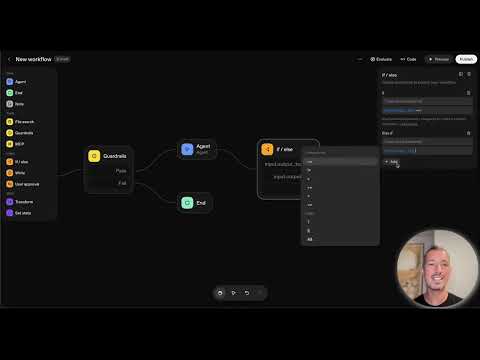
The video is only loaded from YouTube when you play it – data (including your IP address) is then transmitted to YouTube/Google. More in the privacy policy
Key insights You have laid the foundation to automate recurring tasks with AI. The differences between traditional and AI-supported automation are now clear to you. You understand the basics of the Open AI Agent Builder and can create your own agents without programming knowledge. Furthermore, you have already successfully developed your first user cases and are ready to bring new ideas to life.
Step-by-Step Guide
Understanding the Basic Concepts
First, it is important to understand the basics of artificial intelligence and its areas of application. In our course, you learned what artificial intelligence is and why it can be so useful for automating your workflows. From traditional automation, you now have a clear overview of the innovative possibilities that AI opens up.

Using the Open AI Agent Builder
With the understanding of the terms and concepts in mind, it is now time to put the Open AI Agent Builder into practice. In our course, you learned how to find and use this builder efficiently. You explored the various areas such as Core, Logic, Tools, and Data and know how they work together.

Creating Your Own AI Agents
One of the best parts of the course was the practical application. You learned how to build your own agents without programming knowledge. The application of logic through simple If-Else statements gives you additional flexibility to handle more complex requests. You are now able to develop your first user case.

Implementing Workflows
Building workflows is the next step. With the skills you have acquired, you can now create workflows that automatically perform specific tasks. Your newly gained knowledge is the foundation for creating email assistants, idea generators, or small support boards for businesses. This not only gives your projects a technical boost but also makes them more efficient.

Developing Your Projects Further
My personal tip: Start with simple tasks to discover the full potential of your AI agent. Once you see your first successes, you will quickly develop new ideas for further automation. Whether it's a more complex workflow or the use of additional tools – the possibilities are virtually limitless.

Outlook on Further Learning Opportunities
If you enjoyed this course, there are many more resources you can draw on. Check out other courses, such as "AI Automation with No Code Tools" or the "Chat GPT Masterclass." There, you will deepen your knowledge and learn how to efficiently connect your AI projects with tools like Saphir, Make, or N8N.
Summary – Creating and Using AI Agents: Your Step-by-Step Guide
In this guide, you learned step by step how to create and comprehensively use your own AI agents. You are now ready to become creative again and implement automation in your daily work. Please do not hesitate to continuously expand your newly acquired knowledge and create your own use cases.
FAQ
How do I learn to use the Open AI Agent Builder?You can discover the builder through access to our course and learn the different areas.
What are the first steps to automation with AI?Start with simple tasks to test your agent.
Which other courses can I take after this one?Check out the courses “AI Automation with No Code Tools” and “Chat GPT Masterclass.”
What are some examples of user cases?Email assistants, idea generators, and small support boards are good starting points.
How can I further develop my projects?Test simple automations and refine them as you gather new ideas.

