
Are you looking for efficient ways to design your digital workflows while leveraging the power of OpenAI? The OpenAI Agent Templates provide an excellent foundation for automating and optimizing various tasks. In this text, I will introduce you to 14 different templates that can help you efficiently respond to user inquiries, organize data, and create internal knowledge bases. Let's get started!
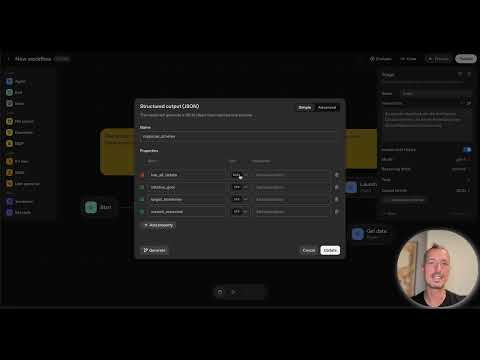
The video is only loaded from YouTube when you play it – data (including your IP address) is then transmitted to YouTube/Google. More in the privacy policy
Key Insights
- OpenAI Agent Templates are versatile tools that can help you create your own workflows.
- The templates range from simple data enrichment workflows to complex customer service solutions.
- Implementing these templates requires only minimal adjustments to suit your specific needs.
Step-by-Step Guide
1. Introduction to the OpenAI Agent Builder
Start by opening the OpenAI Agent Builder. Here you will find the essential templates that are available to you. At the top of the interface, there is a section for templates where you can navigate between “Workflow,” “Draft,” and “Templates.” You can also load and customize your own workflows directly in the Agent Builder.

2. Data Enrichment Template
One of the first templates we will look at is the Data Enrichment Template. With this template, you can consolidate data to better answer user queries. Open the template to get an overview of the structure and the comments. This is a simple workflow for researching company information.

Copy the predefined input to run an example. For example: “Analyze NVDA.” This will result in an analysis that prepares the collected information.

3. Planning Helper
The Planning Helper is a multi-step workflow for creating work schedules. Create this agent and open the options where you can define the conditions.

The template includes various agents that ensure that data is collected based on the “If-Then” principle. This allows you to ensure that all necessary information is available before proceeding with the workflow.

4. Customer Service Agent
The Customer Service Template addresses specific user inquiries. Here too, you are guided through a clearly structured workflow. Start with classifying the user’s request.

Check whether the request falls into the categories of “Return,” “Cancellation,” or “Information.” Based on this classification, the request will be forwarded to the corresponding agent.

5. Structured Data QA
This agent is helpful for comparing structured data with user inquiries. It allows for providing precise answers based on predefined information.
Consider linking external data sources to further enhance the quality and precision of the responses.

6. Internal Knowledge Assistant
This template enables comprehensive data analysis and knowledge base creation. It is especially useful for new employees who often have questions.

Build a knowledge base by storing and analyzing user questions. Use the classifier to determine whether the information is relevant for internal purposes.

7. Widget Creation
Now I want to show you how to create widgets that you can integrate into your agents. Go to the “Output Format” section and choose “Widget.” With “Create Widget,” you can design your own widget.

Widgets help you present information in a user-friendly manner and create an engaging user interface. This can be particularly useful when interacting with external customers.

8. Template Analysis
Take a look at the different templates. Each offers its own functionality and structure that you can customize to meet your specific needs.
The variety of templates is not only a great help but also saves time and resources by eliminating the need to create basic workflows from scratch.

9. Feedback and Adjustment of Templates
Once you have gone through the basic templates, it is important to gather feedback and adjust the templates to meet your specific requirements.
This iterative process will help you continuously improve the efficiency and functionality of your agents.
Summary – OpenAI Agent Templates: 14 Useful Templates for Your Workflow
The OpenAI Agent Templates presented provide you with a valuable foundation to significantly optimize your digital workflows. Whether you want to enrich data, create work schedules, or process customer inquiries, these templates offer you all the necessary tools. Experiment with them, customize them, and build your own specific applications to fully leverage the benefits of this technology.
FAQ
How complex is it to use the OpenAI Agent Templates?Using them is relatively straightforward and does not require deep programming knowledge.
Can I customize the templates?Yes, the templates can be individually customized to meet your specific needs.
Are the templates free?Yes, you can access the OpenAI Agent Templates for free as long as you have an account.
Can I share widget designs?Yes, you can share your created widgets once they are published.
Is there a community that can help me with questions?Yes, there are online forums and communities focused on OpenAI that provide support.

