
With an AI agent, you can greatly increase the efficiency of your workday and automate processes. To fully leverage the potential of your ChatGPT agent, it is important to use the best available tools. In this tutorial, you will learn everything about the essential tools in the Agent Builder: File Search, Guardrails, and MCP. These tools help you analyze data efficiently, comply with data protection standards, and access external data sources. Let's dive right in!
The video is only loaded from YouTube when you play it – data (including your IP address) is then transmitted to YouTube/Google. More in the privacy policy
Main Insights
- File Search enables your AI agent to search for information in your own documents.
- Guardrails prevent the disclosure of sensitive data and assist in moderating content.
- MCP (Model Context Protocol) allows access to external data sources and enhances your agent's versatility.
Step-by-Step Guide
1. Using File Search
The File Search tool in the OpenAI Builder is an essential component when you want to work with your own data. With this tool, your AI agent can directly access documents that you have stored in OpenAI's Vector Store.
To use File Search effectively, enter the ID of your Vector Storage – this is the location of your documents. Then, specify what the model should search for, whether it's a specific term or a question.
The special feature of File Search is that the model not only finds keywords but also captures the underlying meaning. For example, if you ask about "privacy policies," it will locate all relevant sections even if the word "privacy" is not explicitly mentioned. Optionally, you can even use variables from previous steps to refine the search queries.

In summary, you enable your agent with the File Search tool to develop a deeper understanding of your own data and provide more accurate answers.
2. Setting Up Guardrails
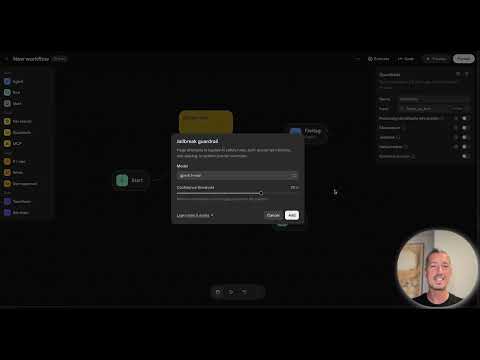
Another important tool that you should use in your Agent Builder is the Guardrails. These act as a safety mechanism to filter out unwanted data that may occur during an interaction.
You can activate various filters, including personal information such as names and bank details. The use of Guardrails not only aids in content moderation but is also crucial for ensuring compliance with data protection standards.
To activate Guardrails, click on the gear icon and select the desired filter options to ensure that sensitive information in input texts is not further processed or output.

For example, if you activate the filter for personal information and someone enters their name, the process will be aborted, and the input will not be passed on. This way, the agent protects your data and respects GDPR.
3. Using MCP (Model Context Protocol)
MCP, or Model Context Protocol, is an extremely powerful tool that establishes your agent's connection to external data sources. This means that your agent can access information that is not stored in OpenAI, such as from APIs, databases, or CRM systems.
MCP opens up the possibility for your agent to utilize dynamic and current information. For example, your agent can retrieve product prices, customer data, or live statistics, greatly enhancing the value of your queries.
To set up MCP, click on the tool in your Agent Builder, select the desired external data sources, and connect them to your agent.

Thanks to MCP, your agent becomes more flexible and can perform a wider range of tasks by integrating information from various sources.
Summary – ChatGPT Assistants: Tools You Need to Know
In this tutorial, you have learned about the three central tools for your ChatGPT agent: File Search, Guardrails, and MCP. Each of these tools adds an essential capability to your agent, whether it is searching in your own files, filtering sensitive information, or accessing external data sources.
Be sure to use these tools in your agent development to enhance both the security and the effectiveness of your AI applications.
FAQ
What is File Search and how does it help my agent?File Search allows your agent to find and utilize information in your own uploaded documents.
How do Guardrails work?Guardrails filter out sensitive data from the inputs to maintain data protection standards and block unwanted information.
What is MCP (Model Context Protocol) and what is it used for?MCP enables your agent to access external data sources, allowing it to retrieve dynamic information.

