
With digital assistants, efficiency in customer communication can be significantly increased. If you want to find out how to develop your own FAQ-agent that accesses specific documents and provides precise answers, you are exactly right here. In this guide, I will show you step by step how to create your personal FAQ agent to optimize workflows and improve the usability of your online presence.
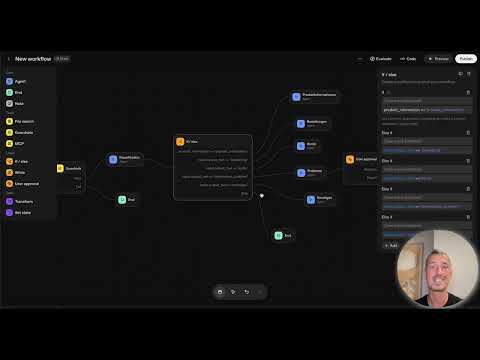
The video is only loaded from YouTube when you play it – data (including your IP address) is then transmitted to YouTube/Google. More in the privacy policy
Key Insights
- Building an FAQ agent is easy and can be implemented quickly.
- Guardrails protect against unauthorized access to sensitive information.
- Data can be categorized and processed specifically to efficiently handle user inquiries.
Step-by-Step Guide
1. Project Start and First Steps
Start by initiating your project. The first step is to launch the chatbot and set up the basic structure. First, you should install a guardrail to ensure that no harmful inputs are processed. Consider whether you want to implement one or more guardrails to cover all eventualities.

2. Configuring the Jailbreak Protection
Next, it is important to activate the jailbreak protection system. The FAQ agent should be able to detect if a jailbreak exists to ensure the security of user data. Once this is set up, you can connect the agent to the guardrail.

3. Uploading the FAQ File
Now it is time to upload the FAQ file that contains all common questions and answers. To do this, go to the "Tools" menu and select the "File Search Upload" option. Here you can choose and upload your prepared file that includes all FAQ content.

4. Testing the FAQ Agent
After uploading the FAQ file, you can now test the agent. Ask a simple question to ensure that the agent can correctly access the provided information. An example would be: "How long is the course?" The agent should capture the relevant information from the FAQ.

5. Expanding Agent Functions
If you have already created the basic version, you can add additional functions to make it more flexible. This may include adding more guardrails and developing a more complex logical structure that processes different types of inquiries. This also includes the ability to classify information into categories such as product information, orders, and technical issues.

6. Backend Logic and Conditional Statements
To ensure that the agent functions correctly, it is necessary to implement the backend logic. This is done through if-else statements that allow the agent to respond according to user inquiries. Here, it is essential to clearly define the structure of questions and answers so that the agent can respond immediately.

7. Implementing User Confirmations
Another important aspect is implementing a user confirmation system, especially for sensitive inquiries that have a higher priority. At this step, you can specify that the agent requests additional confirmations from the user in case of issues.

8. Designing an Interactive User Experience
Use the opportunity to provide the user with a clear and understandable response. Your agent should be capable of retrieving relevant information from the FAQ and providing suggestions or links to other relevant content if necessary.

9. Reviewing and Making Additional Adjustments
After implementing the basic functions, test the agent again by making various inquiries. Ensure that all requests are correctly classified and processed. If needed, you can make adjustments to further improve the user experience.

10. Integration and Scaling
If the FAQ agent works flawlessly, you can integrate it into your website or application. Also consider the possibility of integrating external APIs to retrieve real-time data. This way, you keep the information always updated and relevant for users.

Summary - Creating FAQ Agents: Your Personal FAQ Agent
Creating your own FAQ agent is a straightforward process that allows you to efficiently handle inquiries while increasing customer satisfaction. With the right approach and a clear structure, you can provide valuable information and save resources at the same time.
FAQ
How do I build an FAQ agent?You start by creating a project structure and implementing guardrails for security.
Can I use multiple guardrails?Yes, you can use multiple guardrails to provide optimal protection against harmful inputs.
How do I upload FAQ documents?Go to Tools and select the File Search Upload option to upload your FAQs.
What is jailbreaking?The jailbreak management protects against unauthorized access to your data.
What categories can I define for inquiries?You can define categories such as product information, orders, account issues, and technical problems.

