
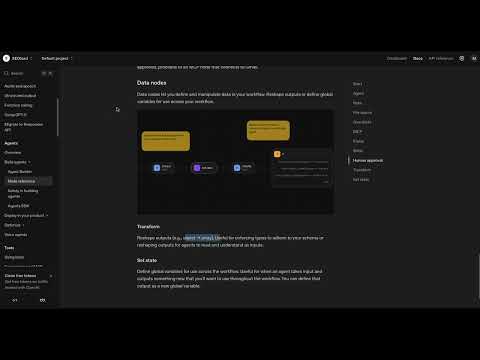
Data encompasses far more than just numbers and text – they are the key to functioning, intelligent applications. Let’s take a look at how you can optimize your data structures using the methods “Transform” and “Set State” to perfectly prepare them for the next step in your workflow. You will learn how to convert and store data to use and process it effectively.
The video is only loaded from YouTube when you play it – data (including your IP address) is then transmitted to YouTube/Google. More in the privacy policy
Key Insights
- Transform helps to structure data and adapt it to the needs of the workflow.
- Set State allows you to temporarily store data and reuse it later.
- Practical examples illustrate the application possibilities.
Step-by-Step Guide
Step 1: Understanding “Transform”
Let’s start with the method “Transform.” This function is essential to adjust data so that it is ready for the next steps in the workflow. You use Transform to change the structure of your data or convert it into another format. Imagine wanting to use information from an API or extract information from unformatted text. Through this method, you can truncate, convert, or select specific fields from JSON files. The goal is to provide data in the perfect form for your application.

Step 2: Applying Transform – A Practical Example
To illustrate the concept of Transform, let’s consider the example of a date format. Often, data from APIs comes in the form “YYYY-MM-DD” (Year-Month-Day). In many cases, however, you will need the date in the format “DD.MM.YYYY.” With the Transform function, you can easily convert this date. Additionally, you have the option to filter out only specific information or translate texts. Experiment with these functions to ensure your agent has the information it needs in the correct format.
Step 3: Creating a Workflow with Transform
It is beneficial to have a certain level of programming knowledge to optimally utilize Transformers. For example, you can define input variables and insert logical conditions. This gives you the opportunity to transform data even more precisely. Try out different steps and observe how the changes affect your workflow. Experimentation is key to getting a feel for the possibilities.

Step 4: Getting to Know “Set State”
After understanding the Transform method, let’s take a look at “Set State.” This function allows you to cache information temporarily. You can store data like a user’s name to later address them personally or keep track of a task’s status. Set State thus acts as a kind of intermediate storage for important variables.
Step 5: Efficient Use of Set State
To use Set State effectively, consider which information you want to store in your workflow. For example, if you want to keep track of the status of a request, you can define a variable like “Ticket is created.” This way, you can retrieve all the necessary information at runtime without constantly re-entering the values.
Step 6: Commonalities of Transform and Set State
Both Transform and Set State are crucial for data handling in your workflow. While Transform visually adjusts data, Set State helps to temporarily store this data so you can retrieve it later. Together, they form an effective foundation for processing and storing information.
Summary – Guide: Transform and Store Data Efficiently for Your ChatGPT Assistant
Throughout this guide, you have learned how to work efficiently with data using the Transform and Set State methods. By understanding how these functions work and using them purposefully, you are able to elevate your ChatGPT-Assistant to a new level. Practice the concepts in practical scenarios, and you will soon develop confidence in handling data.
FAQ
What is the function of Transform?Transform is used to bring data into a desired structure before further processing in the workflow.
How do I store data with Set State?With Set State, you can cache information between processing and retrieve it later, similar to a temporary storage.
When should I apply Transform?Use Transform when you need data in a specific form, for example when converting date formats or filtering JSON data.
What knowledge do I need for Transform and Set State?A certain level of programming knowledge can be helpful to optimally use the functions.
How can I ensure that I use Transform and Set State efficiently?Test different workflows and use cases to develop a feel for the applications of these functions.

