
The OpenAI Agent Builder is a powerful tool for developing digital assistants. If you want to find out how to quickly and easily access this builder, you are in the right place. In this guide, you will learn about the different methods to access the OpenAI Agent Builder, whether through a direct URL or by a simple Google search.
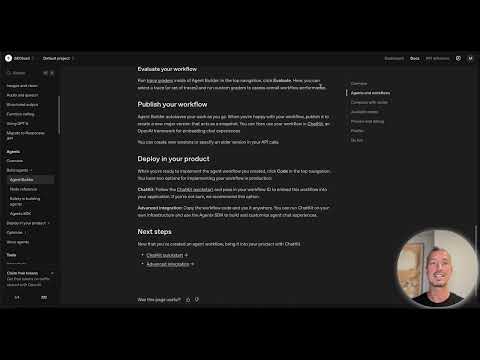
The video is only loaded from YouTube when you play it – data (including your IP address) is then transmitted to YouTube/Google. More in the privacy policy
Main insights
- The OpenAI Agent Builder can be accessed in various ways: a direct URL or through Google search.
- The exact steps for finding it are explained in detail in the tutorial.
- You will also learn how to navigate the interface of the Agent Builder.
Step-by-Step Guide
To find the OpenAI Agent Builder, simply follow the steps below:
Step 1: Direct Access via Links
If you are looking for direct access, there are links that will take you straight to the OpenAI Agent Builder. Check the description of the video to find the link. At this point, we click on the link to visit the platform.
Step 2: Using Google Search
If you don’t have the direct link at hand, Google search is an effective alternative. Open your web browser and go to the Google homepage. There, type in the search term "OpenAI Agent Builder."
Step 3: Selecting the First Search Result
The first result will usually be the correct link to the platform. Make sure you have entered "OpenAI Agent Builder" correctly. Then click on the corresponding link to reach the platform.
Step 4: Arriving at the Agent Builder Page
After clicking, you will land directly on the OpenAI page in the agents section. There you will see various information and an overview of the options that the Agent Builder offers you.
Step 5: Utilizing the Information on the Page
On the platform, you will find not only a brief guide but also many screenshots and examples that can assist you in using the builder. It is worth taking a closer look at this information.

Step 6: Redirecting to the Agent Builder
To now access the Agent Builder, you just have to click a button on the page that takes you directly to the OpenAI Agent Builder.

Step 7: First Look at the User Interface
Now you have arrived at the user interface of the OpenAI Agent Builder. Here you can start directly and explore the builder's functionalities.

Summary - Find the OpenAI Agent Builder: Your Step-by-Step Guide
In this guide, you learned how to quickly and easily find the OpenAI Agent Builder, whether through direct links or via a Google search. The steps are clear and easy to follow, and you can soon create your own digital assistant.

