
The freedom to design your workflows yourself while saving costs has a new name: n8n. This powerful Open-Source platform allows you to create automations according to your needs, whether for your personal project or your business. If you're tired of expensive subscriptions and looking for a flexible solution, you're in the right place. Let's explore the world of n8n together.
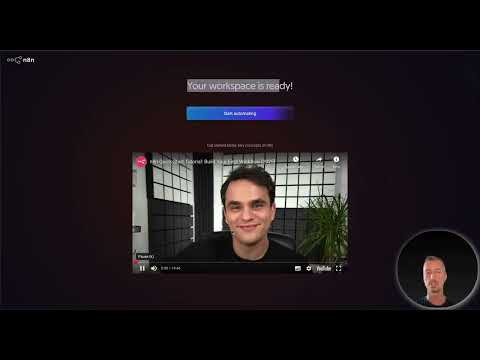
The video is only loaded from YouTube when you play it – data (including your IP address) is then transmitted to YouTube/Google. More in the privacy policy
Main insights
- n8n is an Open-Source automation platform that can be self-hosted.
- The software offers over 500 integrations with various tools.
- n8n provides full control over your workflows and is ideal for developers, startups, and power users.
- The community and documentation provide extensive support and resources.
- Do not overlook data protection, especially when using cloud-based services in the EU (GDPR).
Step-by-Step Guide to n8n
1. Get to know n8n and register
To use n8n, you can either choose the cloud version or the self-hosted version. If you select the cloud version, you can sign up and start with a new server immediately. If you prefer to self-host, download the software and install it on your server.

2. First steps in the dashboard
After registering, you will land on the dashboard, which presents the main functions of n8n. Here you can create new workflows, projects, and templates. In the left menu bar, you will see all important information, such as your workflows and executions.
3. Create a new workflow
To create a new workflow, click on "Create Workflow" or the plus sign. You can now select from which tool you want to start your first step – whether it's a trigger from n8n or an API integration to another tool.
4. Add triggers
For the first step, you can select a trigger to start your workflow. For example, you could choose a manual trigger or one that reacts to new emails in Gmail. This gives you the flexibility to design your workflow according to your needs.
5. Define actions
After adding a trigger, it's time to define the actions that should be executed in the workflow. Here you can combine different tools, such as an AI agent for data processing and Trello for task management.

6. Add elements and credentials
To make your automation efficient, you may need to add new credentials. These are necessary to establish connections to various APIs and ensure access to data. Be aware that you will need corresponding login credentials for each new service you want to use.

7. Test run and verification
Before you activate your workflow permanently, it is advisable to conduct a test run. Make sure that all connections are set up correctly and that all steps function as desired.
8. Publish the workflow
After you've tested everything and are satisfied, you can save and activate your workflow. It will now run automatically at the defined trigger, and you can monitor your progress and executions in the dashboard.
9. Use templates
n8n offers a wide range of templates for various use cases. You can customize these templates to achieve results faster. It's a great way to gain inspiration for your own workflows.

10. Use community resources
The n8n community is active and helpful. You can seek help in forums, blog posts, and Discord groups. This makes it much easier to tackle challenges and get the most out of the software.

Summary – n8n: The Open-Source Automation Platform for Creatives
n8n offers you the opportunity to automate your workflows without relying on expensive subscription models. Thanks to its great flexibility and a variety of integrations, n8n is particularly suitable for developers, entrepreneurs, and creative users. You can exchange ideas in the community, use documentation for help, and experiment with the software to effectively pursue your automation goals.
FAQ
What is n8n?n8n is an open-source automation platform that enables you to create workflows and automate them.
How can I install n8n?You can either use n8n in the cloud or host it on your own server.
Are n8n's integrations free?The software itself is free, but you may need to pay for using certain APIs or tools.
What are the advantages of n8n compared to other tools?n8n offers full control over workflows, is open source, and has an active community for support.
How can I get started with n8n?Register, create a workflow, and use the templates to get started quickly.

