
Designing with AI: from prompt to finished design with Claude

By the end of the course, you will independently create professional designs with Claude Design – from the first idea to the finished, shareable result. You will know the best practices, avoid typical mistakes, and integrate the tool efficiently into your workflow.
23 Videos, 156 minutes
Claude Design: Intro
1 minYou get an overview of the course, the project, and what to expect. You'll learn why Claude Design is a new way of designing and who it is intended for.
Claude Design: 1.1 What is Claude Design and what can it do?
7 minYou'll learn what Claude Design is: an AI tool from Anthropic that generates real, interactive designs as code from your description. You'll understand what it's suited for, from landing pages and presentations to app interfaces.
Claude Design: 1.2 Understanding the Interface in a Few Minutes
7 minYou'll get to know the split interface: the chat on the left, the live canvas with your design on the right. You'll understand how the design workflow between describing and seeing works.
Claude Design: 1.3 Create Your First Strong Design Live
9 minYou create your first design directly from a description and see how quickly a single sentence turns into a finished layout. You learn how to phrase things clearly so that the result is convincing.
Claude Design: 1.3.1 Edits & Tweaks for your Claude Design
6 minYou refine your design through chat, inline comments, and direct editing on the canvas. You learn how to change individual elements in a targeted way without regenerating everything.
Claude Design: 1.4 Why Claude Works Differently Than Classic AI Tools
4 minYou understand the crucial difference: Claude generates real code instead of a rigid image and asks follow-up questions when the requirements are unclear. This makes the results more precise and easier to customize.
Claude Design: 2.1 Design prompts are different & structure
6 minYou'll learn how design prompts differ from normal prompts and how to structure them effectively. You'll find out what information Claude needs in order to deliver a strong design.
Claude Design: 2.2 Using Reference Images Correctly
7 minYou'll learn how to use screenshots, mockups, or examples as references so that your design heads in the right direction. You'll understand how Claude interprets visual templates.
Claude Design: 2.3 Deliberately Controlling Style and Aesthetics
5 minYou learn to deliberately control style, mood, and aesthetics through language. You practice reliably achieving a desired look and feel using concrete terms.
Claude Design: 3.1 Why Many AI Designs Look Amateurish
9 minYou recognize the typical characteristics that make AI designs look unprofessional. You learn what to look out for in order to avoid these pitfalls.
Claude Design: 3.2 Spacing, Typography and Clarity
2 minYou'll learn the three most important levers for professional design: spacing, typography, and visual clarity. You'll understand how to request these deliberately via prompt.
Claude Design: 3.3 Good vs. Bad Design Decisions Compared Live
4 minYou directly compare good and bad design decisions using real examples. This sharpens your eye for what really makes a design professional.
Claude Design: 4.1 Structure and Layout of Modern Landing Pages
5 minYou will get to know the typical structure of modern landing pages: Hero, Features, Social Proof, Call-to-Action. You will understand why this order works.
Claude Design: 4.2 Dress Rehearsal: Generating Hero, Features, CTA, and Sections
11 minYou create the individual building blocks of a landing page step by step. This way you get a feel for how to target each section precisely.
Claude Design: 4.3 Building a complete landing page live
9 minYou'll build a complete landing page from start to finish, live, with Claude Design. You'll apply everything you've learned about prompts, structure, and style.
Claude Design: 4.4 Iterations and Improvements in Real Time
5 minYou improve your landing page over several rounds directly in conversation with Claude. You learn how to iterate in a targeted way instead of starting over from scratch.
Claude Design: 5.1 Creating Modern App Interfaces
8 minYou are creating a modern app interface with Claude Design. You will learn how to describe screens, navigation, and components.
Claude Design: 5.2 Creating a Business Presentation
11 minYou build a professional presentation and export it as PowerPoint or to Canva. You learn how to quickly turn an outline into a cohesive deck.
Claude Design: 5.3 Creating Social Media Assets and Creatives
6 minYou create social media graphics and campaign visuals. You learn to create different formats and variants efficiently.
Claude Design: 6.1 Creating a Simple Design System
13 minYou will learn how Claude Design builds a design system from your specifications so that all designs remain consistent. You will understand how brand colors, fonts, and components are reused consistently.
Claude Design: 6.2 Sharing & Downloading
4 minYou'll get to know the export and sharing options: internal links, PDF, PPTX, HTML, Canva handover, and the handoff to Claude Code. You'll choose the right format for your purpose.
Claude Design: 6.3 Common Mistakes with Claude Design
6 minYou will learn about the most common mistakes and pitfalls and how to avoid them. You will also understand the current limitations of the tool as a Research Preview.
Claude Design: 6.4 Efficient Workflows for Larger Projects
10 minYou'll learn how to structure larger projects sensibly and work efficiently. You'll understand how to keep an eye on your usage limit and how to integrate Claude Design sensibly into your workflow.
You might also like
From Context Hints to Conversion: Campaigns in ChatGPT

From log analysis to incident report: ChatGPT, Claude, Gemini & local models in everyday security

Have websites, automations, and image editing done by AI – completely without code
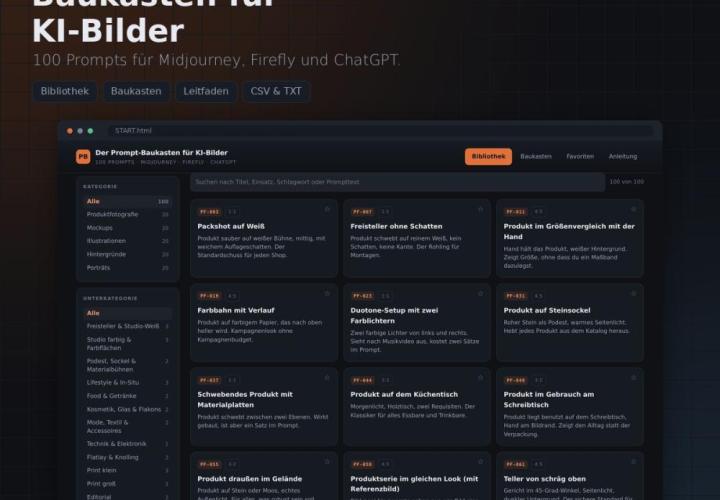
For Midjourney, Adobe Firefly and ChatGPT
Comment now „Designing with AI: from prompt to finished design with Claude“