Photoshop actions "Engraving": Three modern line looks for your photos

Photoshop actions "Engraving": Three modern line looks for your photos

All attention on your pictures! With these three Photoshop actions, you can give your photos a modern and eye-catching look. Just one click and straight lines, zigzag lines or hexagonal elements are added. You decide the color impression yourself! Choose a style that is particularly suitable for posters or murals.

  • Cool and modern: Create eye-catching engraving effects on your pictures: Lines, zigzag lines and hexagons
  • Easy to use: Load actions, start - done! You can adjust the color or color gradient yourself.
  • For example, create eye-catching images for social media, posters and murals.
  • Including actions and patterns as well as video and PDF quick guide

Download, launch in Photoshop and use the results directly - grab the actions for great engraving effects!

content

Details of the content

Photoshop actions "Engraving": Modern looks for your photos

Photoshop actions "Engraving": Three modern looks for your photos

Photoshop actions "Engraving": Three modern looks for your photos

Examples of use

  • Poster, mural in engraving style
    Open gallery
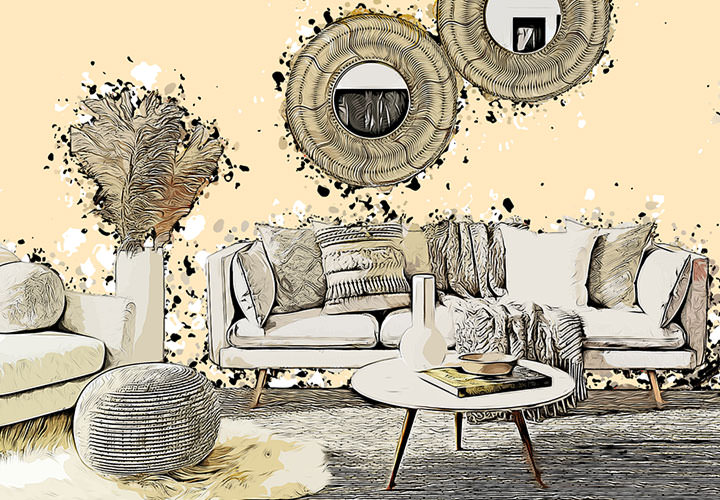
    Example: The style looks great as a stylish wall mural.
  • Open gallery
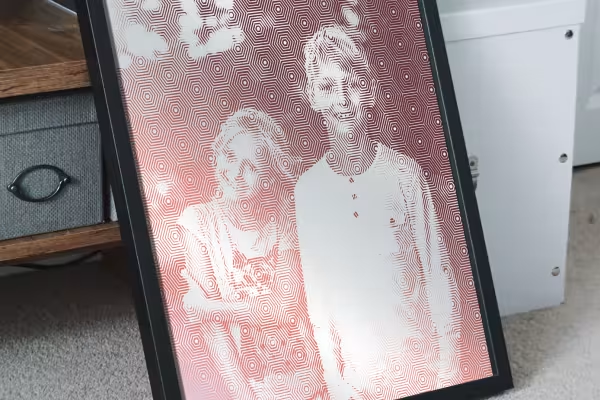
    Example: It only takes one click to give your photo the engraved line look!
  • Open gallery
    Example: You can adjust the colors of the lines and the background yourself.
  • Open gallery
    Example: Use a brightly colored gradient for a modern insta-look.
  • Open gallery
    Example: A picture like this looks great as a poster on the wall, doesn't it?
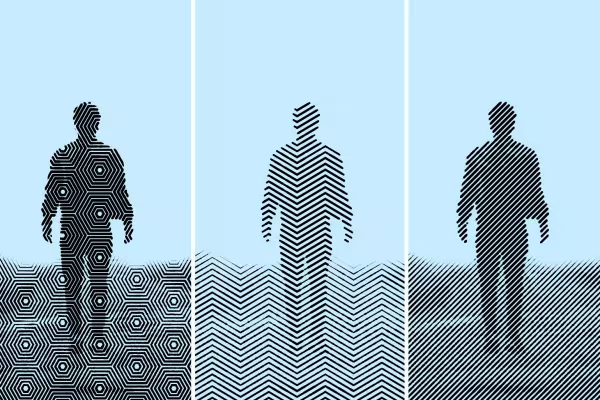
  • Engraved-look picture with hexagons, zigzag lines and straight lines
    Open gallery
    Example: Choose the pattern you want and create the look you want!

help video for application

Video instructions for the Photoshop "Engraving" action

Watch this video tutorial to see how to load the Photoshop "Engrave" action into the program and then apply it to create a cool effect. Matthias Petri also shows you a few tips and tricks for subsequent color adjustment.


7 minutes · free of charge
Comments (3)

Comment now „Photoshop actions "Engraving": Three modern line looks for your photos“