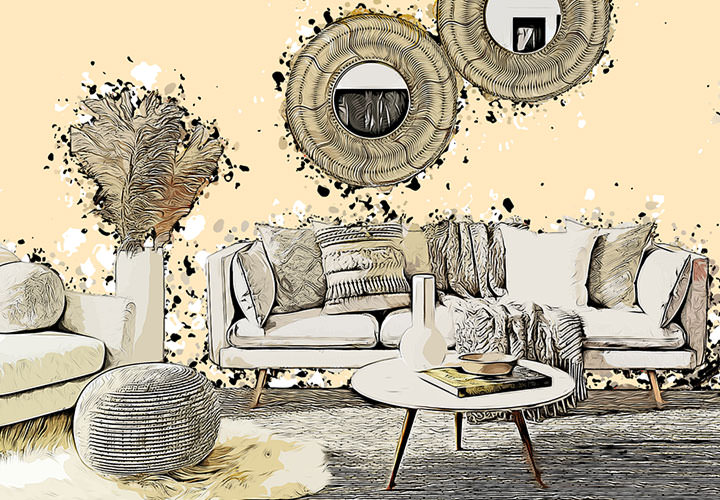
Photoshop action "Pencil drawing"

Photoshop action "Pencil drawing"

When the artist's hand guides a pencil, creating a filigree image - you can automatically apply this fascinating look of a pencil drawing to your motifs with this action. You can even bring back the colors of your original image. Simply open your photos - Photoshop will do the rest.

  • Probably the easiest way to turn your photos into intricate pencil drawings
  • You decide whether and where the color of your photo should be preserved
  • The Photoshop action creates the look of the pencil drawing for you fully automatically
  • For a wow: create great photo gifts for friends, acquaintances, relatives or yourself
  • For more attention: Use the look on websites or in brochures, for example
  • Included: Photoshop action, brushes, patterns; video and PDF instructions

Convert photos into pencil drawings - what would take you hours to do manually is done automatically as if by magic with this Photoshop action. Download now!

content

Details of the content

Photoshop action "pencil drawing

Photoshop action "Pencil drawing"

Photoshop action "Pencil drawing"

Examples of use

  • Open gallery
    Example: Just a few clicks - and your photos appear with the delicate look of a pencil drawing.
  • Open gallery
    Example: You can even bring back the color of the original photo in areas you have selected.
  • Open gallery
    Example: Excellent for portraits, but also suitable for many other motifs.
  • Open gallery
    Example: Create great photo gifts using the Photoshop action.
  • Open gallery
    Example: Choose your favorite photos and quickly transform them into delicate pencil drawings.
  • Portrait of a woman as a pencil drawing, photo converted using the Photoshop action
    Open gallery
    Example: What do you think? This style is worth a big "wow", isn't it?

help video for application

Photoshop tutorial: How to convert your photos into pencil drawings with the action

With the "Pencil drawing" action, Photoshop automatically transforms your photos into filigree pencil drawings. The application is very simple: Load the action, brushes and patterns into the program. Then open your photos and use brush strokes to define areas in which the colors of your original image should be retained. Now just start the action - and shortly afterwards your photo will appear with a pencil look. Matthias Petri explains exactly how to proceed in this Photoshop tutorial.


6 minutes · free of charge
Comments (18)

Comment now „Photoshop action "Pencil drawing"“