
Google Presentations: Templates in classic red and white
Templates for Google presentations

Google Presentations: Templates in classic red and white

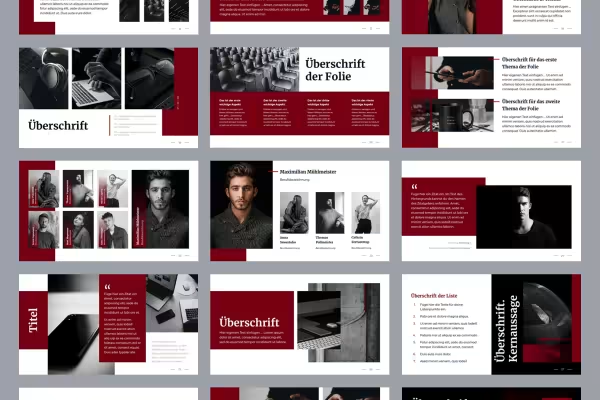
Preparing presentations is time-consuming - save time by starting directly with ready-made designs: Use these 50 slide templates to create individual Google presentations quickly and effectively. Whether it's a checklist, quote or infographic - take the layout you need and just add your text and images.

  • 50 slides for Google Presentations
  • Uniform design in a classic red and white (colors customizable)
  • Templates for summaries, lists and chapter breaks, among other things
  • Put together the slides for your individual presentation
  • Simply insert your texts and images into the placeholders
  • Templates for 16:9, 4:3 and A4 landscape formats

Overview and structure in a clear, concise design: Download the templates and open them in Google Presentations - your faster way to a fully prepared presentation.

content

Details of the content

Google Slides: Templates in classic red and white (Download)

Google Presentations: Templates in classic red and white - 16:9 format

Google Presentations: Templates in classic red and white - 16:9 format

Google Presentations: Templates in classic red and white - 4:3 format

Google Presentations: Templates in classic red and white - 4:3 format

Google Presentations: Templates in classic red and white - A4 landscape format

Google Presentations: Templates in classic red and white - A4 landscape format

Examples of use

  • 50 slide templates, optimized for use in Google Presentations
    Open gallery
    Open these templates in Google Presentations and create your slides from them.
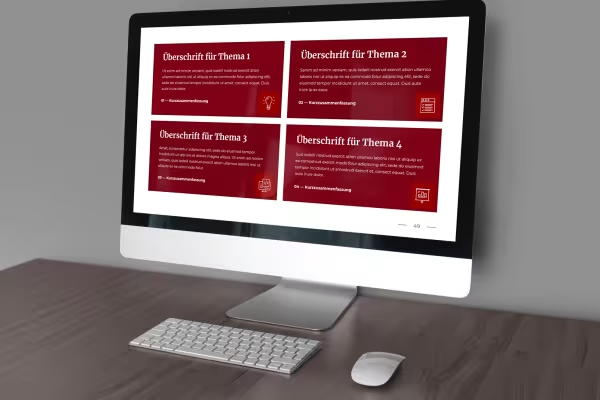
  • Slide from Google Presentations, displayed on one screen
    Open gallery
    Example: Clearly structured and descriptive - use the templates for a successful presentation.
  • Slide from Google Presentations, displayed on a tablet
    Open gallery
    Example: You can freely customize images and texts and easily fill them with your own content.
  • Open gallery
    Example: You can change predefined formatting, for example for colors.

help video for application

Instructions: Customizing templates in Google Presentations

With our templates for Google Presentations, you can put together a well-designed presentation in no time at all. Import the file with the desired format (16:9, 4:3 and A4 landscape) into Google Presentations, put together your individual presentation from the layouts and insert your images and text. You can find out how to edit the templates and adapt them to your requirements in this instruction video.

10 minutes · free of charge
Comments (0)

Comment now „Google Presentations: Templates in classic red and white“