200 slides, 42 icons, 3 formats - and a design that speaks a modern language! Download the "360Grad" design and create individual presentations in Google Slides from the templates. Ideally suited for presentations in a business context!
360Grad: 200 layout templates for Google Slides for high-quality business presentations
Prepared in 16:9, 4:3 and A4 formats, easy and fully customizable
For the 16:9 format, you get a dark variant as a bonus
With varied slides, including icons and map graphics
For an all-round perfect look: download the templates, customize them, add your content and throw them on the wall in a high-quality design!
content
Details of the content
Google Slides: Design template 360 degrees
Google Slides: "360 degree" design template
Ideal for modern business presentations: Download as many as 200 slide layouts with the "360Grad" design and use them to create your individual presentations. The design is available in 16:9, 4:3 and A4 formats. You also get a dark version for the 16:9 format. As if that wasn't enough, you can also access 42 icons and map graphics of Germany, Austria, Switzerland, Europe and the world.
Download the slides, import them into Google Slides, make global changes if necessary and then fill the slides with your content. The template is available in PPTX format and has been specially prepared for use in Google Slides (Google Presentations).
Google Slides: "360 degree" design template
Examples of use
Open gallery
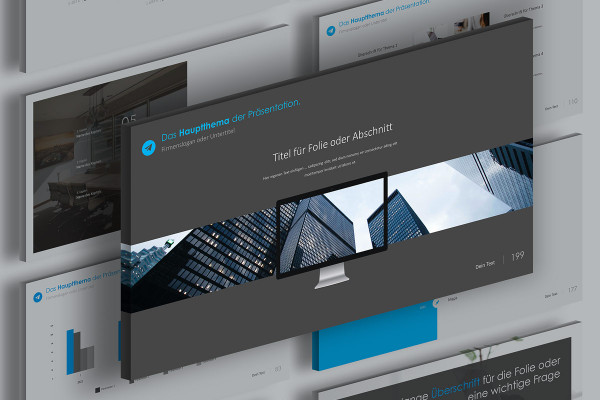
200 slide templates in a uniform design!
Open gallery
Example: The templates are available in the formats 16:9, 4:3 and A4 landscape.
Open gallery
Example: Start Google Slides. Select the slides. Customize them. Done.
Open gallery
Example: Map graphics are included. This is how you point to locations!
Open gallery
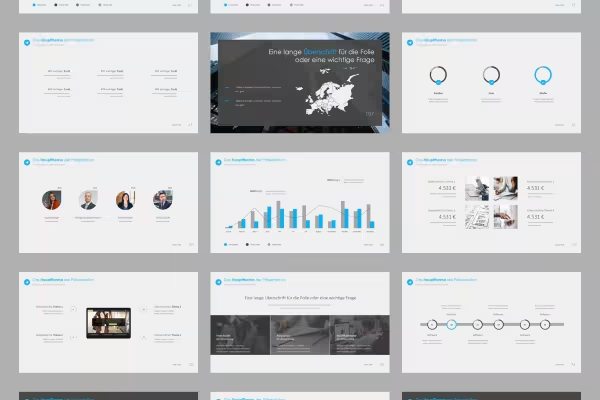
Example: Draw from the layout variety and pick out exactly the right slides.
Open gallery
Example: Use Google Slides in combination with the template - and your presentation is ready!
Comments (0)
Comment now „Google Slides: Slide templates in "360 degree" design“




 200 slide templates in a uniform design!
 Example: The templates are available in the formats 16:9, 4:3 and A4 landscape.
 Example: Start Google Slides. Select the slides. Customize them. Done.
 Example: Map graphics are included. This is how you point to locations!
 Example: Draw from the layout variety and pick out exactly the right slides.
 Example: Use Google Slides in combination with the template - and your presentation is ready!



Comment now „Google Slides: Slide templates in "360 degree" design“