
Do you know the feeling when you're working intently and your laptop suddenly sounds like a starting airplane? The fans go into overdrive and the laptop becomes uncomfortably hot. This is where the app Camomile comes into play. This little software is designed to make your PC cooler, quieter, and more efficient. I tried it out and want to show you how to use it optimally to reduce your computer's noise output and extend battery life.
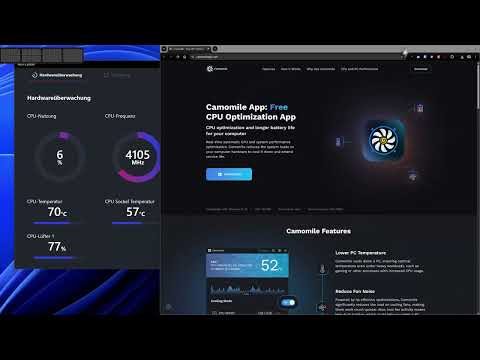
The video is only loaded from YouTube when you play it – data (including your IP address) is then transmitted to YouTube/Google. More in the privacy policy
Key Insights
- Camomile cools your PC and reduces fan noise.
- The app is easy to install and use.
- You can monitor the CPU temperature and other parameters.
- For occasional users, the performance loss is minimal, but for intensive tasks, it may be better not to use the app.
Step-by-Step Guide
Step 1: Download and Install Camomile
First, you need to download the app. You can find the file on the official Camomile website. At about 15 MB, the software is small enough to download quickly. After the download, simply click on the installation file.

Step 2: Start and Configure the Program
After installation, open Camomile. The program appears in your taskbar. You can immediately see the current processor temperature. It's quickly evident how the app works with CPU cooling and system volume.

Step 3: Monitor Fan Data
In the Camomile interface, you can see the CPU temperature and a history of fan speed. This gives you an initial impression of how well your system controls temperature. If you see that the fans exceed 60% capacity, it might make sense to adjust the settings to minimize noise.
Step 4: Test Through Application
To test the effectiveness of Camomile, you can open an application like Photoshop. Pay attention to whether the fan speed increases. If you notice the temperature rising while switching from one application to another, it's an indication that more cooling is needed.

Step 5: Adjust Temperature Management
You might notice that the CPU temperature quickly rises above 60° even with low usage. Activating the cooling options in Camomile helps. This allows you to lower the temperature immediately without experiencing significant performance loss.
Step 6: Overheating Therapy
With Camomile, you can reduce CPU load, lowering the temperatures of your hardware and reducing fan noise. This is especially useful when running applications in the background or simply wanting to work without distractions.
Step 7: Startup Settings
For smooth usage, you can set Camomile to start automatically with the operating system. This ensures it always runs in the background when you turn on your PC. You also have the option to set the program to always stay in the foreground, allowing you to quickly change performance settings.

Step 8: Regular Review and Adjustment
It is advisable to regularly monitor temperature and fan data. This way, you can ensure your settings are optimally aligned with your usage. If you have doubts about the performance of the computer, it's important to find a balance between cooling and performance.

Summary – Camomile: Making Your PC Cooler and Quieter
By using the Camomile app, you can effectively manage your PC's temperature while significantly reducing the noise produced by your fans. The ease of use, combined with the ability to monitor CPU and other components, makes this app a valuable tool for every PC user.
FAQ
How much performance is lost with Camomile?The app has a minimal impact on performance, but may be limiting for intensive applications.
Is Camomile suitable for laptops?Yes, the app is particularly suitable for laptops, as they often overheat more quickly.
Can I uninstall the app at any time?Yes, uninstalling Camomile is the same as with any other software on your PC.
Are there alternatives to Camomile?Yes, there are various software solutions that offer similar functions, but the interface of Camomile is particularly intuitive.
Is Camomile free?Yes, Camomile is available for free.

