
Simply stream live yourself with Streamlabs - the complete course

- Stream professionally yourself with Streamlabs: all important settings explained in detail
- Inspire your audience: How to harmonize sound, music, screen, webcam and effects
- Audio: Adjust voice, music and volume correctly; avoid noise and apply filters
- Video: Transmit screen and webcam smoothly, in the desired size and quality
- Design & interaction: Build in illustrative overlays and show suitable alerts at the right time
- Streaming: How to get your stream online on different platforms and avoid typical mistakes
- Tips: Useful widgets, programs and sources for designs and overlays
- Around 16 hours of video training from Streamlabs expert Andreas Lang
The sound - clean. The picture - fluid. Interactive elements - skillfully used. Start the tutorial and make your way from streamer to successful streamer!
118 Videos, 948 minutes
That's what you can expect in the course
Streamlabs: 1 | Intro
This is what you can expect in this Streamlabs course.
Introduction to Streamlabs
Streamlabs: 2.1 | Introduction
In this section, I'll give you a brief guide to what you can expect in this course. In addition, I will introduce you to the material available in this course and show you how to use it.
The project file contains the following working material (PNG files for direct application; partly editable PSD files for Photoshop):
- Various bagdes (coins and diamonds in PNG format)
- A facecam frame (PNG)
- An offline banner (PSD, PNG)
- Various overlays (PSD, PNG)
- Different panels (PNG)
- Starting-soon and right-back screens (PSD, PNG)
- Various text emotes (PNG)
- PDF with technical terms for Streamlabs
- PDF with links to websites mentioned during the course
Streamlabs: 2.2 | Technical terms
Here I introduce you to the most important technical terms. If you're not quite up to speed with Streamlabs yet, I would definitely recommend this section.
Streamlabs: 2.3 | What is Streamlabs? Sites for images, sounds and music
In this video you will find out exactly what Streamlabs is. I'll also introduce you to a few sites where you can get free images, videos and sounds.
Streamlabs: 2.4 | Streamlabs vs. OBS Studio
Streamlabs or OBS Studio? We'll explain the big difference in this section.
Streamlabs: 2.5 | Download Streamlabs and basics
How to download Streamlabs is explained in this video. At the end of the installation, I also provide a few basics about the program.
Streamlabs: 2.6 | Mini-Feed
In this video I take a closer look at the mini-feed and explain what it can be used for.
Streamlabs: 2.7 | Legacy events
In this video, I take a closer look at the legacy events and explain what they can be used for.
Streamlabs: 2.8 | Selective recording
Selective recording can also be very practical in some cases if you don't want elements from the stream in the recording. Here you can find out how to set this up.
Streamlabs: 2.9 | Set up layout editor
The layout is one of the things you set up at the very beginning. You can find out exactly what you can set up and, above all, how in this video.
Set up and configure alerts
Streamlabs: 3.1 | Set up alerts
In this tutorial, you will learn how to set up alerts and add an alert box to the sources for notifications in the stream.
Streamlabs: 3.2 | Free GIFs for alerts
Don't have any GIFs for your alerts yet? You can download them for free on the page from the video.
Streamlabs: 3.3 | Download ready-made alerts
A second option would be to simply download ready-made alerts from Streamlabs. These are of course also free of charge, but there are also paid ones.
Streamlabs: 3.4 | Create your own alerts
Want to create your own alerts? Find out how it works here!
Streamlabs: 3.5 | Create alert variations
Streamlabs offers you the option of creating alert variations so that you don't see the same alert over and over again, e.g. for a donation. Here we show you how to do it.
Adjusting and setting up audio
Streamlabs: 4.1 | Use cell phone microphone as microphone
In this video, I show you how to use the microphone on your cell phone if you don't currently have one.
Streamlabs: 4.2 | Audio settings
This is about the most important audio settings for your stream or recording. These settings are even more important than the video quality.
Streamlabs: 4.3 | Set microphone filter
Once you have set up the audio and added all the devices, it is important to set up microphone filters to get good sound quality. The four most important filters are explained here.
Streamlabs: 4.4 | Set up push-to-talk
A push-to-talk function can also be set up very easily with Streamlabs. This allows you to speak at the touch of a button. I'll tell you how it works here.
Set and configure image and video
Streamlabs: 5.1 | Insert screen recording
In this part, we look at all the sources for a screen recording. At the end, we will also add this as a source.
Streamlabs: 5.2 | Stream and video settings
If you are planning to stream with Streamlabs, this video is very important. Here I go through all the stream settings so that you can make the right settings for the perfect stream.
Streamlabs: 5.3 | Find out the bitrate for Twitch
The bit rate is also an important component for the stream settings. In this tutorial, I will show you how to find the right bit rate.
Streamlabs: 5.4 | Set up Twitch VOD
Do you only want to broadcast a certain audio track in your Twitch stream replays? This is possible with the Twitch VOD setting.
Streamlabs: 5.5 | Recording settings
Are you planning to record videos with Streamlabs? Then be sure to watch this part. Here I'll tell you how to make the right settings.
Streamlabs: 5.6 | Insert and edit image
In this tutorial, I will show you how to insert and edit an image. You will need this again and again if, for example, you have removed a green screen and want to insert a background image or add an overlay.
Streamlabs: 5.7 | Make recording look better
To make the shot look a little better, you can use filters. I will introduce these filters here.
Streamlabs: 5.8 | Make areas unrecognizable
If you want to make a certain area unrecognizable, this tutorial is just right for you. I'll show you two ways to do this.
Streamlabs: 5.9 | Rotate image 180 degrees
Rotating an image can also be very useful in some cases. You can find out how it works here.
Streamlabs: 5.10 | Set up OpenVR recording
In this tutorial, we take a look at the OpenVR recording, which is intended for VR glasses.
Streamlabs: 5.11 | Advanced video color settings
This video is about advanced video color settings. These are relevant for both the stream and the recording. You can easily achieve better coloring with them.
Set and configure overlays
Streamlabs: 6.1 | Pages for free stream overlays
In this video, I present a few sites that offer free stream overlays. I'm sure there will be something for you if you don't have an overlay yet.
Streamlabs: 6.2 | Download and insert transitions
The transitions are part of the overlay and can be seen during a scene change. I'll tell you where you can download them for free here.
Streamlabs: 6.3 | Exporting and importing overlays
Exporting the overlay is very important. If something should happen to the PC, you still have the overlay as long as it has been saved. I will also show you how to import it again.
Streamlabs: 6.4 | Import Streamlabs scenes into OBS Studio
If you ever want to switch to OBS Studio, I'll tell you here how to import the scenes from Streamlabs into OBS Studio.
Settings and configuration – Miscellaneous
Streamlabs: 7.1 | Stream on multiple platforms simultaneously
Would you like to stream not just on one platform, but on several at the same time? Find out how here! Please note that if you are a Twitch affiliate or partner, you are not allowed to do this.
Streamlabs: 7.2 | Change the appearance of the interface
This tutorial is about how to change the appearance of the user interface in Streamlabs.
Streamlabs: 7.3 | Set up keyboard shortcuts
Shortcuts make you a lot faster. You can find out how to set shortcuts for certain actions here!
Streamlabs: 7.4 | Set delay in stream
Are you tired of stream snipers running after you in a stream to annoy you? Then put a stop to them by setting a delay for your stream.
Streamlabs: 7.5 | Set up in-game overlay
The in-game overlay allows the streamer to read a chat on a screen during a live stream, for example. The viewers do not see this. This function can be very practical if you only have one screen and cannot read the chat from the stream.
Streamlabs: 7.6 | Read out messages for donations or a subscription
In this video I show you how you can have a message read out by a bot in the stream when donating or subscribing. These messages can also filter swear words.
Streamlabs: 7.7 | Set up replay buffer
The replay buffer makes it easy to record great moments from the stream. These can then be played back again and again in the stream.
Streamlabs: 7.8 | Cutting clips with the highlighter
Streamlabs also offers a way to cut clips. You can find out how it works with the highlighter and what options you have here.
Streamlabs: 7.9 | Control Streamlabs from your cell phone
In this tutorial, I will show you how to control Streamlabs from a cell phone. You can think of it as a stream deck for your cell phone or tablet, which you can use to change scenes, for example.
Streamlabs: 7.10 | Studio mode
The studio mode in Streamlabs allows you to make a change without the viewers noticing. The whole thing is very easy to understand and is explained in this part.
Streamlabs: 7.11 | Virtual webcam setting
With the virtual webcam setting, you can share Streamlabs with your friends on Discord, for example, to show them something. You can find out how to do this here.
Set up and configure webcam
Streamlabs: 8.1 | Use cell phone camera as webcam
A webcam can be expensive, especially at the beginning of your streaming career. That's why there is also the option of simply using your cell phone camera as a webcam. Find out how here.
Streamlabs: 8.2 | Webcam settings
This tutorial is about the webcam settings. I will show you the most important settings and tell you how to add a webcam to the sources.
Streamlabs: 8.3 | Download and use LUT filters for free
LUTs significantly improve the quality of the camera. Here you can find out how easy it is to use these filters and where you can download them.
Streamlabs: 8.4 | Set green screen
If you have a green screen, you can find out here how to remove it in Streamlabs to get a transparent background.
Streamlabs: 8.5 | Change camera shape
The shape of a camera is quite the same for most of them. A completely normal rectangle. I'll tell you here how you can create a different shape for the camera to make it stand out from the rest.
Streamlabs: 8.6 | Insert and download facecam frame
Here you can find out how to insert a facecam frame overlay into the sources. I will also show you where you can get such a facecam frame.
Streamlabs: 8.7 | Customize camera zoom
In this tutorial, you will learn how to adjust the camera zoom to appear slightly larger or smaller in front of the webcam.
Streamlabs: 8.8 | Set brightness
Is your webcam too bright or dark? No problem! Here you can find out how to adjust the brightness with a filter.
Streamlabs: 8.9 | Mirror horizontally and vertically
Is one of your sources mirror-inverted and you want to mirror it? How this works is explained here.
Widgets and standard sources
Streamlabs: 9.1 | Insert text and GIF into the sources
In this tutorial you will learn how to insert a text or a GIF into the sources. We will also look at a few settings and examples.
Streamlabs: 9.2 | Create scroll text
The scroll text is a very useful thing to bring some movement into the text. You can find out how to do this with just a single filter here.
Streamlabs: 9.3 | Set up chat box
A chat box makes the stream chat appear in the recording. This can be easily integrated into an overlay. You can find out how to do this here.
Streamlabs: 9.4 | Play clips in stream
Clips can also be played in the middle of the stream in Streamlabs, which can be a very funny thing and takes entertainment to a new level. You can find out how to do this here.
Streamlabs: 9.5 | Set up stream labels
People who have recently donated or followed you can be easily integrated into the overlay with the stream labels. You can find out how to do this and what options you have here.
Streamlabs: 9.6 | Set up follower, bit, subscription target
Setting goals has always worked well in life, and that's exactly what you can do in Streamlabs. Whether it's a follower goal or a donation goal for the purchase of a new camera - I'll show you how to set it up.
Streamlabs: 9.7 | Set up event list
An event list shows several people who have made a donation, for example. You can find out which settings you can make here.
Streamlabs: 9.8 | Set up media sharing
Media sharing can be used to set up video requests from viewers. What you need to bear in mind and how you can set this up - that's what this article is about.
Streamlabs: 9.9 | Insert music with the media source
In this tutorial, I will show you how to insert music using the media source. The advantage here is that you can define settings for this.
Streamlabs: 9.10 | Set up emote wall
The emote wall is a fun widget that allows you to display lots of emotes in the stream as soon as someone has written emotes in the chat. You can find out what settings options they offer here.
Streamlabs: 9.11 | Set wheel of fortune
A wheel of fortune is the perfect choice for a competition. You can find out how to set up this wheel of fortune in Streamlabs here.
Streamlabs: 9.12 | Set up donation jar
This tutorial is about the donation jar that fills up when a donation or, for example, a subscription is made. How this is to be understood is shown here.
Streamlabs: 9.13 | Insert credits
Credits are a great way to say thank you at the end of the stream! Watch the following video to find out how it works.
Streamlabs: 9.14 | Set up Stream Boss
If you want to provide additional entertainment, the Stream Boss is a great alternative! Your viewers can fight a boss together to collect points.
Streamlabs: 9.15 | Create picture slideshow
The picture slideshow makes it possible to play pictures in a certain order. This can be used not only for streams during a break, but also in recordings.
Streamlabs: 9.16 | Insert sponsor banner
This tutorial is all about the sponsor banner. I'll show you what you can do with it and what settings you need to make.
Streamlabs: 9.17 | Set up tip ticker
The tip ticker is a special widget for displaying donations as scroll text. This widget is also frequently used by streamers.
Streamlabs: 9.18 | Show number of viewers in stream
The viewer count in the stream can be inserted through a certain widget. To be honest, I wouldn't recommend it because it's distracting. But if you do want it, you can find out everything you need to know about it here.
Streamlabs: 9.19| Chat highlight widget
The chat highlight widget is ideal for highlighting important messages from the chat and transferring them to the stream. If you want to set this up, nothing stands in your way with this video.
Streamlabs: 9.20 | Create color space
A color area can be created directly in Streamlabs and does not have to be created in another program. You can find out how to do this here.
Cloudbot and Dashboard
Streamlabs: 10.1 | Grant access to moderators and admins
If you want to grant your moderators or admins access to your Streamlabs profile, you can follow this tutorial and have some work done for you.
Streamlabs: 10.2 | Add regular role (regular guest)
This tutorial is about how to add a regular role. With this role, you can grant people from the stream more authorizations for certain actions.
Streamlabs: 10.3 | Set up donations
In addition to affiliate or partner status on Twitch, setting up a donation is a great way to earn a little extra money. You can find out how to create a donation link here.
Streamlabs: 10.4 | Set up Cloudbot
In this tutorial, I will show you how to set up a cloudbot for your stream, e.g. to prohibit a number of caps in the chat and implement many other important functions.
Streamlabs: 10.5 | Set up points system and watchtime
Here I will show you how to set up the points system and watchtime in Streamlabs. You can use these points to buy something in a store for points as a viewer.
Streamlabs: 10.6 | Set up loyalty points store
In this tutorial, I will show you how to set up a loyalty points store. To do this, you need to have set up the points system so that people can spend their points in the store.
Streamlabs: 10.7 | Buy Steam and Epic Games keys
Do you need an idea for a prize in a competition? Steam or Epic Games keys are ideal for this! In this video, I'll show you where you can get them.
Streamlabs: 10.8 | Set Commands
Commands are a very important part of streaming and almost indispensable. Here you can find out how to create and use your own commands.
Streamlabs: 10.9 | Create Timer
A Tim is a message that can be played repeatedly in a chat. This can be an advertisement for a social media account, for example. A very practical tool that is explained in this video.
Streamlabs: 10.10 | All mini-games explained
Mini games are a great way to entertain the stream. But too many of them are not recommended. Each individual mini-game is explained here to help you find the best one for you and your stream.
Streamlabs: 10.11 | Set up Merch Store
If you've always wanted to sell your own merch, I'd recommend the Merch Store from the Dashboard. Here you can find out everything you need to know about it.
Streamlabs: 10.12 | Create give-away
Streamlabs offers an internal option to create giveaways for the community. You can find out how to set this up here.
Streamlabs: 10.13 | Create Betting/Bets
In this video, I present a useful function that allows you to create bets for the community. By placing a bet, you then have the opportunity to earn more points as a viewer.
Streamlabs: 10.14 | Start voting
It is currently possible to create a poll on Twitch, but unfortunately not yet on many other streaming platforms. That's why Streamlabs offers the option of creating a poll, which I will present here in this tutorial.
Streamlabs: 10.15 | Create queue/queue
If you are a big streamer and would like to play a game together with your community, the queue is just the thing for your stream! With this extension, viewers can join a queue to play with the streamer one after the other.
Streamlabs: 10.16 | Create quotes/quotations
Quotes are a great way to provide additional entertainment in the chat. You can find out how to set them up here.
Solutions for typical problems
Streamlabs: 11.1 | Skipped, delayed and skipped frames
This video is about the skipped, delayed and skipped frames. I will tell you how to fix them.
Streamlabs: 11.2 | Reset Streamlabs
Can't fix an error in Streamlabs at all? Then watch this video and reset Streamlabs completely.
Streamlabs: 11.3 | 15 solutions for lags in the stream
Lags occur very frequently in a stream. That's why I've listed the 15 most common reasons for lags in the stream here.
Streamlabs: 11.4 | recording jerks
Lags are a very common error in a recording. That is why I have listed the most common reasons for lags in the recording here.
Streamlabs: 11.5 | Fix black screen
A black screen in the recording or during the stream is an error that can be rectified quite easily. Here are a few solutions.
Streamlabs: 11.6 | Reduce CPU utilization with Performance Mode
Is your CPU usage in Streamlabs way too high? In this video, I'll tell you how you can reduce it.
Streamlabs: 11.7 | Listen to audio twice
Do you hear audio in the recording or stream twice? Here you can find out what the problem might be.
Streamlabs: 11.8 | Synchronize audio, webcam and image
In this tutorial, I will show you how to synchronize the audio, webcam and screen recording correctly.
Streamlabs: 11.9 | Remove background noise
You don't want irrelevant background noise in a recording. Here I'll show you how you can reduce this background noise.
Streamlabs: 11.10 | No sound - 8 reasons
You have no sound in Streamlabs? This can be due to various things. In this video, I reveal the eight most common mistakes when it comes to missing sound in Streamlabs.
Streamlabs: 11.11 | Adjust volume
Would you like to adjust the volume of your devices? No problem - I'll tell you how to do it here.
Streamlabs: 11.12 | Microphone overdriven
An overdriven microphone is one of the worst things in audio. Here I'll tell you how to protect a microphone from clipping.
Streamlabs: 11.13 | Remove microphone noise
Microphone noise puts a lot of people off, but it's so easy to fix with just one filter. Find out how here!
Streamlabs: 11.14 | Fix webcam hangs
Your webcam is stuck? No problem! In this video, we take a look at the options for making your webcam run more smoothly.
Streamlabs: 11.15 | Media source - no sound
Your media source has no sound? I'll tell you why in this video.
Streamlabs: 11.16 | Alerts do not work
Are the alerts for your stream not working? Then this video will definitely help you.
Useful programs
Streamlabs: 12.1 | Streamdeck for free
Looking for a free stream deck? In the following video, I'll show you a free alternative for using a cell phone or tablet as a streamdeck.
Streamlabs: 12.2 | Voice distortion for free
A voice distortion can be a really nice feature for special occasions. In this tutorial, I'll show you how to integrate it properly into Streamlabs.
Streamlabs: 12.3 | Embed avatar
Don't necessarily want to show yourself in the stream? No problem - instead you can set up an avatar that adopts your movements 1:1. How it works is shown here.
Streamlabs: 12.4 | Insert small avatars
Small avatars in the stream are a cool addition, e.g. to greet a viewer or to perform an action with certain emotes or messages. I'll show you how to integrate them into Streamlabs here.
Streamlabs: 12.5 | Insert countdown
A countdown can be a very practical thing for one or two projects. For example, you can use it to create a time-limited challenge. You can find out how to set up countdowns here.
Streamlabs: 12.6 | Show music tracks in stream
There's always a question in the stream: "What's the name of the song?" To avoid this question, in this video I show you how to show the song title in the stream.
Streamlabs: 12.7 | Royalty-free music for streams
Royalty-free music for streaming is an absolute must to avoid trouble. In this video, I reveal where you can get free royalty-free music for streaming.
Streamlabs: 12.8 | Stream from mobile to PC
Would you like to run the stream from your cell phone on your PC? This tutorial will show you how it works.
Streamlabs: 12.9 | Insert time
Including a time in the stream is a good idea in some cases. You can find out how to insert this into the stream here.
Create designs in Photoshop for streams
Streamlabs: 13.1 | Create Starting-Soon, BRB-Screen with Photoshop
Would you like to create your own Starting Soon or BRB screen with Photoshop? Here I'll tell you how to do it.
Streamlabs: 13.2 | Create overlay with Photoshop
In this video, I'll show you how to create your own overlay with Photoshop for the stream.
Streamlabs: 13.3 | Create facecam frames with Photoshop
Building your own facecam frame with Photoshop is really nothing difficult. This video shows you how to build a frame for a webcam.
Examples of use
-
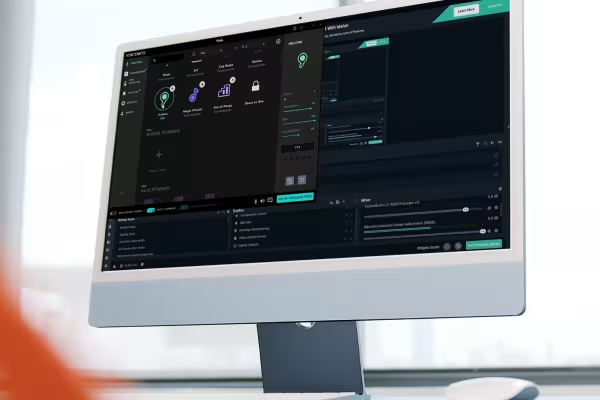 Streamlabs explained in detail from A to Z: Get to know the program and all its functions.
 -
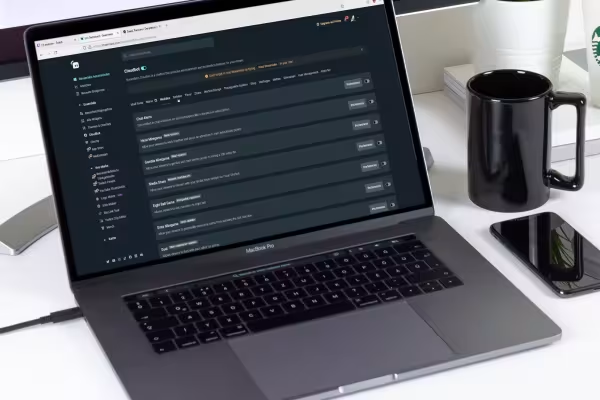 Fluent, easy to listen to, effective and entertaining: this is how you present your streams after this training!
You might also like

Create, set up & optimize online advertising

More reach via Google!

Edit films, transitions, animations, and more
How it works. What options exist.
Comment now „Simply stream live yourself with Streamlabs - the complete course“