Photoshop mockups for thermal cans

Photoshop mockups for thermal cans

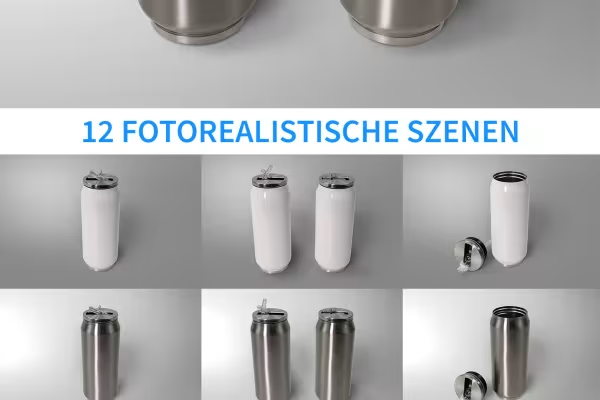
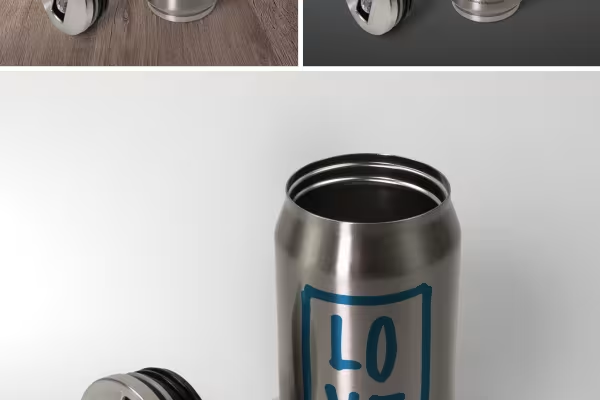
The design is ready - but what does it actually look like after printing, applied to a thermal can? This is exactly what you can show yourself or your clients with the help of these 12 mockups. Insert your design - Photoshop will automatically place it on the can.

  • 12 mockups for thermo cans
  • Photorealistic scenes: See how your design will look before production
  • Ideally suited for testing different design concepts
  • Easy to use: Paste the design, Photoshop adjusts it automatically
  • You can change the colors of the thermoses; different backgrounds included

Whether as a promotional gift or for your own use - as soon as you want to add your own design to thermo tins, we recommend these mockups for the conception and presentation.

content

Details of the content

Photoshop mockups for thermal cans for download

Mockup: Wide thermal can

Mockup: Wide thermal can

Mockup: Two wide thermo cans

Mockup: Two wide thermo cans

Mockup: Thermo can with lid next to it

Mockup: Thermo can with lid next to it

Mockup: Wide metal thermo can

Mockup: Wide metal thermo can

Mockup: Two wide metal thermo cans

Mockup: Two wide metal thermo cans

Mockup: Wide metal thermo can with lid next to it

Mockup: Wide metal thermo can with lid next to it

Mockup: Slim metal thermal can

Mockup: Slim metal thermal can

Mockup: Slim metal thermal can with lid next to it

Mockup: Slim metal thermal can with lid next to it

Mockup: Two slim metal thermo cans

Mockup: Two slim metal thermo cans

Mockup: Slim thermo can

Mockup: Slim thermo can

Mockup: Slim thermo can with lid next to it

Mockup: Slim thermo can with lid next to it

Mockup: Two slim thermo cans

Mockup: Two slim thermo cans

Examples of use

  • 12 Photoshop mockups for thermal cans with different backgrounds
    Open gallery
    12 Photoshop mockups for thermal cans with different backgrounds
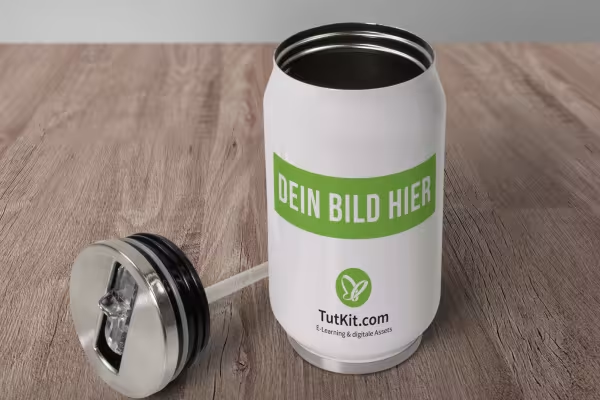
  • Mockup for a thermo can on a table
    Open gallery
    Example: Use the backgrounds to create the right scene for your thermos design.
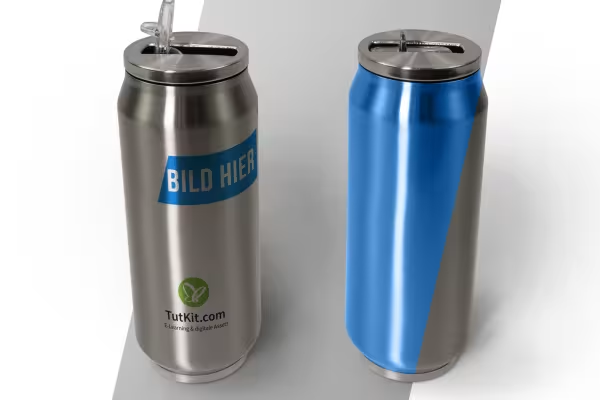
  • Application principle of the mockups: Colors of the can surfaces can be changed
    Open gallery
    Example: You can also change the colors of the can surfaces.
  • Mockups for thermal cans show the Photoshop workflow
    Open gallery
    Example: Choose the mockup. Apply your design. Photoshop curves it perfectly around the cans!

help video for application

Photoshop instructions: How to use the mockups for thermo cans

With the help of our mockups, you can easily apply your designs to thermo cans: Select the desired mockup, drag the design into the smart object - Photoshop will do the rest. You can find out exactly how to proceed and even adjust the color of the bottle surface in this Photoshop tutorial.

5 minutes · free of charge
Comments (1)

Comment now „Photoshop mockups for thermal cans“