

Step into the creative world of graphic design and learn how to create an engaging Advent calendar for your corporate clients and business partners. In this tutorial, I will help you step by step to create an illustrative Advent calendar in Adobe InDesign that is not only expert but also impressive. Let's work together to create a unique design that conveys your message to the right target audience!
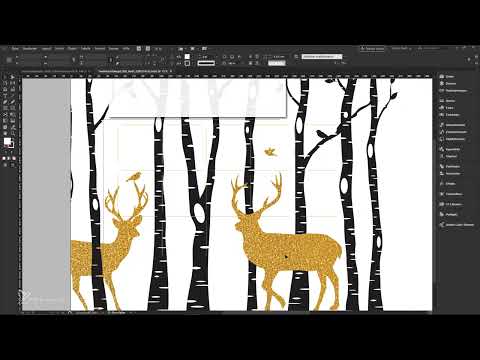
The video is only loaded from YouTube when you play it – data (including your IP address) is then transmitted to YouTube/Google. More in the privacy policy
Main Insights
- Using Adobe InDesign to create an Advent calendar
- How to find and customize appealing layout templates
- Color selection and fonts for an elegant design
- Economic tips for printing with a professional printing partner
- Utilizing the 3D preview function for better visualization of the final product
Step-by-Step Guide
Let's start with creating the basics of the Advent calendar. This includes both choosing the template and designing the individual elements.
Template Selection
First, download a suitable layout template. Visit the viaprinto website and scroll to the templates for Advent calendars that you can download for free. I opted for the format 208 x 314 mm, which is ideal for our occasion.

Save the downloaded file on your computer and open it in Adobe InDesign. When using a template, it's important to get an overview of all elements. Therefore, you should ensure that the display quality is high.

To improve quality, right-click and select "Display Performance" -> "High Quality Display". This helps you to get a better idea of what the final product will look like.
Designing the Front
Now that you have opened the template, the first step is to design the front. To make it appealing, add an image from your libraries or via Adobe Stock.

Place the image up to the bleed and ensure that it looks even. It is important that the image completely covers the right and top bleeds.

While placing the image, you can use the layers to ensure that nothing overlaps other important elements.
Adding Colors and Text Fields
After placing the image, it is necessary to add the main colors and text fields. Choose a simple color palette that may include black, white, and some gold tones.
Go to your color swatches and add new colors. Use CMYK values to ensure that the colors are print-ready.
Create a rectangle for the background that has a slightly transparent white color to harmonize the front.
Selecting Fonts
For the design, you should use at least two different fonts: one for the Advent numbers and one for the text. Choose a house font for the texts you want to use in your design and ensure that the size is easily readable.

You can, for example, add the first text "Merry Christmas" with your chosen font in the corresponding tone.
Designing the Advent Numbers
The Advent numbers are the heart of the calendar. You need to creatively implement them in the doors. You can either place the numbers in text form or use shopping circles.
Choose an appropriate font size and place the numbers carefully so that they do not interfere and are easily readable. You can fill them with one of the colors you selected from your color palette.
Finalizing the Design
Once the basic elements have been added, it is time to check the preview of the final product. You can use the 3D preview function in Adobe InDesign to get a realistic impression of the design.

If you are satisfied with the appearance of the calendar, export the file as a print-ready PDF. You should ensure that you choose the correct settings for PDF export.
Preparing for Print and Ordering
Use the viaprinto product configurator to upload your PDF and see a 3D preview. Here, you can adjust the print parameters and finally place your order.

Make sure to select the professional data check to ensure that everything is perfect for printing.
Summary - Designing Advent Calendars for Corporate Clients
In this guide, you have learned how to design an attractive Advent calendar for your company in Adobe InDesign. We have worked through the steps of choosing a template, designing the front, selecting colors and fonts, as well as preparing for print. With these basics, you are well-equipped to create a unique calendar that delights your clients.
Frequently Asked Questions
What do I need to create an Advent calendar?You will need Adobe InDesign, a suitable template, colors, and fonts.
How do I find a suitable template?Visit viaprinto and search in the Advent calendar template section.
What color combinations do you recommend?A combination of black, white, and gold or silver tones works perfectly.
How do I export the file print-ready?Use the PDF export function in Adobe InDesign and make sure to select the appropriate standard.
Can I design the calendar online as well?Yes, via viaprinto you have the option to do the design online.

