
With WinTune, you have a powerful, easy-to-use tool at your disposal that helps you optimize Windows and make performance improvements. The user interface is clearly structured, allowing you to start making adjustments right away without a long onboarding process. This guide will walk you through the most important features of WinTune step by step, so you can make all the necessary settings in no time.
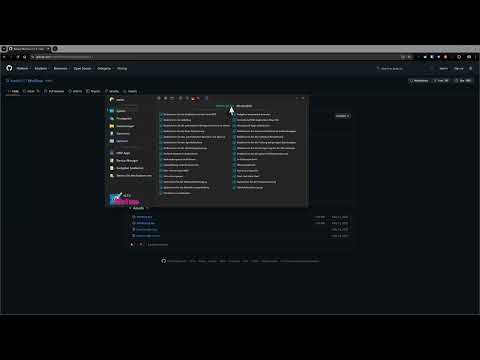
The video is only loaded from YouTube when you play it – data (including your IP address) is then transmitted to YouTube/Google. More in the privacy policy
Main Insights
- WinTune is a user-friendly tool for optimizing Windows.
- You can adjust language settings and enable or disable features.
- Programs can be managed, uninstalled, or disabled quickly.
Step-by-Step Guide
First, you need to download and install WinTune. You can find the latest version on the official website. Click on the "Release" button and choose the version that is suitable for your PC, either 32-bit or 64-bit.

After downloading, open the program by double-clicking it. Note that it is set to English by default. However, you can easily change the language to German, which makes the subsequent steps easier.

Once you are in WinTune, you will see a variety of settings that you can enable or disable. You can select or deselect all features at once, so you only have the options you want.

Particularly important is the area for privacy. Here you will find various options that you can adjust as needed. A single click is enough to enable or disable all notifications, for example.
In the Start menu, you can set whether and how recently added apps should be displayed. This option is useful for increasing clarity.
Another useful feature is the program manager. Here you can get an overview of all installed applications. You have the option to either uninstall programs or search online for their latest versions.
Additionally, WinTune offers a startup manager. With this tool, you can either disable or completely remove programs that load automatically at Windows startup. This can significantly shorten boot time.
A rather special feature is the ability to edit the hosts file. This function is particularly useful for web designers as it allows them to create local test environments or redirect websites.
If you have made changes, you can restart Windows Explorer directly through WinTune. This is helpful to make all changes visible immediately.
That's it in a nutshell! WinTune offers you an effective and practical way to customize your Windows system according to your wishes. With its easily accessible features, you are now well-equipped to optimize Windows to your liking.
Summary - WinTune: Optimizing Windows Made Easy
WinTune is an ideal tool for adjusting and optimizing your Windows operating system. The straightforward user interface allows you to quickly change various settings, manage programs, and boost your system's performance. Each step of this guide helps you make the most of WinTune's capabilities.
FAQ
How do I download WinTune?You can find the latest version on the official website and download it directly.
Can I change the language of WinTune?Yes, you can easily switch the language to German in the settings.
What can I adjust in the privacy area?Here, you can decide which transmitted data you allow or to what extent you want to be informed.
How does the program manager work in WinTune?In the program manager, you can quickly manage, uninstall, or search for updates for all installed applications.
What is the hosts file?The hosts file allows you to perform local redirects when testing websites.

