
The Microsoft PC-Manager is a useful tool that helps you make your PC faster and more efficient through simple optimization steps. This program is small, lightweight, and offers some interesting features that can enhance your system's performance. In this guide, I will show you how to install and use the PC-Manager despite the store restrictions in some regions. Let's get started!
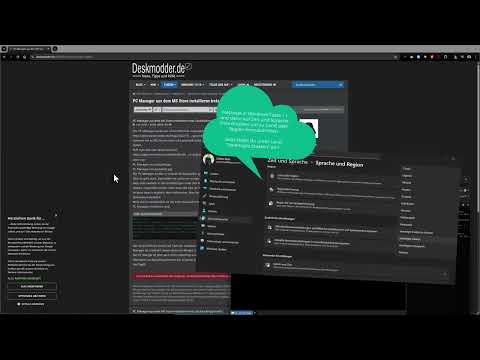
The video is only loaded from YouTube when you play it – data (including your IP address) is then transmitted to YouTube/Google. More in the privacy policy
Key Insights
The Microsoft PC-Manager is an easy-to-use program for system optimization that offers some powerful features. The installation is done through an alternative method, which I will explain step by step.
Step-by-Step Guide
1. Make Preparations
First, you should ensure that your PC is ready for the PC-Manager installation. You need a stable internet connection to download the necessary files. Also, make sure that your operating system is up to date.

2. Download Microsoft PC-Manager
Since the PC-Manager may not currently be available in the Microsoft Store, there is an alternative way to download it. Visit the official Microsoft website and search for the PC-Manager. Click on the download link to obtain the installation file.
3. Create CMD Script
To successfully install the PC-Manager, you need a small script that helps you bypass the block. Copy the required code from the Deskmoder website and save it as a CMD file on your desktop.
4. Execute Script
Double-click the CMD file you just created. This will automatically start the download of the PC-Manager. Wait while the file is downloading; this shouldn’t take long.

5. Start Installation
Once the download is complete, open the installation file of the PC-Manager. Follow the on-screen instructions to install the program. Note that the user interface may not be available in German; however, this is not a significant barrier to usage.
6. Use PC-Manager
Now that the PC-Manager is installed, you can start optimizing your PC. At the beginning, you have the option to optimize the RAM by deleting temporary files and unnecessary data. This is a simple step to immediately boost your system's performance.

7. Scan and Analyze System
To make further optimizations, click on the scan option in the PC-Manager. The program will now examine all areas of your system to find what can be improved. Here, you will immediately see which file sizes you can free up to save valuable storage space.

8. Perform Cleanup
After the scan is complete, the PC-Manager will display the problems and suggestions it found. You can then decide whether to implement the recommended cleanup measures or not. Often, temporary files, Windows logs, and caches are identified that can be removed.
9. Use Additional Features
The PC-Manager offers many more useful features, such as checking for system-relevant updates, optimizing startup programs, and searching for large files or duplicates. Use these options to specifically address potential issues and further enhance your system.
10. Final Steps and Recovery
After performing the various optimizations, you should restart your PC to ensure all changes take effect. After that, check the performance improvements and enjoy the enhanced user experience.
Summary - Speeding Up Windows with the Microsoft PC-Manager
With this guide, you have learned how to download, install, and use the Microsoft PC-Manager to optimize your computer's performance. The steps are relatively straightforward and offer you a free way to clean and speed up your system. Try out the different features and find out how you can use your PC more efficiently.
FAQ
What is the Microsoft PC-Manager?The Microsoft PC-Manager is a free program for optimizing PC performance.
How can I install the PC-Manager?You need to create a script to bypass the block and then download the installation file.
Are there alternatives to the PC-Manager?Yes, programs like CCleaner are also popular options for system optimization.
Why is the PC-Manager not in German?It is possible that the German version is currently not available.
Can I use the PC-Manager to clean up my hard drive?Yes, the PC-Manager offers functions for cleaning and optimizing storage space.

