If you've ever fed an image generator a multi-page list of commands, you know the problem: the result depends heavily on whether you described every detail exactly. Claude in a design context follows a different logic. This tutorial explains why that is and how to adapt your prompts accordingly.
The video is only loaded from YouTube when you play it – data (including your IP address) is then transmitted to YouTube/Google. More in the privacy policy
The video's short description also mentions that Claude generates real code and asks follow-up questions when instructions are unclear. The lesson only touches on these points in passing. The focus is on the mindset behind prompting, and that is the key to getting better results.
Key Takeaways
- Classic AI tools demand exact commands and complete control, while Claude needs a creative direction.
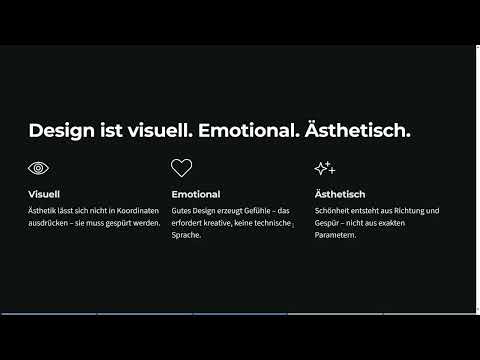
- Design is visual, emotional, and aesthetic. Aesthetics can hardly be captured in coordinates.
- Style descriptions and reference images are the strongest levers you have.
- Specifying mood, energy, and intention is often enough, without defining every element.
- Long, rigid prompt templates produce stiff results.
- Claude is a creative partner and not merely a command recipient.
Step-by-Step Guide
Step 1: Let go of the mindset of classic AI tools
Before you work with Claude, it's worth taking a look at your habits. If you work a lot with ChatGPT, you probably know the pattern: the more precise the instruction, the better the result. You treat the AI as a tool following the principle of input in, output out, and have full control over every adjustment.
That works, but it has limits. Images can be generated with ChatGPT, but the possibilities are very limited, and subsequent changes are hardly possible. In design, this logical control isn't enough, because good design doesn't work purely logically. This is exactly where the difference to Claude lies: you can let the AI partly work for you.

Step 2: Understand design as a feeling
Design is visual, emotional, and aesthetic. Aesthetics cannot be expressed in coordinates; they must be felt. The same applies to emotions: good design creates a feeling in the viewer. That's why it's not very helpful to always use the same prompt structure with fixed specifications. It's less about perfection in the details than about the overall result and its effect.
Ask yourself what feeling your project should convey before you think about spacing or font sizes.

Step 3: Work with style descriptions
Claude's greatest strength lies in style description. Instead of defining every layout element, you describe the look and feel of your image. A sentence like "My image should look minimalist and warm, like a Swiss magazine from the 70s" gives Claude a clear direction that it can fill with its own design decisions. This approach generally works very well with Claude, whereas with ChatGPT it is often less reliable.
Feel free to phrase your style in a vivid and concrete way in terms of expression, but open in terms of implementation.

Step 4: Use reference images and documents
You can upload reference images, but also articles or documents from which Claude can read content and derive a lot. The combination of a reference image and a short goal description is particularly strong. The image shows the desired direction, and the text explains what you want to achieve. You then don't have to repeat in words what the image already shows, and you save yourself long descriptions.
Make sure your reference image and your goal description match each other. If the two contradict each other, the result will be unclear.
Step 5: Formulate mood, energy, and intention
You can describe mood, energy, and intent without narrowing everything down precisely. A sentence like "warm and minimalist, with a lot of energy" is often enough as a creative brief. You don't have to name every element that should appear on the screen. What matters is that you give the whole thing a direction in which the result can develop.
Ask yourself before writing: How should the viewer feel when they see the result?
Step 6: Work with visual language
Instead of technical measurements, metaphors, atmosphere, and context help. You could, for example, describe that a homepage should feel like a calm morning at the lake, or that a landing page should convey the dynamism of a festival. Such images from everyday life often work more strongly with Claude than exact specifications. You don't need programming knowledge for this. If you've worked a lot with Claude Code so far, this approach is probably unfamiliar, but that's exactly the point here.
Step 7: Keep Prompts Lean
Don't demand perfection from every word, and don't make your prompts unnecessarily long. Overloaded instructions often lead to stiff, heavily structured results that you don't want at all. Instead, briefly state what you want to feel or experience, and leave Claude room for its own interpretations. In doing so, you take on the role of the Creative Director: You set the direction and ultimately decide on the result.
A good test is whether your prompt names the mood and goal in three to four sentences. If you go beyond that, check whether all the details are really necessary.

Step 8: Make the Mindset Shift
In the past, it was about exact commands and tight control. Today, it is more about creative direction, style, and references. Regard Claude as a creative partner, not as someone who simply follows orders. Those who internalize this change of perspective usually get more vibrant results and lose less time fine-tuning individual parameters.
If you are unsure whether your approach still fits, return to the basic questions: What mood should emerge, what style suits it, and which image can show the direction?
Summary – Claude Design: Why Claude Works Differently Than AI Tools
Traditional AI tools rely on precise commands and complete control. This makes only limited sense for design, because aesthetics and emotion cannot be captured in coordinates. Claude works with style descriptions, reference images, mood, and visual language. You set a creative direction, keep your prompts lean, and treat Claude as a partner. This produces results that are more vibrant, more adaptable, and closer to your vision.
FAQ
Why should I write less precise commands with Claude than with ChatGPT?Claude can work well with a creative direction, a style, and references, and makes its own design decisions in the process, whereas tight constraints often unnecessarily restrict the result.
Can I also use Claude for design without programming knowledge?Yes, the approach relies on visual language, mood, and context instead of code or technical parameters.
What kind of references can I upload?You can upload images, articles, and documents from which Claude can read content and derive directions.
Why are long prompts problematic?Very long and overloaded prompts often lead to stiff, heavily structured results that deviate from your actual vision.
What does the role of the Creative Director mean in prompting?You set the direction, the mood, and the goal, and ultimately decide which result you adopt or develop further.


