
Imagine opening PowerPoint and already knowing where to start before the first slide is in place. That is exactly what the introduction to this course is for. Thomas Ruschker welcomes you in the welcome video, explains how the course is structured, why you shouldn't skip the first units, and how to adjust the learning pace to suit yourself. This guide summarizes the content of the video and shows you step by step how to make sensible use of the course from the very beginning.
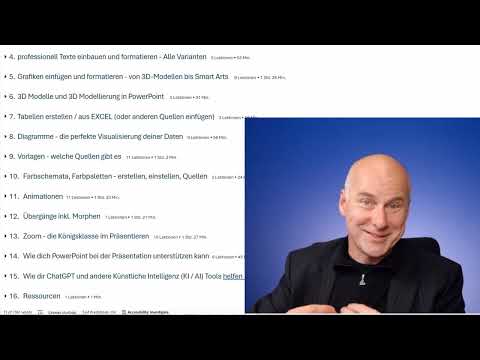
The video is only loaded from YouTube when you play it – data (including your IP address) is then transmitted to YouTube/Google. More in the privacy policy
Key Takeaways
- The course is structured as a reference guide, but you can also work through it from front to back.
- The introduction begins with fundamentals that make you productive quickly, for example keyboard shortcuts and selecting objects.
- Even seemingly simple introductory topics contain knowledge that will save you time later.
- The chapter on artificial intelligence is optional, but you should not skip the first units.
- With the video player's speed function, you adjust the pace to your learning level.
Step 1: Understand the course as a reference guide
The course is deliberately designed so that you can use it like a reference guide. If you want to solve a specific problem right now, you can quickly find the matching unit. Nevertheless, the course starts at the very beginning and guides you through the topics in a targeted way. It's best to create a note in which you keep track of which units you have already completed.

Step 2: Start with the techniques that make you fast
The first part of the course is dedicated to content that lets you work efficiently. This includes keyboard shortcuts, selecting objects, and other basic techniques that save you a lot of time in everyday work. These most important inputs form the foundation for everything that follows. Once you master them confidently, you will noticeably speed up when working with slides.

Step 3: Don't skip the introduction
The beginning may seem a bit calmer at first because it covers fundamental topics. But it is precisely here that important information and facts are found that many learners initially underestimate. Thomas Ruschker shares his own experience: he, too, initially had the impression that things were starting slowly, and then discovered several functions that suddenly made him much faster. So give the introduction a chance, even if you already know PowerPoint a little.

Step 4: Follow the order and choose chapters deliberately
Even though the course works as a reference guide, it is recommended to go through the first units one after another. If you're curious, you may jump straight to the last chapter, which deals with artificial intelligence. But please don't skip the fundamentals at the beginning. Afterwards, continue step by step so that your knowledge can build upon itself logically.

Step 5: Adjust your learning pace with the playback function
Not everyone learns at the same pace, and that is perfectly fine. In the video player, you will find the function to increase or decrease the playback speed. If a section seems too slow to you, speed up the video. If you can't quite follow an explanation, slow the speed down. That way you decide for yourself how much time you need for each topic.

Step 6: Continue with the introductory video
At the end of the welcome video, you are referred to the introductory video. There you receive organizational notes and the necessary overview before the content really gets going. Start it right afterwards so that you enter the next lessons with the right prerequisites.

Summary – Starting the PowerPoint course: How to use the introduction correctly
The course is a reference guide that nevertheless gently leads you from the fundamentals to the most important working techniques. You begin with the things that make you fast, take the introduction seriously, and stick to the order of the first units. You can save the chapter on artificial intelligence for later, and you determine the learning pace yourself with the player's speed function. With this approach, you lay a solid foundation for everything that follows.
FAQ
How is the PowerPoint course structured?The course is designed as a reference guide. You can access individual units as needed, but you should start systematically with the basics at the beginning.
Do I have to work through the chapter on artificial intelligence?No, the chapter is optional. If you are curious, you can jump straight to it. However, you should still work through the first units.
Can I adjust the speed of the videos?Yes, using the playback function of the video player, you can play any video faster or slower.
Why shouldn't I skip the introductory video?The introductory video contains important information and facts that make getting started easier and are often underestimated.


