
YouTube tutorial: Basics, marketing & video editing

- YouTube tutorial - the complete course on basics, marketing and video editing
- Basics: How to set up your YouTube channel correctly
- Optimization: How to use keywords, hashtags and co. in a targeted manner
- Reach: How to achieve more views, comments and subscriptions
- Video: What you should pay attention to when recording and editing
- Design: Create eye-catching thumbnails, banners, video overlays and more.
- Excursus: Editing YouTube videos and footage with OBS Studio, DaVinci Resolve and Photoshop
- YouTube from A to Z in over 19.5 hours with trainer Andreas Lang
Your videos in front of a large and even larger audience - start this YouTube tutorial now to soon be seen many times over!
137 Videos, 1171 minutes
This is what you can expect in the course
YouTube marketing: 1 | Intro
2 minWatch the video to find out what to expect in this YouTube marketing course.
Introduction YouTube-Marketing
YouTube marketing: 2.1 | Introduction to the course
6 minIn this video, I give you a short introduction to this course. I not only show you how it is structured, but also how to work your way through the course.
The project file contains material for the entire course:
- PDF files with summaries of various tips and tricks
- Badges with diamonds and crowns, text emotes and a facecam frame in PNG format
- Overlays, starting-soon and right-back templates in PNG and PSD format
- An outro in MOV format
- Subscription buttons in MP4 format
YouTube marketing: 2.2 | The perfect starting point for your channel
7 minHere I give you a perfect starting point for your YouTube channel.
YouTube marketing: 2.3 | Tips for newcomers
15 minDo you need a few tips as a newcomer to YouTube? Then this video is just right for you!
YouTube marketing: 2.4 | Equipment recommendations
9 minDon't have the right equipment for YouTube yet? Here are a few recommendations!
YouTube marketing: 2.5 | 20 profitable YouTube niches
24 minIn this video, I introduce you to 20 profitable YouTube niches that are definitely worthwhile on YouTube if you approach them correctly.
YouTube marketing: 2.6 | Ideas for a name
4 minFinding the perfect name on YouTube is not that easy. You can find out how to find it in this video.
YouTube marketing: 2.7 | Create a YouTube channel
4 minHaven't created a YouTube channel yet? Here's how to do it!
YouTube marketing: 2.8 | Basics for newcomers
21 minIn this video there are a few basics for beginners. If you are already familiar with YouTube, you will know these basics.
YouTube marketing: 2.9 | Description template
6 minHere we create a small template for the description together, which you can insert again and again without having to rewrite it.
Designs and animations
YouTube marketing: 3.1 | Create logo on the PC
8 minThis video shows you how to create a logo on your PC.
YouTube marketing: 3.2 | Create a logo on your cell phone
10 minHere you can find out how to create a logo on your cell phone.
YouTube marketing: 3.3 | Create an intro on the PC
8 minYou can see how to create an intro here.
YouTube marketing: 3.4 | Create an intro on your cell phone
4 minDo you still need a free intro? Here you can find out how to create one on your cell phone.
YouTube marketing: 3.5 | Create outro on the PC
11 minIn this video, I'll show you how to create an outro on your PC for free.
YouTube marketing: 3.6 | Create YouTube banner
6 minIf you don't have a good YouTube banner yet, I'll show you where you can get one for free in this video.
YouTube marketing: 3.7 | Create watermarks on the PC
6 minIn this video I show you how to create a watermark on your PC.
YouTube marketing: 3.8 | Emojis and logos for channel membership
7 minEmojis and logos are an important part of the channel membership that you have activated as a YouTube partner. You can find out where you can get them for free here.
YouTube marketing: 3.9 | Create thumbnails on the PC
9 minSince thumbnails are an important part of YouTube videos and very expensive for a freelancer, I'll show you here where you can create them completely free of charge.
YouTube marketing: 3.10 | Create thumbnails on your cell phone
15 minYou can find out how to create thumbnails on your cell phone completely free of charge in this video.
YouTube marketing: 3.11 | Overlays for the livestream
10 minIn this video I show you how to create an overlay for the livestream.
Set up YouTube channel
YouTube marketing: 4.1 | Set up channel
28 minHere you can get a complete tutorial on how to set up your own YouTube channel.
YouTube marketing: 4.2 | Create playlist
9 minIn this video, I will show you how to create a playlist and what other options you have for editing a playlist.
YouTube marketing: 4.3 | Set notifications
4 minMost of the time, you don't want to receive all notifications on YouTube. That's why I show you in this video where you can manage them.
YouTube marketing: 4.4 | Verify your YouTube account for more benefits
2 minA verified YouTube account has many advantages, such as being able to upload longer videos to YouTube. You can find out how to verify your channel here!
YouTube marketing: 4.5 | Change and find URL, channel link
3 minThis video shows you how to change and find your YouTube channel URL.
YouTube marketing: 4.6 | Set default settings for the upload
4 minDefault settings can save an enormous amount of time when uploading videos. I will show you how to set these here.
YouTube marketing: 4.7 | Add employees and administrators
4 minCollaborators and admins can take a lot of work off your hands on YouTube. You can find out how to add them here.
YouTube marketing: 4.8 | Hide subscribers
1 minIf you don't want to publish your subscriber count, I'll show you how to hide it here.
YouTube marketing: 4.9 | Switch ratings and comments on and off
2 minIn this video, I show you how to activate or deactivate ratings and comments under a video.
YouTube marketing: 4.10 | Create channel section
5 minI'll explain how to set up a channel section on the start page of your YouTube channel here.
YouTube marketing: 4.11 | Change name
1 minDon't like your old YouTube name anymore? No problem. In this video I show you how to change your name.
YouTube marketing: 4.12 | Activate dark mode
1 minIn this video, I'll show you how to switch on dark mode to get a dark YouTube design.
YouTube marketing: 4.13 | Change email address
3 minHere you can find out how to change the email address of your YouTube channel.
YouTube marketing: 4.14 | Change language (PC and mobile)
2 minWould you like to view YouTube in another language, e.g. to identify certain trends from other countries? Then take a look at this video.
YouTube marketing: 4.15 | Activate and deactivate age restriction
2 minIn this video I show you how to activate and deactivate the age restriction.
YouTube marketing: 4.16 | Set up parental control
1 minIn this video, I'll show you how to set up parental controls for YouTube.
YouTube marketing: 4.17 | Upload channel banner
2 minHere I show you how to upload a channel banner.
YouTube marketing: 4.18 | Change profile picture
2 minIn this video, I show you how to change your profile picture.
YouTube marketing: 4.19 | Upload thumbnail
4 minYou can find out how to upload your own thumbnail here.
YouTube marketing: 4.20 | Upload watermark
2 minIn this video I show you how to upload a watermark.
Livestreams
YouTube marketing: 5.1 | Stream on YouTube or Twitch?
3 minIs it more worthwhile to stream on YouTube or Twitch? We address this question in this video.
YouTube marketing: 5.2 | How to become a successful streamer?
10 minWhat exactly makes a successful streamer? We clarify this in this video.
YouTube marketing: 5.3 | Stop livestream completely
62 minIn this video I show you how to set up a livestream completely.
YouTube marketing: 5.4 | Go live on your cell phone
10 minYou can find out how to go live on YouTube on your cell phone here.
YouTube marketing: 5.5 | Find and insert stream keys
2 minIn this video I show you where to find the stream key.
YouTube Marketing: 5.6 | Tier List Maker
8 minWith the Tier List Maker you can provide additional entertainment for the stream. You can find out exactly how to set this up here.
YouTube marketing: 5.7 | Bracket fights for livestreams
6 minIn this video I show you how to set up bracket fights as additional entertainment for the livestream.
Monetize YouTube channel and earn money
YouTube marketing: 6.1 | Earning money with YouTube
10 minIn this video, I'll show you a few ways to earn money with YouTube, even without a monetized channel.
YouTube marketing: 6.2 | Advertising suitability for videos
7 minCertain YouTube videos cannot be monetized on YouTube. You can find out exactly what these are here.
YouTube marketing: 6.3 | Finding collaborations and building additional sources of income
7 minIn this video, I explain where you can find collaborations and what other sources of income you can build up for YouTube.
YouTube marketing: 6.4 | Label advertising and affiliate links
5 minIn this video, I show you how to label advertising and affiliate links on YouTube.
YouTube marketing: 6.5 | Register business
8 minWould you like to earn money with YouTube one day? Then you can't avoid registering a business! Here I explain what you need to bear in mind and how it all works.
YouTube marketing: 6.6 | Fill out Google AdSense tax form
2 minIf you want to monetize your YouTube channel, you have to fill out a Google AdSense tax form. I explain how to fill out the form step by step here.
YouTube marketing: 6.7 | Find affiliate links
10 minIn this video I show where you can get some good affiliate links for additional income.
YouTube marketing: 6.8 | Create offers for channel membership
14 minHere I show you how to create offers for channel membership.
YouTube marketing: 6.9 | Upload emotes and logos for channel membership
9 minIn this video I show you how to upload emotes and logos for channel membership.
YouTube marketing: 6.10 | Set up Super Thanks function
4 minIn this part, I'll show you how to set up the Super Thanks function.
YouTube marketing: 6.11 | YouTube payout received
5 minIn this video, I'll tell you when you'll receive your YouTube payout from the partner program.
YouTube marketing: 6.12 | Switching advertising on and off
2 minYou can find out how to switch advertising on or off before the videos here.
Important tips
YouTube marketing: 7.1 | Write title description and tags correctly
23 minIn this video, I show you how to create a good title, description and tags for a video. This is very important for YouTubers so that they can be found.
YouTube marketing: 7.2 | Find keywords
10 minIn this video, I'll show you how to get good keywords for the title, description and tags.
YouTube marketing: 7.3 | Find video ideas
8 minIt doesn't take much effort to find video ideas that are actually searched for frequently. In this video, I'll show you where I can find them.
YouTube marketing: 7.4 | Finding trends
9 minDo you want to identify trends and get your channel off to a flying start? Then this video will help you.
YouTube marketing: 7.5 | Tips for designing thumbnails
13 minIn this video I give you a few tips on how to create a good thumbnail.
YouTube marketing: 7.6 | Use hashtags
5 minThis is all about hashtags that you should use for your YouTube videos to make them easier to find.
YouTube marketing: 7.7 | Insert info cards and credits
10 minHere I show you how to include info cards and credits in a video to increase the chance that people will watch your video more.
YouTube marketing: 7.8 | Edit and translate subtitles
5 minIn this video I show you how to edit and translate a subtitle.
YouTube marketing: 7.9 | Upload videos
22 minYou can find out how to upload videos to YouTube correctly here.
YouTube marketing: 7.10 | Upload shorts
5 minShorts are a very good way for small channels in particular to get the channel growing faster. You can find out what you need to know here.
YouTube Marketing: 7.11 | YouTube Editor - Edit videos afterwards
11 minIn this video I show you how to edit YouTube videos afterwards.
YouTube marketing: 7.12 | Audio media library
6 minThis is all about the YouTube audio library. I would like to explain everything you need to know.
YouTube marketing: 7.13 | Get more ratings and comments
5 minRatings and comments under YouTube videos are very important as they show YouTube that the videos are relevant. I'll tell you how to increase the chance of a rating or comment here.
YouTube marketing: 7.14 | Distribute videos - free alternatives
8 minIn this section, there are a few alternatives for distributing YouTube videos for free without spending an advertising budget.
YouTube marketing: 7.15 | Advertising for YouTube with Google Ads
13 minIn this video, I show you how to advertise on YouTube with Google Ads.
YouTube marketing: 7.16 | Post YouTube channel or video in Instagram Story
2 minIn this video, I show you how to post your YouTube channel or a video in your Instagram Story to get more views.
YouTube marketing: 7.17 | Create community post
3 minWith this video I would like to show you how to create a community post.
YouTube marketing: 7.18 | Insert chapter markers
3 minHere you will be shown how to insert chapter markers into your videos.
YouTube marketing: 7.19 | Mention channel in title or description
2 minWould you like to mention a channel in the title or description? That's what this is about.
YouTube marketing: 7.20 | Pin comments
2 minYou can find out how to pin comments here.
YouTube marketing: 7.21 | Understanding analytics
17 minThe data from YouTube Analytics is very important to understand what you need to improve on your channel. I'll tell you how to evaluate analytics here.
Admittance program
YouTube marketing: 8.1 | Recording YouTube videos with your cell phone and equipment recommendations
7 minIn this video I show you how to record videos with your cell phone and recommend some equipment.
YouTube Marketing: 8.2 | Install OBS Studio and Basics
15 minHere I'll show you how to download a free program called OBS Studio to record videos, and give you some basics.
YouTube Marketing: 8.3 | OBS Studio - Recording Settings
18 minThe OBS Studio recording settings are an important part of ensuring good video quality. I will show you how to set these here.
YouTube Marketing: 8.4 | OBS Studio - Set Audio
17 minYou can find out how to set the audio correctly in OBS here.
YouTube Marketing: 8.5 | OBS Studio - Set microphone
9 minThe microphone quality is the most important thing in a video. I will show you here how to set up a microphone correctly in OBS.
YouTube Marketing: 8.6 | OBS Studio - Webcam setup
13 minIn this video, I show you how to set up a webcam.
YouTube Marketing: 8.7 | OBS Studio - Remove green screen
4 minHere I show you how to remove a green screen in OBS Studio.
video editing program
YouTube marketing: 9.1 | Video editing program for cell phones
10 minIn this section, I will introduce you to a free video editing program for cell phones.
YouTube Marketing: 9.2 | DaVinci Resolve - install free version
4 minIn my opinion, the best free video editing program that comes close to professional software is DaVinci Resolve. I'll show you how to install this program here.
YouTube Marketing: 9.3 | DaVinci Resolve Studio Version - Benefits
9 minHere are a few advantages of the paid DaVinci Resolve Studio version.
YouTube Marketing: 9.4 | Activate DaVinci Resolve Studio version
5 minIf you have decided to use the Studio version of DaVinci Resolve, I will show you how to activate it here.
YouTube Marketing: 9.5 | DaVinci Resolve - Getting started with the program
64 minIn this video I give you a short introduction to DaVinci Resolve.
YouTube marketing: 9.6 | Connecting DaVinci Resolve with YouTube channel
2 minIn this video, I show you how to connect your YouTube channel to DaVinci Resolve. This allows you to upload the video directly from DaVinci Resolve to YouTube after editing.
YouTube Marketing: 9.7 | DaVinci Resolve - important shortcuts
18 minIn this video I give you a few very important shortcuts for DaVinci Resolve.
YouTube marketing: 9.8 | DaVinci Resolve - Editing videos
16 minHere I'll show you how to edit videos with DaVinci Resolve.
YouTube Marketing: 9.9 | DaVinci Resolve - free sound effects
7 minFree sound effects for DaVinci Resolve are available here.
YouTube Marketing: 9.10 | DaVinci Resolve - Create sound effects
11 minWant to create some sound effects for your videos? No problem. Here I'll show you a few ways to do this.
YouTube Marketing: 9.11 | Create subscription button animation with DaVinci Resolve and Photoshop
31 minIn this video, I'll show you how to create your own subscription button animation for YouTube.
Useful pages and tools
YouTube marketing: 10.1 | Royalty-free music program
6 minIn this video I show you a program for royalty-free music.
YouTube marketing: 10.2 | Free clips for YouTube videos
4 minI'll show you where you can find free clips for YouTube videos here.
YouTube marketing: 10.3 | TubeBuddy - free research tool
18 minTubeBuddy is a free research tool that can help you on your way as a YouTuber. I'll show you exactly how this program works here.
YouTube marketing: 10.4 | Automatically create title, description and tags
11 minIt would be a dream to create titles, descriptions and tags automatically. But this can actually become a reality - with the tool I'm presenting to you here.
YouTube marketing: 10.5 | Automatically create subtitles for free
7 minIn this video I show you how to create subtitles automatically.
YouTube marketing: 10.6 | Create QR code for free
5 minIf you want to create a free QR code for your YouTube channel, I'll show you how to do it here.
Worth knowing
YouTube marketing: 11.1 | Get more subscribers
11 minYou can find a few tips and tricks to get more subscribers to your channel here.
YouTube marketing: 11.2 | Get more views
9 minYou can find out how to get more views on your videos here.
YouTube marketing: 11.3 | YouTube channel gets no subscriptions
10 minIf your YouTube channel isn't getting any subscriptions, then you're probably making one of the mistakes I present in this video.
YouTube marketing: 11.4 | Mistakes to avoid
8 minThere are a few mistakes on YouTube that you should avoid at all costs so as not to damage your own channel. I'll tell you what they are here.
YouTube marketing: 11.5 | Common mistakes with thumbnails
9 minIn this video, I list a few mistakes that are very often made when designing thumbnails.
YouTube marketing: 11.6 | Imprint obligation
5 minThe legal notice requirement is an important point to avoid warnings on YouTube. Do I need an imprint? How do I set it up? Find out in this video.
YouTube marketing: 11.7 | Important guidelines that many people don't follow
8 minHere are a few important guidelines that many YouTubers don't follow and will probably regret one day with a strike or channel suspension.
YouTube marketing: 11.8 | Everything you need to know about strikes
8 minI'll tell you everything you need to know about strikes here.
YouTube marketing: 11.9 | Comments are deleted for no reason
4 minAre you wondering why comments are sometimes deleted for no reason? I'll explain why here.
YouTube basics
YouTube marketing: 12.1 | YouTube hacks
7 minIn this video I show you a few YouTube hacks.
YouTube marketing: 12.2 | Forgotten e-mail
2 minIf you've forgotten your e-mail address, I'll show you what you can do about it here.
YouTube marketing: 12.3 | Block and unblock users
2 minIf a user on YouTube is annoying you, you can easily block them with a setting. I'll show you how to do this here.
YouTube marketing: 12.4 | Delete search history and playback history
3 minI'll show you how to delete the search history and playback history on YouTube here.
YouTube marketing: 12.5 | Watch videos from other countries
2 minWould you like to analyze trends from other countries? No problem. Here I show you how to watch videos from other countries.
YouTube Marketing: 12.7 | YouTube Premium - Advantages and my opinion
4 minI'll tell you exactly what advantages YouTube Premium has here.
YouTube marketing: 12.8 | Download videos from YouTube legally
4 minHere I will show you how to legally download videos from YouTube so that you can watch them on the go without the Internet, for example.
YouTube marketing: 12.9 | View subscribers
1 minIf you would like to see who exactly has subscribed to your channel, I will show you here where this can be viewed.
YouTube marketing: 12.10 | Report video or channel
4 minIf a channel has stolen your videos, you have the option of reporting a video or the channel. I'll show you how to do this here.
YouTube marketing: 12.11 | Delete YouTube account
1 minHere I'll tell you how to delete a YouTube account.
YouTube marketing: 12.12 | Activate and deactivate subtitles
1 minIn this video I will show you how to activate and deactivate subtitles.
YouTube marketing: 12.13 | Set video quality on YouTube
2 minHow to set the video quality under a YouTube video is shown here.
YouTube marketing: 12.14 | Unsubscribe YouTube channel (PC and mobile)
1 minIf you want to unsubscribe from your YouTube channel, simply follow the steps in this video.
YouTube marketing: 12.15 | Play videos in the background on your cell phone
2 minHere's a little trick on how to play videos in the background on your cell phone.
YouTube marketing: 12.16 | Block YouTube page
4 minIf you want to block the YouTube page in your browser, I'll show you how to do it here.
Create images for YouTube with Photoshop
YouTube marketing: 13.1 | Create logo
11 minIn this video, I'll show you how to create a simple logo for YouTube using Photoshop.
YouTube marketing: 13.2 | Create portrait profile picture
14 minDon't want to set a logo as your profile picture, but a picture of yourself? Here we show you how to create a portrait profile picture in Photoshop.
YouTube marketing: 13.3 | Create YouTube banner
21 minHow to create a YouTube banner with Photoshop is shown here.
YouTube marketing: 13.4 | Create emojis and logos for channel membership
12 minHere I'll show you how to use Photoshop to create your own emojis and logos for channel membership on YouTube.
YouTube Marketing: 13.5 | Create Starting-Soon, Be-Right-Back Overlay with Photoshop
11 minIn this video, I'll show you how to create a starting-soon and right-back overlay with Photoshop.
YouTube marketing: 13.6 | Create stream overlay with Photoshop
22 minHow to create a complete stream overlay with Photoshop is shown here.
YouTube marketing: 13.7 | Create webcam frame with Photoshop
15 minHere I show you how to use Photoshop to create a cool webcam frame for your YouTube livestreams.
Quiz for the course
YouTube Marketing: 14 | Quiz on the course
6 minTest your knowledge from the course with this short quiz consisting of 10 questions.
Examples of use
-
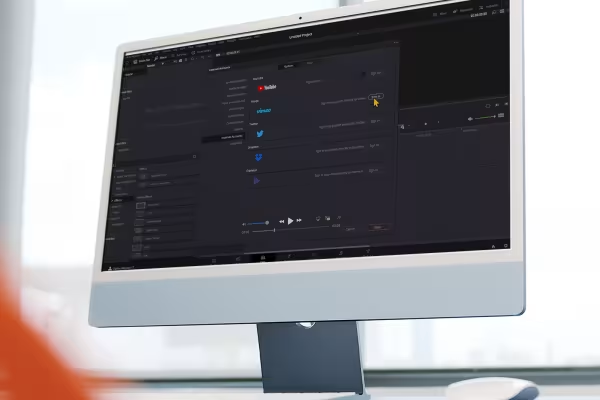 YouTube from A to Z: Learn how to prepare your videos correctly and show them to many viewers.
 -
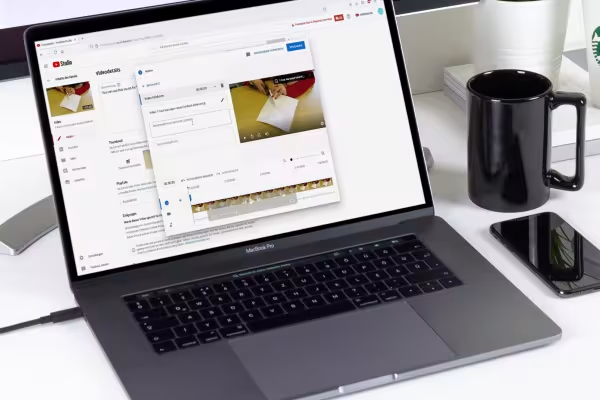 Optimally set up: Increase the success of your YouTube channel with these marketing aspects.
You might also like
48 editable chart templates in SVG, PDF, EPS, PNG, and PowerPoint – in under a minute in the customer’s corporate identity
277 occasions with 3 post ideas each, wall planner A2/A1, monthly calendar A4, Excel database, calendar file, and bonus tools

From Context Hints to Conversion: Campaigns in ChatGPT
10 sets of 50 vector icons in line and duotone, available in SVG, EPS, and PNG
Comment now „YouTube tutorial: Basics, marketing & video editing“