91 color looks in seven theme packs, from cinema look to log conversion. Each look is available as a .cube for Photoshop, Premiere, and Resolve, with 76 of them additionally provided as real Lightroom presets. Additionally, there are seven tutorials and 91 before-and-after views.
91 Looks in .cube format for Photoshop, Affinity Photo, Premiere Pro, After Effects, DaVinci Resolve, and Final Cut Pro
76 of them are also available as real Lightroom presets for Lightroom Classic, Lightroom, and Camera Raw, directly applicable to RAW files
15 log conversions for Sony, Panasonic, Canon, DJI, Nikon, Fujifilm, ARRI, and Apple, calculated based on the manufacturer's specifications
Seven instruction PDFs with the exact click path for each program
91 Before-and-after views for comparison and for your own social posts
Choose a look, adjust the opacity, done. 91 color looks that will get your material to where you want it in seconds.
content
7 items
The seven LUT packages
LUT Package Cinematic & Film: 15 Cinema Looks for Photo and Video (Edition 2026)
Your material is well-exposed, sharp, and correctly white-balanced. And yet, it looks like a well-made vacation video. This is exactly the gap that the fifteen looks in this package fill.
Inside is the complete toolkit for cinematic color grading: Teal & Orange in a subtle and a vibrant version, Bleach Bypass with a metallic base tone from silver bleach, Neo-Noir for nighttime scenes, Golden Hour and Blue Hour for times of day you missed while filming, Day for Night for nighttime moods in bright sunshine, along with Desert Sand, Nordic Cool, Thriller Green, Warm Romance, and two film emulations with a soft foot and gentle shoulder.
Each look is available in two formats. As .cube files for Premiere Pro, After Effects, DaVinci Resolve, Final Cut Pro, Photoshop, and Affinity Photo. And as a real Lightroom preset in .xmp format, built in Lightroom’s own language with tone curve, HSL, and color grading. This works directly on RAW files, and you can adjust every slider yourself.
Additionally, there is a tutorial PDF with the exact click path for each program, all looks with descriptions, and five practical tips. The most important of these: adjust exposure and white balance first, then the look. On a crooked image, even the best LUT won’t help.
LUT package Portrait & Skin Tone: 12 Looks for People in Front of the Camera (Edition 2026)
Skin tones are the point at which any color correction gets exposed. One degree too far into orange and your model looks like they just stepped out of a tanning bed. One degree too far into green and they look sick. The twelve looks in this package are precisely built around this narrow margin.
You get Skin Tone Neutral as a subtle correction for everything, Skin Tone Warm for a sun-kissed impression, Beauty Soft with flat contrast and delicate lights, Business Portrait for team and application photos, Studio Clean for shots against a white background, Available Light for indoor environments with mixed light, two wedding variants from bright and airy to warm and timeless, two black and white looks, and a portrait film look with fine color separation.
Everything is available as .cube for Photoshop, Affinity Photo, and video programs, and additionally as a Lightroom preset for Lightroom Classic, Lightroom, and Camera Raw. The black and white presets really utilize the black and white mixer in Lightroom, rather than just setting the saturation slider to zero. You won’t hear the difference, but you will see it in every face.
LUT package Food & Gastro: 12 looks for food, drinks, and gastronomy (issue 2026)
Photographing food means tackling two enemies at the same time: yellowish artificial light in the kitchen and dishes that look duller in the photo than on the plate. The twelve looks here work against both.
Fresh & Crisp brings salads and vegetables back to juicy green. Warm & Rustic suits the stew on a wooden table, Bakery Golden goes with crust and butter without drowning everything in orange. Fine Dining Dark sets the plate against deep shadows, Grill & Meat adds structure to the crust, Green & Vegan brightens bowls, Drinks Clarity makes ice and glass sparkle, and Menu Neutral is the color-accurate version for menus and delivery platforms, so that the guest doesn’t experience any surprises later.
Both formats are included: .cube for Photoshop, Affinity, and video, .xmp for Lightroom and Camera Raw. Especially in the food sector, where you rarely come home with just one image, this preset in Lightroom saves you half the evening because you can apply it across the entire series.
LUT Package Real Estate & Interior: 12 Looks for Exposé, Interior and Architecture (Edition 2026)
In real estate photography, it is decided in two seconds whether someone will click further. A dark room with yellowish walls appears cramped, while the same room looks twice as large when it is bright and color-neutral. That's exactly what these twelve looks are designed for.
Real Estate Neutral is the default setting for the exposé; Bright & Spacious highlights midtones and opens up shadows; Cozy Living turns an apartment into a home; Scandinavian Bright removes color and brings in brightness; Industrial Loft focuses on strong contrast with cool shadows. In addition, there are Fresh Kitchen, Clear Bathroom against the yellow tint on tiles, Daytime Exterior with a vivid sky, the popular twilight shot with a deep blue sky and warmly glowing windows, Business Neutral for commercial spaces, Inviting Vacation Rental, and Wood & Natural Tone for differentiated brown tones instead of orange mush.
Available as .cube and as a Lightroom preset. When processing twenty rooms of an apartment, you apply the preset over the entire series and only adjust the outliers.
LUT package product & e-commerce: 10 looks for shop, catalog, and marketplace images (edition 2026)
In online retail, color has a downside: returns. If the sweater looks just a bit too warm in the photo, it comes back. That's why the ten looks in this package are designed to be intentionally understated yet still effective.
Product Neutral is the minimal correction for maximum color fidelity. White Background Clean allows the background to seamlessly blend into white while keeping the edges sharp around the product. Jewelry Brilliant applies harsh lights for metals and stones, Fashion & Textile Real reduces saturation in favor of the true fabric color, Technology Cool separates dark plastics cleanly from one another, and Cosmetics Soft works with bright midtones. Contrast Pop is the loud version for marketplace listings that must stand out in the grid, while Marketplace Standard ensures consistent brightness across an entire image series.
Included: .cube for Photoshop and Affinity, .xmp for Lightroom and Camera Raw, along with the instruction PDF.
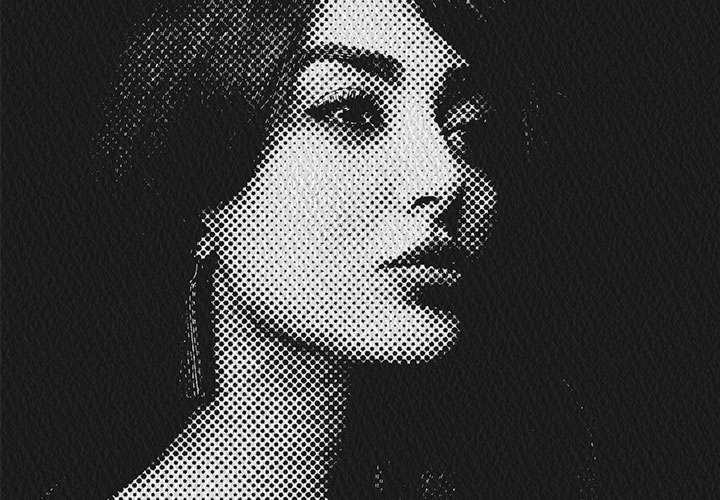
LUT Package Creative & Stylized: 15 Design Looks from Duotone to Cyberpunk (Edition 2026)
This package is for the cases where the photo shouldn't look real, but rather good. Fifteen looks that can be recognized from twenty meters away.
Two duotone variants for cover images and social posts, retro 70s with boosted black and warm orange, cyberpunk neon with magenta against cyan, vaporwave in pink and turquoise, infrared as a real false color effect via the channel mixer, vintage fade, two cross-developments with tilting color channels, comic pop with striking primary colors, matrix green, blueprint, red filter drama, pastel dream, and a high-contrast mono without compromises.
The Lightroom presets are particularly interesting here: In the cross-developments, they really adjust the individual channel curves for red, green, and blue, just as you would do it manually. So you can touch each curve and push the effect in your direction, rather than just accepting it as it comes.
LUT package log to Rec.709: 15 conversions for Sony, Panasonic, Canon, DJI, Nikon, Fujifilm, ARRI, and Apple (release 2026)
Log material looks like a washcloth directly out of the camera, and that's intentional. The dynamic range is contained within, it just needs to be unpacked. This package does exactly that, and it does so with mathematical correctness.
Included are S-Log3 with S-Gamut3.Cine and S-Gamut3, S-Log2, V-Log, C-Log2 and C-Log3, D-Log for DJI drones, N-Log, F-Log and F-Log2, ARRI LogC3 and LogC4, Apple Log for iPhone recordings, as well as two deliberately flat variants as a starting point for your own grading.
Each conversion is calculated from the published transfer functions and gamut matrices of the manufacturers, not hastily thrown together. The testing is done using the 18-percent gray card: It falls between 0.442 and 0.449 for each individual LUT, with the target value according to Rec.709 convention being 0.45. The highlights roll off with a filmic shoulder, rather than cutting off sharply, and the gray wedge is monotonous throughout, meaning there is no tone value inversion.
There are intentionally no presets for Lightroom here. Log material is video material, and Lightroom is not the place where you correct it. The correct order is specified in the instruction PDF: Log conversion at the beginning of the chain, creative looks afterward.
Comments (0)
Comment now „LUT-Saving Package 2026: 91 Color Looks for Photo and Video“