Before you design even a single button, you should know which building blocks support a landing page and in what order they guide the visitor. That is exactly where this tutorial comes in. You plan the structure first with an AI chat and only then transfer it into a design tool. This way you avoid building a pretty layout that ultimately lacks the sales impulse.
The video is only loaded from YouTube when you play it – data (including your IP address) is then transmitted to YouTube/Google. More in the privacy policy
The example used is the fictional online shop PowerPlay, which sells premium dog toys. Using this shop, I will show you how to build a prompt that delivers a complete page structure with goals and copy.
Key Takeaways
A landing page follows a logical sequence: First you capture attention, then you name the problem, show the benefit, build trust, and call for action.
Every section needs a clear purpose, a strong headline, suitable content, and a conversion goal.
The target audience and the business goal determine the prompt. The more precisely you describe both, the more useful the structure will be.
Only promise what you can prove. Testimonials, figures, and quality seals must correspond to reality.
Step-by-Step Guide
Step 1: Put the AI in the Right Role
The first step concerns the start of the prompt. You give the AI a clear role, for example that of a conversion expert, copywriter, and UX designer for your shop. As a result, the model does not respond as a general assistant but thinks from the perspective that matters for sales pages. Also state the name and type of your shop so that the answers become concrete.

Step 2: Describe the Target Audience and Business Goal
Next, describe who you want to reach. In the example, it is dog owners between 25 and 45 years old who regard their dog as a family member and are willing to spend more money on it. Add that they do pay attention to value for money, but above all are looking for high-quality products. The actual goal is sales. The more precisely the target audience is described, the more specifically the AI will later formulate headlines and arguments.

Step 3: Define the Desired Sections
Now you define which sections the page should contain. For PowerPlay, these are the hero section as the top area, followed by the problem section, the product benefits, a bestseller section, testimonials, an FAQ section, and finally a call-to-action. This order is no coincidence. It reflects the path of a prospective buyer: first interest, then need, then trust, then decision.
Step 4: Request Purpose, Headline, Content, and Goal for Each Section
Also ask the AI to explain four things for each section. First, the purpose, that is, the reason why this section exists. Second, a convincing headline. Third, the suitable content elements such as body text, buttons, images, or icons. Fourth, the conversion goal, meaning what the visitor should do after reading. If you demand this information, you do not get a mere list of headings but a blueprint you can continue working with.
Step 5: Choose the Right Model
Before sending, you choose the model. A smaller model like Haiku 4.5 saves tokens and allows you more requests per day. For a landing page whose copy is really meant to convince, however, a more powerful model like Sonnet 4.6 is worthwhile. This is exactly the model used in the tutorial. Expect the response to take a bit longer and consume more tokens, because the model thinks through the structure in more detail.

Step 6: Analyze a Role Model
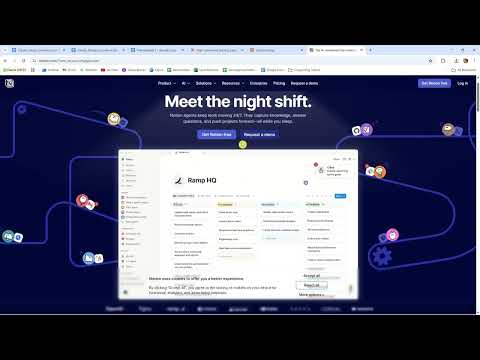
Before you evaluate the AI's response, it is worth taking a look at existing pages. In the tutorial, the landing page of the tool Notion serves as an example. Pay attention to the building blocks: a large headline, two call-to-actions, short texts, and subtle animations. You don't have to copy such pages, but you learn from them how successful pages dose information and direct attention.

Step 7: Think Through the Hero Section as an Example
The hero section is the first impression and often decides within a few seconds whether a visitor stays. Its goal is to signal immediate relevance and strike an emotional chord. A possible text for PowerPlay reads: Toys that truly challenge your dog and truly last. Developed with animal experts, tested by over 10,000 dogs. However, such statements only make sense if they are true. So for every number, ask yourself whether you can prove it.

Step 8: Review the remaining sections
Now you go through the other areas. The problem section should activate pain, such as the worry that cheap toys will be shredded after just a few minutes. The product benefits communicate the value. The bestseller section provides purchase impulses, the testimonials build trust, and the FAQ addresses final objections. At the end comes the call-to-action. An example would be: Your dog deserves it, and so do you. Free shipping from 36 euros and a 30-day money-back guarantee.

Step 9: Check the content for plausibility
Especially with testimonials and key figures, the AI sometimes tends toward exaggeration. If your shop doesn't have any customers yet, you shouldn't adopt statements like "tested by 10,000 dogs". So go through every statement and ask yourself whether you can prove it. If a section is unclear to you or you want something different, simply ask the AI a follow-up question before you adopt the structure.

Step 10: Save the prompt and prepare it for the design
Finally, you copy the successful structure and save the prompt in a document. In the next lesson, you will take exactly these building blocks into Claude Design and implement them visually there. A well-saved prompt will save you time later, because you can adapt it for further projects.

Summary – Planning landing page structure with AI: Layout, sequence and prompt for higher conversion
An effective landing page doesn't come about by chance. It follows a sequence of hero, problem, benefit, bestsellers, trust, questions, and a closing call-to-action. Each of these sections has its own purpose and its own goal. With a well-formulated prompt that describes the role, target audience, business goal, and desired sections, you have an AI develop this structure for you. Review the results critically, especially with numbers and testimonials, and only then take the building blocks into the design.
FAQ
Why does a landing page begin with the hero section?The hero section is the first impression and decides within a few seconds whether the visitor stays or leaves the page.
Why does the problem section come before the product benefits?Only when the visitor recognizes their pain does the benefit of a product become truly relevant to them as a solution.
What is the difference between Sonnet and Haiku?Sonnet generally delivers more detailed and careful texts, while Haiku is faster and saves tokens, making it well suited for many simple requests.
May I write numbers like "10,000 satisfied customers" on the landing page?Only if they are accurate and verifiable. For a new shop without customers, you should leave out such statements.
Why do I need a conversion goal for each section?The conversion goal defines which action the visitor should take after reading, and helps you align content and buttons specifically toward it.
Why should I ask the AI about the purpose of each section?The purpose explains why a section exists and makes it easier for you to decide what to keep, change, or delete.
Can I also use the prompt for other projects?Yes, you simply swap out the shop, target audience, and product and keep the proven structure.


