

Imagine that an ordinary photo turns into a comic motif or an image in a distinctive polygon style within just a few minutes. That is exactly the goal of Andy's Adobe Photoshop course. The intro video lasts only 40 seconds, but it gives a clear overview of what awaits you in the following lessons. This guide picks up the content of the intro, puts it into context, and shows you how to get off to a good start in the course as a beginner.
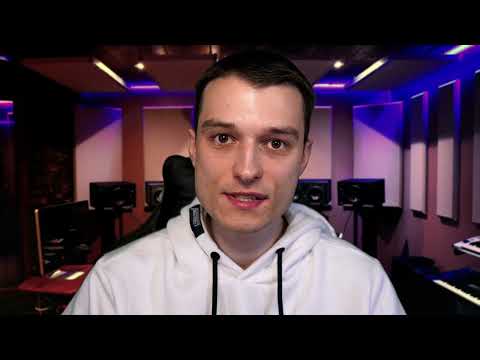
The video is only loaded from YouTube when you play it – data (including your IP address) is then transmitted to YouTube/Google. More in the privacy policy
Key Takeaways
- The course teaches image editing techniques and shows you how to use them to create your own image effects.
- You will also learn to use overlays, which you will need again and again in many image projects.
- The course is deliberately designed to be beginner-friendly, and hardly any prior knowledge is required.
- The effects covered range from comic to polygon images and cover almost all well-known effects.
- You lose nothing except time spent on unused possibilities, because you gain knowledge that you can apply immediately.
Step-by-Step Guide
Step 1: Andy's Welcome
The introduction begins with a short welcome. Andy introduces himself by name and makes it clear right away that this course offers more than pure theory. Pay attention here to how relaxed and direct he speaks. That is a good sign for what follows, because you will be guided through practical examples and not overwhelmed with dry menu explanations.

Step 2: Focus on Image Editing Techniques and Image Effects
In the next section, Andy names the core of the course: you will learn image editing techniques and create many different effects along the way. This combination is important because the techniques cannot be viewed in isolation. Each effect shows you a way of working that you can later also apply to your own photos. It is best to note down right now which kind of images you would like to edit, for example portraits, landscapes, or product photos. That way you keep a concrete goal in mind while following along.

Step 3: Overlays as Recurring Helpers
In addition to the effects, the course also offers overlays. These are layers that are placed over your image and give it additional impact, such as textures, lighting moods, or graphic patterns. Andy emphasizes that you will need overlays for your images again and again. For you, this means: create your own collection in which you store the overlays from the course. This saves you a lot of time on future projects, and your results look more consistent.

Step 4: The Course Is Made for Beginners
An important point for everyone who has worked little with Photoshop so far is the statement that the entire course is structured to be very beginner-friendly. You need to bring almost no prior knowledge. If you have only opened Photoshop so far but hardly used it, you are in the right place. Still, don't be discouraged if a term sounds new at first. The lessons build on each other step by step, so that you get to know the program piece by piece.

Step 5: From Comic Images to Polygon Images
Andy mentions two concrete examples: comic images and polygon images. Comic images turn a photo into a drawn look with clear outlines and bold colors. Polygon images break the motif down into geometric surfaces and thus create a graphic, modern look. These two examples alone show how different the results can be. Feel free to try the effects on one of your own photos, even if you don't yet understand every step right away. The course will provide you with the necessary background.

Step 6: Almost Every Well-Known Effect Is Included
The video emphasizes that this course really includes almost every well-known effect. This is an advantage for you if you are specifically looking for certain looks that you know from social media or advertising. So you don't have to combine several courses to cover a variety of creative possibilities. While watching, pay attention to which effects interest you the most, and note them down in a list. That way, you can more easily identify later which lessons you want to repeat in a targeted way.

Step 7: Nothing to lose, only knowledge to gain
Andy says that you lose nothing with this course, you only gain knowledge. You can adopt this attitude in your own daily learning as well. Especially with creative software, it is normal for individual experiments to fail. However, every failed attempt shows you how a tool reacts, and that is valuable. Simply set aside some time for your first exercises and regard mistakes as part of the learning process.

Step 8: Get started now and dive in together
At the end of the intro, Andy encourages you to get the course now and dive into the world of photo editing together with him. This moment is your starting point. It is best to set up a dedicated place to learn, open Photoshop alongside the video, and work through the lessons one after another. If you follow along with each exercise right away, you will consolidate the techniques much faster.

Summary – Photoshop Course for Beginners: Your Start in Image Editing and Image Effects
The intro to Andy's Adobe Photoshop course presents the most important content to you in just under 40 seconds. You will learn image editing techniques, create numerous effects from comic to polygon images, and use overlays that you will need again and again. The course requires no prior knowledge and contains almost all well-known effects. If you work along step by step, you will gain practical knowledge that you can apply directly to your own photos. Andy is looking forward to seeing you, so start with the first lesson now.
FAQ
Do I need prior knowledge for this Photoshop course?No, the course is designed to be beginner-friendly, and you need to bring almost no knowledge.
Which effects will I learn in the course?Among other things, you will learn about comic images, polygon images, and almost all well-known image effects.
What are overlays and why do I need them?Overlays are layers that are placed over your image and give it additional impact, and you will need them again and again for many images.
How long does the introduction to the course take?The intro video lasts only 40 seconds, and the rest of the course is built up lesson by lesson.
Do I have to work through the course completely in a fixed order?It makes the most sense to work through the lessons one after another, since the content builds on each other.
