
Vectorize in Inkscape: Convert pixel images (PNG, JPG) into vector graphics

- Step by step: How to convert pixel images (e.g. JPG and PNG) into vector graphics
- Get there quickly: All the functions for vectorizing in the free graphics program Inkscape explained
- Reliable in every pixel layer: What is important when vectorizing monochrome and multicoloured images
- Refining expertise: How to further customize and optimize converted vector graphics in Inkscape
- Perfectly prepared for the print shop: How to convert your texts into paths
- Optimized for the web: How to save your vector graphics in scalable SVG format
- Learn what you can easily vectorize yourself: for example logos, icons, photographed drawings
- 80 minutes. Video trainer Marco Kolditz. Specific examples.
The task: Convert pixels into vectors. The solution: you! With this training, you will acquire a skill that you can offer and will need again and again: Vectorizing!
8 Videos, 80 minutes
Inkscape training: Converting images to vector graphics
Vectorizing in Inkscape: 1 | Introduction
2 minIn this video training, video trainer Marco Kolditz presents practical instructions for converting pixel graphics into vector objects in Inkscape. Get an overview of the content with this introduction.
Vectorize in Inkscape: 2 | Download and import PNG
15 minIn this video, you will learn about two websites from which you can download free and freely usable graphics such as illustrations or icons and even use them commercially (depending on the license, however, the author's name may need to be mentioned). You will also learn how to import a downloaded PNG file into Inkscape for further editing.
Vectorize in Inkscape: 3 | Convert PNG image to vector graphic I - single scan
19 minInkscape offers various techniques and settings for converting pixel graphics into vector objects. In this video, video trainer Marco Kolditz shows you the possibilities of the Single Scan area, which is particularly suitable for monochrome graphics. Learn how to make the best use of the various options available for converting to vector graphics.
Vectorize in Inkscape: 4 | Convert PNG image to vector graphic II - multiple scans
11 minIn addition to the Single Scan area, Inkscape also offers special techniques for converting pixel graphics into vector objects with the Multiple Scans area, which are particularly suitable for multicolored graphics. In this video, video trainer Marco Kolditz shows you how to use these options optimally for converting to vector graphics.
Vectorizing in Inkscape: 5 | Photograph and import drawing
11 minIf you want to transfer your own drawings from paper to the computer and convert them into vector graphics, video trainer Marco Kolditz shows you in this video how to optimally prepare your drawing with your smartphone so that you can then edit it in Inkscape. Learn how to easily convert a line drawing into a vector object and optimize the result using various options.
Vectorizing in Inkscape: 6 | Optimize and adjust vector graphics
12 minDepending on the template and the conversion to a vector graphic, it is sometimes necessary to adapt and optimize the conversion result according to your own wishes. You may also want to combine a graphic template from the Internet with other objects and adapt its color design. This video shows you how to do this.
Vectorize in Inkscape: 7 | Convert text to path (for web and print)
6 minTexts are also vector objects in Inkscape. However, you should convert editable text objects into fixed paths before sending them to a print shop. In this video, you will learn how to easily prepare texts for transfer to a print shop.
Vectorizing in Inkscape: 8 | Exporting vector graphics as SVG for the Internet
5 minYou may have created your company logo, an icon or a drawing in Inkscape in the form of vector objects and would now like to use the finished graphic on your website in the form of a scalable SVG file. SVG graphics offer the great advantages that they are freely scalable and can therefore be displayed perfectly in any size and resolution and also require very little storage space. Learn how to save your vector graphics in SVG format in this video.
Examples of use
-
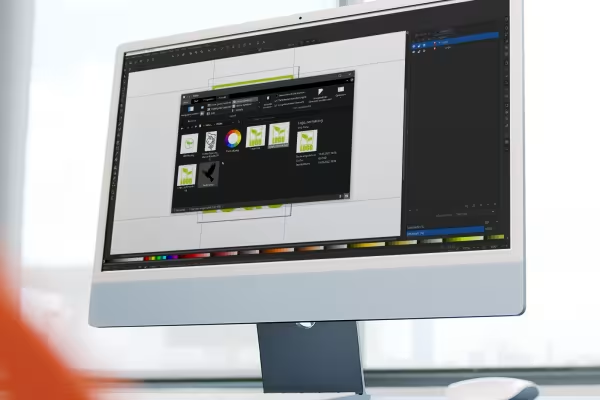 Vectorize in Inkscape: Learn how to convert pixel images into vector graphics.
 -
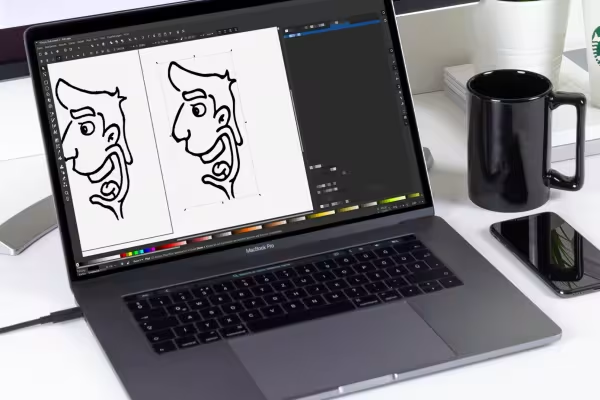 Would you like to vectorize photographed drawings (e.g. sketches of logos)? Find out how to proceed here!
You might also like

Full power, more inspirations, maximum WOW effect!

Live your layout now!

More style, more power, more templates!

20 sets in 4K (4096 × 4096 px, 300 DPI) as JPG plus Photoshop patterns, calibrated to the fill method
Comment now „Vectorize in Inkscape: Convert pixel images (PNG, JPG) into vector graphics“