
Skylum Luminar 4 for image editing and image management - Video tutorial

- Skylum Luminar 4: Get to know the Lightroom alternative comprehensively and use it directly.
- Image management: Keep track of your photos with catalogs, folders and tags.
- Filters and looks: How Luminar works and how to use the presets effectively.
- Tips and tricks: Using tools and masks, creating your own workspaces
- Over two-hour video tutorial by trainer Marco Kolditz
Get an overview and get hands-on with the details - explore all of Luminar 4's image management and editing features with this video tutorial.
16 Videos, 144 minutes
Entry
Skylum Luminar 4 Tutorial: 1.1 | Intro
Welcome to the training for Skylum Luminar 4. In the intro, Marco Kolditz shows you what to expect in the tutorials.
Skylum Luminar 4 Tutorial: 1.2 | Features and Installation
In this video, video trainer Marco Kolditz uses the Luminar 4 product website to show you the available editions of the software, the highlight features and the installation process.
Skylum Luminar 4 Tutorial: 1.3 | Add Image Folder
Watch this video to learn how to easily add image folders from your hard drive to your Luminar 4 catalog and how to add images to existing folders.
Skylum Luminar 4 Tutorial: 1.4 | The User Interface
Watch this video to learn about Luminar 4's clean interface and various controls, columns and rows.
Skylum Luminar 4 Tutorial: 1.5 | Open Single Files
In this video, video trainer Marco Kolditz shows you how to edit images in Luminar 4 not only within your extensive image catalog, but also independently of your library as a single image editor.
Skylum Luminar 4 Tutorial: 1.6 | Manage Photos I
Learn how to organize, sort, tag, rate, sort and filter your images in Luminar 4 in this video. Part 1 on managing photos.
Skylum Luminar 4 Tutorial: 1.7 | Manage Photos II
The second part about managing photos: Learn how to organize, sort, tag, rate, sort and filter your images in Luminar 4 in this video.
Skylum Luminar 4 Tutorial: 1.8 | Understanding and Using Templates
Luminar 4 offers many different ready-made templates that allow you to apply multiple preset filters to your images at once with just a single click. In this video you will learn how templates are structured and how to apply them.
Skylum Luminar 4 Tutorial: 1.9 | Save Photos
In addition to editing and automatically saving your images within the Luminar 4 catalog, it is also possible to export images to different file formats and, for example, reduce and sharpen them at the same time. Get to know the export function of Luminar 4 in this video.
Skylum Luminar 4 Tutorial: 1.10 | Batch Processing
In this video, video trainer Marco Kolditz presents Luminar 4's handy batch processing feature, which allows you to apply pre-selected looks to multiple images at once, resize images, sharpen images, name files individually and finally export them.
Filters and tools
Skylum Luminar 4 Tutorial: 2.1 | General Filters
In this video, video trainer Marco Kolditz explains the basic functionality of the filters in Luminar 4, their special features, how to apply the same filters multiple times and how to apply customized filters to multiple images at the same time.
Skylum Luminar 4 Tutorial: 2.2 | Layers
In this video, video trainer Marco Kolditz shows you how to split your editing steps into several layers and thus edit your images in a much more flexible and organized way.
Skylum Luminar 4 Tutorial: 2.3 | Tools
Luminar 4 not only offers options for image management and editing your images using filters, but also helpful tools for rotating and cropping your images or removing unwanted objects and noise from photos. In this video, video trainer Marco Kolditz introduces you to these tools.
Skylum Luminar 4 Tutorial: 2.4 | Filters - Examples
Luminar 4 offers a large selection of specialized filters, some of which are based on artificial intelligence, sensibly divided into different categories. In this video, video trainer Marco Kolditz presents some filter highlights using practical examples.
Skylum Luminar 4 Tutorial: 2.5 | Using Masks
Watch this video to learn how to apply filters to specific areas of images in Luminar 4 using different masking types to make local adjustments.
Skylum Luminar 4 Tutorial: 2.6 | Create Custom Templates
The more you work with Luminar 4, the more experienced you become in using the various filters available and the more useful it becomes to create your own templates and looks, which you can apply to your images in the future with just one click. In this video, video trainer Marco Kolditz shows you how to create your own templates and save them locally for sharing.
Examples of use
-
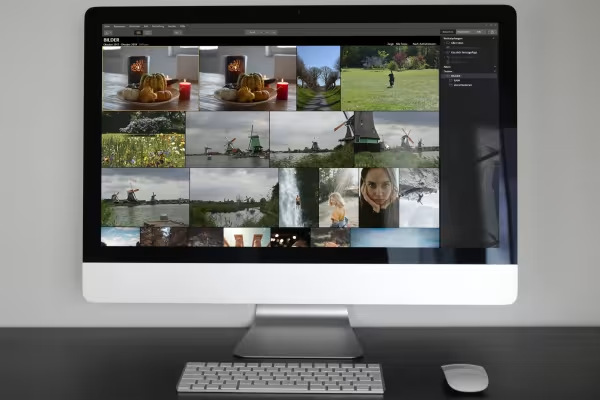 Example: Learn how to organize your photos with Skylum Luminar 4 image management.
 -
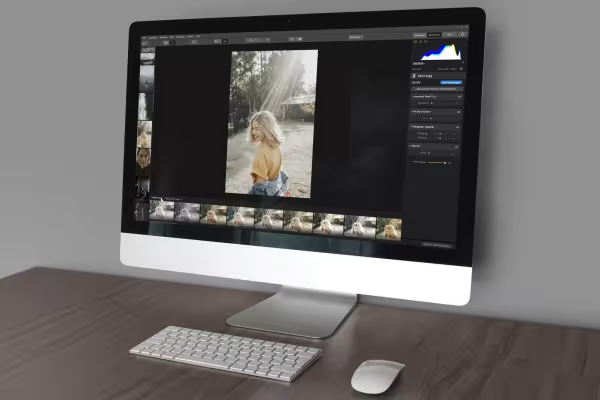 Example: Know all the important functions of Luminar 4 to efficiently edit your photos.
You might also like

Full power, more inspirations, maximum WOW effect!

Save time with artificial intelligence

Photo editing & image composition

More style, more power, more templates!
Comment now „Skylum Luminar 4 for image editing and image management - Video tutorial“