
Microsoft To Do (video tutorial) - organize tasks, projects and ideas effectively

- Task management with Microsoft To Do - a practical video guide in 40 minutes
- Learn how to create to-do lists and organize your tasks with the application
- Learn how to set reminders and link your tasks to your calendar
- All free functions of the digital planning tool To Do explained
Organization saves time and effort - every day! Take a look at the example of Microsoft To Do to see how you can master your day-to-day work with even more focus using digital management tools.
14 Videos, 39 minutes
Introduction
Microsoft To Do-Tutorial: 1 | Introduction
In this video, I give a very brief introduction to this Microsoft To Do video course.
Microsoft To Do: Basics
Microsoft To Do Tutorial: 2.1 | What is Microsoft To Do?
In this video, I explain in detail why you should use Microsoft To Do and what the benefits are.
Microsoft To Do-Tutorial: 2.2 | Download & Office 365
In this video, I explain how you can access and use Microsoft To Do.
Microsoft To Do-Tutorial: 2.3 | A little tour
In this video I show you the user interface of Microsoft To Do.
Microsoft To Do-Tutorial: 2.4 | Settings
In this video, we look at the basic settings of Microsoft To Do.
Planning made easy
Microsoft To Do tutorial: 3.1 | Plan your day
In this video, we successfully plan your day in Microsoft To Do.
Microsoft To Do-Tutorial: 3.2 | List options
In this video, we explain the list options and everything that goes with them.
Microsoft To Do-Tutorial: 3.3 | Create new lists
In this video, I show you how to create new lists.
Microsoft To Do tutorial: 3.4 | Set task details
In this video, we discuss the task details in Microsoft To Do and how to set them.
Set priorities and respond together
Microsoft To Do tutorial: 4.1 | Prioritize and organize tasks
In this video, we discuss prioritizing and organizing tasks of all kinds.
Microsoft To Do-Tutorial: 4.2 | Share lists
In this video, I show you how you can easily share lists.
Microsoft To Do tutorial: 4.3 | To Do smartphone app
In this video, I'll show you how to use the Microsoft To Do smartphone app.
Graduation
Microsoft To Do tutorial: 5.1 | Advantages and disadvantages of Microsoft To Do
In this video, we explain the advantages and disadvantages of Microsoft To Do.
Microsoft To Do-Tutorial: 5.2 | Conclusion
I would like to say goodbye to you in this video.
Examples of use
-
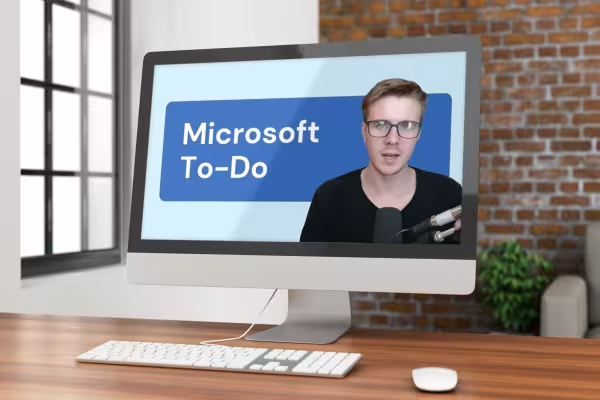 In 40 minutes of video instructions you have everything you need: How to organize tasks with To Do.
You might also like

Faster results in your tables

How the AI can help you

Effectively create modern slides

This saves you time and effort!
Comment now „Microsoft To Do (video tutorial) - organize tasks, projects and ideas effectively“