

The video is only loaded from YouTube when you play it – data (including your IP address) is then transmitted to YouTube/Google. More in the privacy policy
Here's a cool trick I read on the InDesign blog.
Step 1
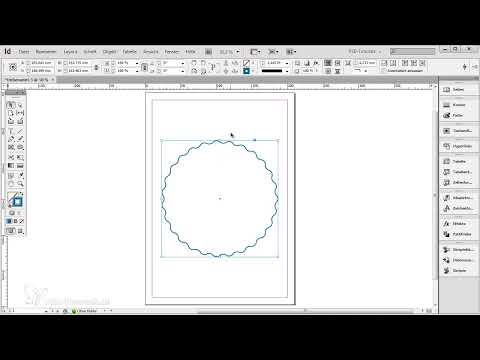
I draw a circle by holding down the Shift+key so that it really is a circle. I give the circle a blue outline of 5 pixels and set which outline I want, for example the wavy line.
- Outline: 5 pt

Step 2
Then I want the outline thickness to be much thicker. The problem with this is that the waves become increasingly smaller.
- Contour: 33 pt
Step 3
That's a shame. Maybe I don't want that at all. How can I help myself? Then let's use Illustrator. I would like to have exactly this shape, only with a thicker outline. I click on the circle and copy the whole thing with Ctrl+C.
- Outline: 13 pt
Step 4
I now go into my Illustrator and create a new document. File>New...
Step 5
I insert the whole thing with Ctrl+V.
Step 6
Then I press F7 and go to my layers panel. Here I open everything down to the smallest detail and this is exactly the path I would like to have. I click on this little circle on the far right. Then I copy everything to the clipboard again with Ctrl+C.
Step 7
I first delete the existing circle and press Ctrl+V to paste the path from the clipboard. Now I can increase the contour without reducing the number of waves.
- Contour : 31 Pt
Step 8
Of course, this can also be done with all other tools. I can draw anything here, for example a triangle, and then copy it again with Ctrl+C.
Step 9
Paste into Illustrator with Ctrl+V and then copy the path with Ctrl+C.
Step 10
I delete the existing triangle again and paste the path from the clipboard with Ctrl+V. Now I can change the outline thickness.
- Contour : 12 pt
This can be done with any shape.

