
MS Project (Tutorial): Planning, controlling and monitoring projects

- How to use Microsoft Project to plan, control and monitor your projects
- Get an overview of the operation and possibilities of MS Project
- Learn in detail how to manage resources, costs, processes and schedules with the software
- Evaluate the status of your projects using data and graphical representations
- Ideal for project managers and team leaders, for your project and quality management
- With practical examples, tips and tricks - a three-hour video tutorial by trainer Tobias Becker
The basics. The possibilities. The concrete practical application. First start the MS Project tutorial and then start your project management from scratch!
38 Videos, 179 minutes
Introduction
MS Project-Tutorial: 1 | Introduction
In this video, I give a very brief introduction to this Microsoft Project video course. The project file contains a disclaimer.
Microsoft Project: Basics
MS Project-Tutorial: 2.1 | What is Microsoft Project?
In this video I explain in detail what MS Project is.
MS Project-Tutorial: 2.2 | Why do you need tools in project management?
In this video, I explain why you need tools in project management.
MS Project-Tutorial: 2.3 | Areas of application of Microsoft Project
In this video I show you the areas of application of Microsoft Project.
MS Project tutorial: 2.4 | How to use MS Project
In this video, we look at the use of Microsoft Project.
Planning made easy
MS Project Tutorial: 3.1 | The MS Project user interface
In this video, we take a look at the MS Project user interface.
MS Project-Tutorial: 3.2 | The basic settings of MS Project explained
In this video, we explain the basic settings of Microsoft Project.
MS Project-Tutorial: 3.4 | The context menu
In this video we discuss the context menu.
Your first project
MS Project-Tutorial: 4.1 | Create a new project
In this video we create a first project.
MS Project-Tutorial: 4.2 | Enter tasks
In this video I show you how to enter processes.
MS Project-Tutorial: 4.3 | Enter resources
In this video, I show you how to enter resources.
MS Project-Tutorial: 4.4 | Deposit costs
In this video you will learn how to deposit costs.
MS Project-Tutorial: 4.5 | Special cost rates
In this video we talk about special cost rates.
Further educational
MS Project-Tutorial: 5.1 | Check project progress
In this video we review the progress of the project.
MS Project-Tutorial: 5.2 | Analyze project progress
In this video, we analyze the progress of the project.
MS Project-Tutorial: 5.3 | Set up cut-off dates
In this video, I show you how to set up deadlines.
MS Project-Tutorial: 5.4 | Linking options
In this video you will learn how to work with shortcuts.
MS Project-Tutorial: 5.5 | Recurring tasks
In this video we talk about recurring tasks.
MS Project-Tutorial: 5.6 | Continuous operations
In this video we talk about continuous processes.
Working hours & calendar
MS Project-Tutorial: 6.1 | Calendar types
In this video, I show you what types of calendars there are.
MS Project-Tutorial: 6.2 | Change standard working hours
In this video we change the standard working hours.
MS Project-Tutorial: 6.3 | Individual working hours
In this video we set up individual working hours.
MS Project-Tutorial: 6.4 | Create public holidays manually
In this video we talk about holidays.
You still need to know that
MS Project-Tutorial: 7.2 | Customize Gantt chart
In this video, I show you how to customize the Gantt chart.
MS Project-Tutorial: 7.3 | Templates in MS Project
In this video, I show you how to use templates.
MS Project-Tutorial: 7.4 | The timeline
In this video you will learn how to display the timeline.
MS Project-Tutorial: 7.5 | Team planner and calendar
In this video we discuss the team planner.
MS Project-Tutorial: 7.6 | Everything else about the processes
In this video I show you everything else about the processes.
MS Project-Tutorial: 7.7 | Everything else about the resources
In this video you will learn everything else about the resources.
MS Project-Tutorial: 7.8 | Cost overview
In this video we talk about the cost overview.
MS Project-Tutorial: 7.9 | Report design and editing
In this video I show you how to edit the report.
MS Project-Tutorial: 7.10 | Save & Export
In this video you will learn how to save and export your project.
MS Project-Tutorial: 7.11 | Print project
In this video we talk about printing the project.
MS Project-Tutorial: 7.12 | Shortcuts
In this video I show you the most important key combinations.
Project example
MS Project-Tutorial: 8 | Project example house renovation
This video shows an example of a project.
Examples of use
-
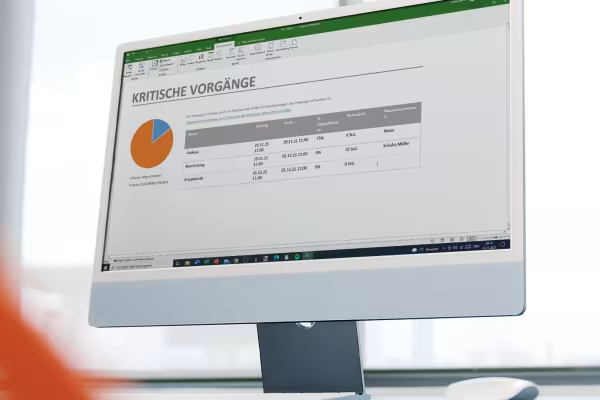 Learn how to use MS Project in a comprehensive tutorial.
 -
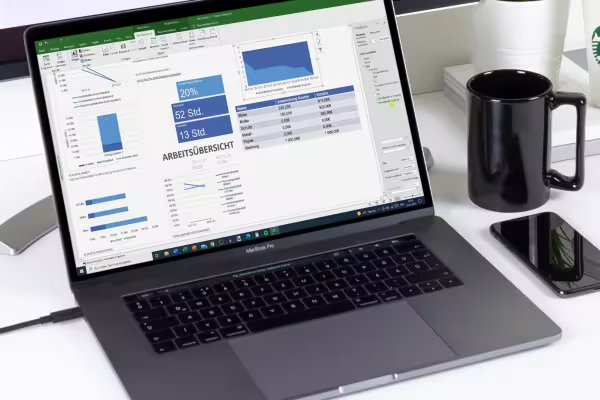 Plan, control and monitor projects - find out how to do all this with MS Project.
You might also like

With flyer, business card & Co.

This saves you time and effort!
Faster results in your tables

Create, set up & optimize online advertising
Comment now „MS Project (Tutorial): Planning, controlling and monitoring projects“