
Retouching with Dodge and Burn - crash course

- Tipp: Die Hintergründe eignen sich auch für Bewerbungsfotos und Business-Aufnahmen
- An overview of various techniques: How and why you use them, explained using specific examples
- For a practical understanding of the content: including working materials
- By photographer and retoucher Merle Nicksch, who not only retouches with dodger and post-processor
Dodge and burn with methodology and different methods - this is how you show faces that make eyes! Refine your retouching skills with this dodge and burn crash course!
20 Videos, 114 minutes
Introduction
Dodge and Burn - Crash course: 1.1 Intro
2 minA few introductory words about the greeting: This is what the course is about.
Dodge and Burn - Crash Course: 1.2 Introduction: What is Dodge and Burn?
11 minIn this video, Merle shows you what Dodge and Burn is all about. You will learn about the meaning of the name and what results you can achieve with this technique.
Techniques
Dodge and Burn - Crash course: 1.3 Gradation curves
4 minMerle uses this example to explain one of the many dodge & burn techniques. She explains how the gradation curves work and what kind of images she uses this technique for.
Dodge and Burn - Crash course: 1.4 Dodge & Burn at the output level
4 minDodge and Burn are the two most popular tools in Dodge & Burn. In this video, Merle will show you the advantages and disadvantages of these tools and explain how they work.
Dodge and Burn - Crash course: 1.5 level with 50 % gray
3 minIn this video, Merle explains her personal favorite Dodge & Burn technique. You will learn about the advantages and disadvantages of working on a gray layer and why Merle uses this method for her pictures.
Dodge and Burn - Crash Course: 1.6 Empty Plane
2 minThis video builds on the previous video and shows the advantages and disadvantages of this technique compared to the other techniques. You will learn how to work with Dodge & Burn on an empty plane.
Modeling
Dodge and Burn - Crash course: 2.1 Modeling the face
9 minYou often want to make faces look a little narrower or change their shape. In this video, Merle shows you how you can achieve this without destroying pixels.
Dodge and Burn - Crash course: 2.2 Shaping lips
10 minDodge & Burn is a great way to emphasize lips and make them look fuller. In this video, Merle will explain what you need to look out for.
Dodge and Burn - Crash course: 2.3 Reduce nose
13 minYou can easily give noses a new shape by changing the highlights and shadows of the image. This video shows you how to do this without making it look artificial.
Eyes
Dodge and Burn - Crash course: 2.4 Emphasize eyes
5 minUsing this example, Merle will show you how you can bring more life to your eyes with Dodge & Burn. She uses a special technique for this and explains where the advantage lies compared to her usual editing technique.
Dodge and Burn - Crash course: 2.5 Thickening eyebrows
6 minEyebrows often have small gaps and therefore appear less full. In this video, Merle will show you how to fill in gaps and also give your eyebrows a slight shape.
Dodge and Burn - Crash course: 2.6 Enhance make-up
7 minIn this video, Merle explains how you can apply make-up to a person with almost no make-up. You'll also find out how you can color the make-up afterwards.
Skin and spots
Dodge and Burn - Crash course: 3.1 Removing mini stains
6 minIn this video, Merle will explain her most frequently used skin retouching method. You'll find out why she likes to use this method so much and what the advantages are compared to other techniques.
Dodge and Burn - Crash course: 3.2 Removing larger stains
7 minThis video builds on the previous video. After you have removed the small spots in the skin, you then retouch away larger spots.
Dodge and Burn - Crash course: 3.3 Remove wrinkles
5 minUsing this example, Merle will show you how you can also remove wrinkles with Dodge & Burn with a little dexterity. This technique works for both small and large creases.
Hair
Dodge and Burn - Crash course: 3.4 Thickening the hairline & filling in the beard
4 minFor male models in particular, it is especially important that the hairline and beard have no gaps. In this video, Merle will explain how you can easily fill these gaps.
Image effect
Dodge and Burn - Crash course: 3.5 Setting highlights (clothes)
4 minIn this video, you will learn how you can emphasize the clothing and give it more depth overall. You will learn where highlights and selective darkening of certain image areas are useful.
Dodge and Burn - Crash course: 3.6 Directing your gaze
6 minIn this video, Merle will explain how you can direct the viewer's eye where you want it to go. She will explain why she directs the focus of the image to which areas.
Dodge and Burn - Crash course: 3.7 Skin tones
2 minFinally, you will learn how you can correct skin tones if they have changed during dodge & burn. In this video, Merle shows you two tried-and-tested methods for restoring these skin tones to the image.
Outro
Dodge and Burn - Crash Course: 4 Outro
3 minA lot was taught - and hopefully a lot was learned. A few final words about the course.
Examples of use
-
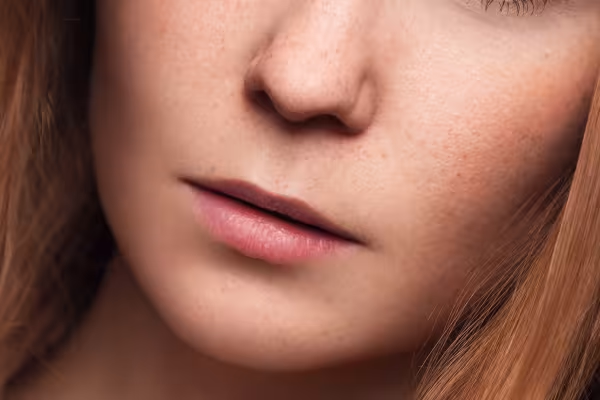 Which dodge-and-burn techniques are practicable? What are they suitable for? How do they work?
 -
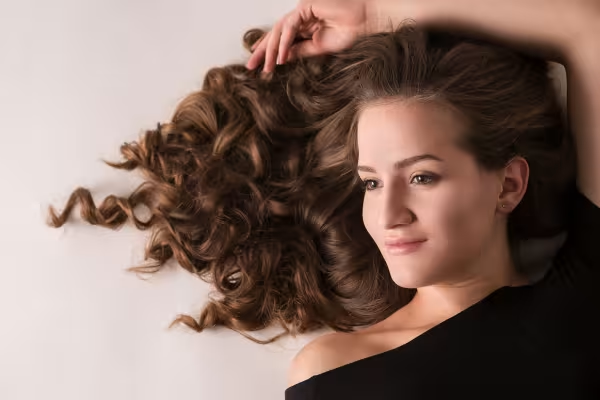 The course provides you with the essential tools for retouching portraits
 -
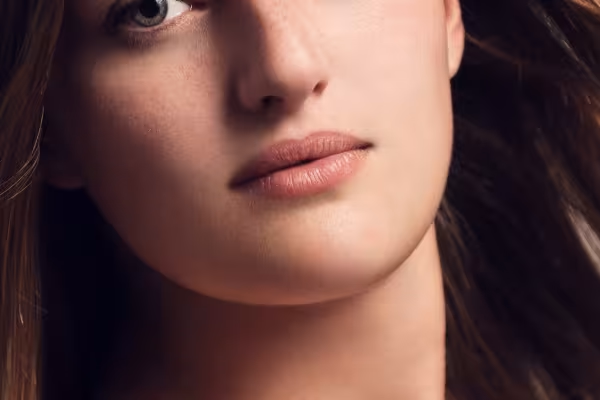 Whether eye, lip, mouth, hair or make-up - you can do it all with Dodge and Burn.
 -
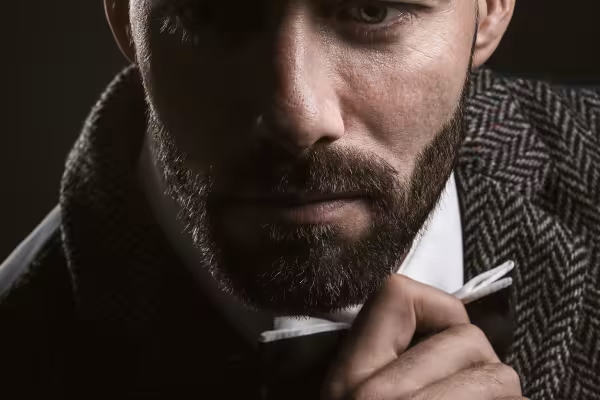 In the course you will retouch portraits of both women and men.
You might also like

Full power, more inspirations, maximum WOW effect!

More style, more power, more templates!

20 sets in 4K (4096 × 4096 px, 300 DPI) as JPG plus Photoshop patterns, calibrated to the fill method

100 presets in 5 themes · each look in .xmp, .dng, and .costyle · for desktop and smartphone
Comment now „Retouching with Dodge and Burn - crash course“